You are here:
Resolve Security Anomalies with Security Center with Agentforce (Beta)
Security Center with Agentforce uses Event Monitoring and Security Center data to identify potential security incidents. When an incident is identified, Agentforce creates an Investigation record that includes the incident data and a suggested remediation plan.
| Available in: Lightning Experience |
| Available in: Enterprise and Unlimited Editions with the Security Center add-on license. |
| Available for free in: Developer Edition |

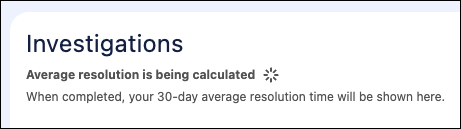
The Investigations tab in your Security Center setup provides a visual overview of every new, in-progress, and resolved investigation in your org. The Average Resolution value provides details about average incident resolution time and which way that value is trending: shorter or longer than the previous 30-day average. The calculation only appears after at least 60 days of data is available.
Click an investigation card to open a workspace that includes:
- Summary – Details such as the type of Event Monitoring incident that occurred, the impacted instances, the Investigation ID, and risk score. There are three risk categories scored out of 100: low risk (0–49), medium risk (50–74), and high risk (75–100).
- Detected Anomalies – Related anomalies from the same user session or user activity within the following 24 hours.
- Incident Timeline – What happened before, during, and after an anomaly was detected.
- Remediation Plan – A custom, step-by-step plan for resolving the incident. These plans provide standardized guidance to help you contain the immediate threat and prioritize the most critical actions to close security gaps.
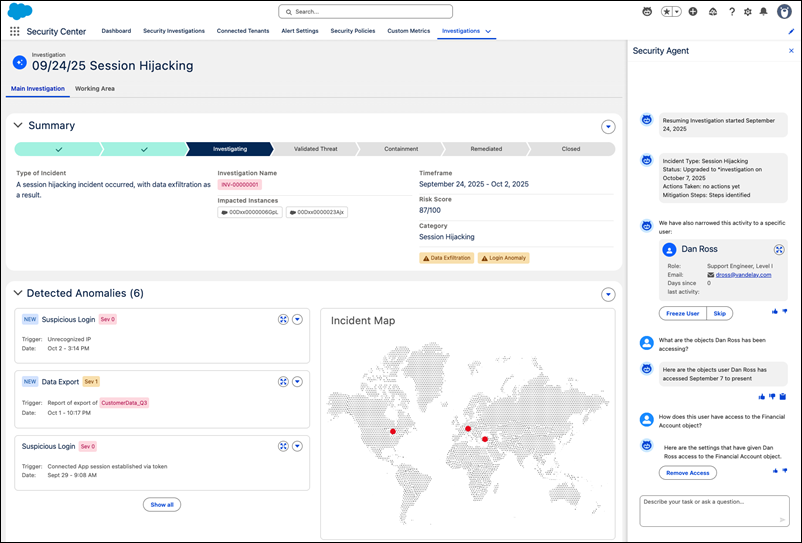
While viewing an investigation, you can use the Security Agent sidebar to ask natural-language questions for further clarification. The agent can provide deeper insights into specific user behaviors or quickly summarize complex log data.
