Loading
Prepare for Email to Become the Default Login ExperienceRead More
Multiple Salesforce Services Impacted - Support Case Creation Also AffectedRead More
Intermittent freezing when using using certain browser versionsRead More
Secure Your Salesforce Org
Security Center Essentials

Security Center Essentials

Security Center Essentials helps you visualize, understand, and optimize your org’s security posture based on your org’s Security Health Check score and six other fundamental security metrics. Security Center Essentials is available to customers at no additional cost. Licensed Security Center customers continue to use the full-featured, multitenant version. If your org upgrades from Security Center Essentials to the full version of Security Center, all historical metrics data is transferred.
Required Editions

Available in: Lightning Experience
Available in: All editions

Security Center Essentials is enabled in Production orgs and Full and Partial Copy sandboxes. Orgs with Developer and Developer Pro sandboxes see a banner with instructions for turning on the feature . Metrics collection for Security Center Essentials follows a standard weekly schedule.

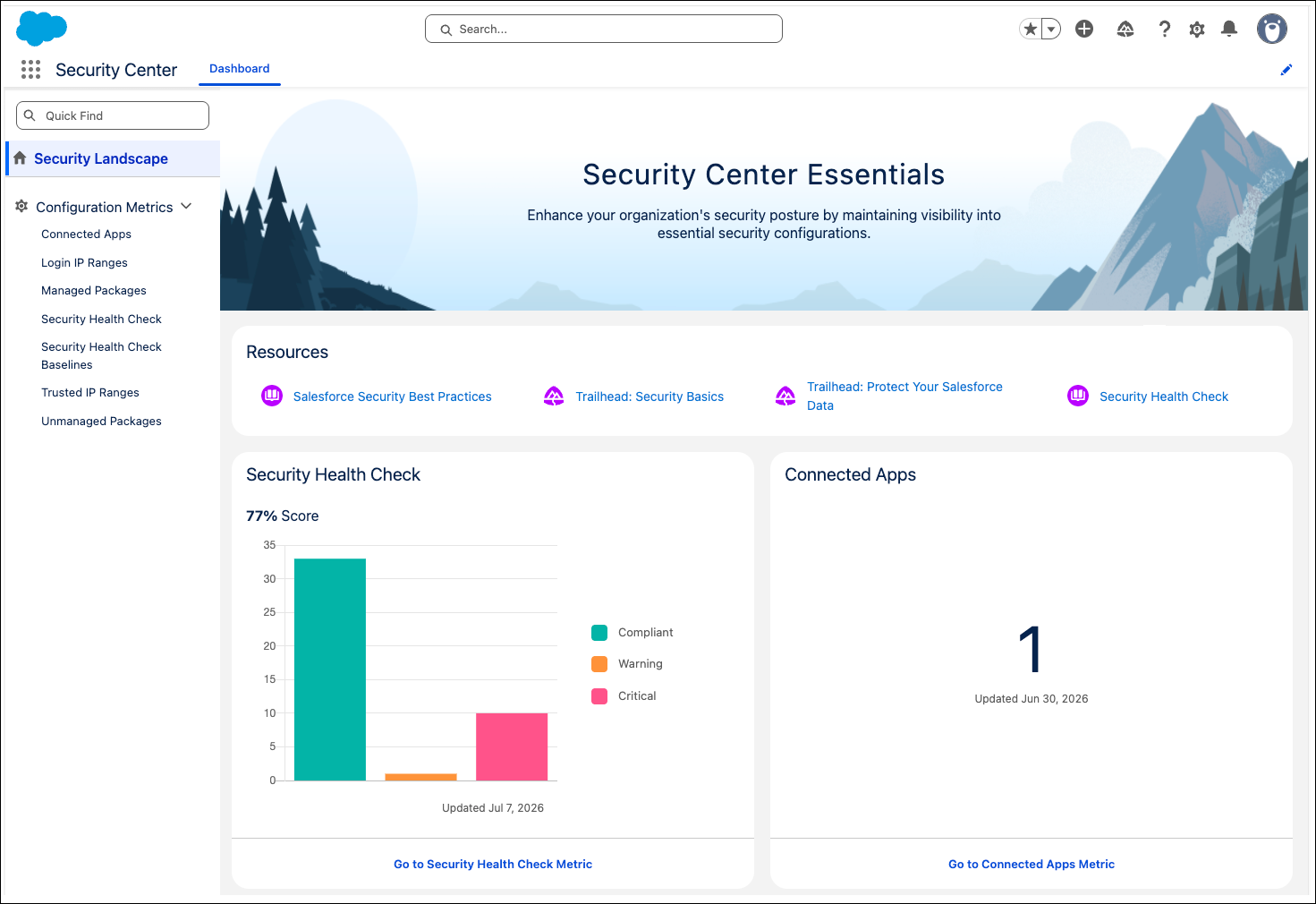
Security Center Essentials Security Landscape page
  • View Security Center Essentials
    From Security Center Essentials, navigate the dashboard to view your org’s Security Health Check score and other security metrics.
  • Security Center Essentials Metrics and Use Cases
    Security Center Essentials shows your org’s Security Health Check score plus six other key security metrics. Learn the basics here and refer to related help topics for more information.
  • Understand and Manage Your Org’s Security Health Check Score
    The Security Health Check detail page in Security Center Essentials helps you monitor your org's security posture over time by tracking how well your security settings meet the Salesforce Baseline Standard or a custom baseline you created. Security Center Essentials stores Security Health Check data for 30 days.
  • Understand and Track Security Center Essentials Metric Changes
    Security Center Essentials tracks multiple important metrics for your org. Each metric has a detail page that helps you understand how your org’s ecosystem and configurations change over time. Use these charts to identify activity patterns, make adjustments as necessary, and ensure that your org’s security posture meets or exceeds your baseline.
  • View the Security Center Essentials Response Log
    The Security Center Essentials Response Log is a read-only list of automated threat containment actions that Salesforce Security performs on your organization's behalf. Use the log to quickly identify which threats are resolved and focus your attention where it's needed.
  • Security Center Essentials Considerations
    Make sure you understand these considerations for enabling, setting up, and using Security Center Essentials.
 
Loading
Salesforce Help | Article
