You are here:
How Cache-Only Keys Works
The Shield Platform Encryption Cache-Only Key Service provides access to various key services to generate, secure, and store your key material. Because a cache-only key bypasses the key derivation process, it’s used to directly encrypt and decrypt your data. You can use an on-premises key service, host your own cloud-based key service, or use a cloud-based key brokering vendor. Services that incorporate named principals for credentials are recommended, although key services that use legacy named credentials without named principals are supported.
Supported Key Material
Your encryption key must be a 256-bit AES data encryption key (DEK). The DEK is used to encrypt and decrypt your secure data directly. It is not used as part of key derivation.
Supported Key Services
You can use an on-premises key service, a cloud-based key service, or a cloud-based key brokering vendor. For the secure connection between Shield Platform Encryption and your KMS, we recommend credentials that use named principals. Key services that use legacy named credentials with no named principal are supported.
Encrypted Key Cache
The enhanced cache controls provide a single source of truth for your DEKs.
The enhanced cache controls ensure that each DEK is stored securely while in the encrypted key cache. The Shield KMS encrypts the fetched DEK with an org-specific AES 256-bit cache encryption key (CEK). It then stores the encrypted DEK in the cache for encrypt and decrypt operations.

The cache is flushed every 72 hours, and certain Salesforce operations flush the cache every 24 hours on average. Destroying a data encryption key invalidates the corresponding data encryption key that’s stored in the cache.
The CEK is rotated along with key lifecycle events such as key destruction and rotation. HSM-protected keys secure the CEK in the cache.
Key Material Flow
Whether you store your DEKs with an on-premises key service or a cloud-based key service, the flow for retrieving the key material is the same.
Figure 1 shows how Salesforce fetches DEKs on-demand from either a customer on-premises key service or from a cloud-based key service.
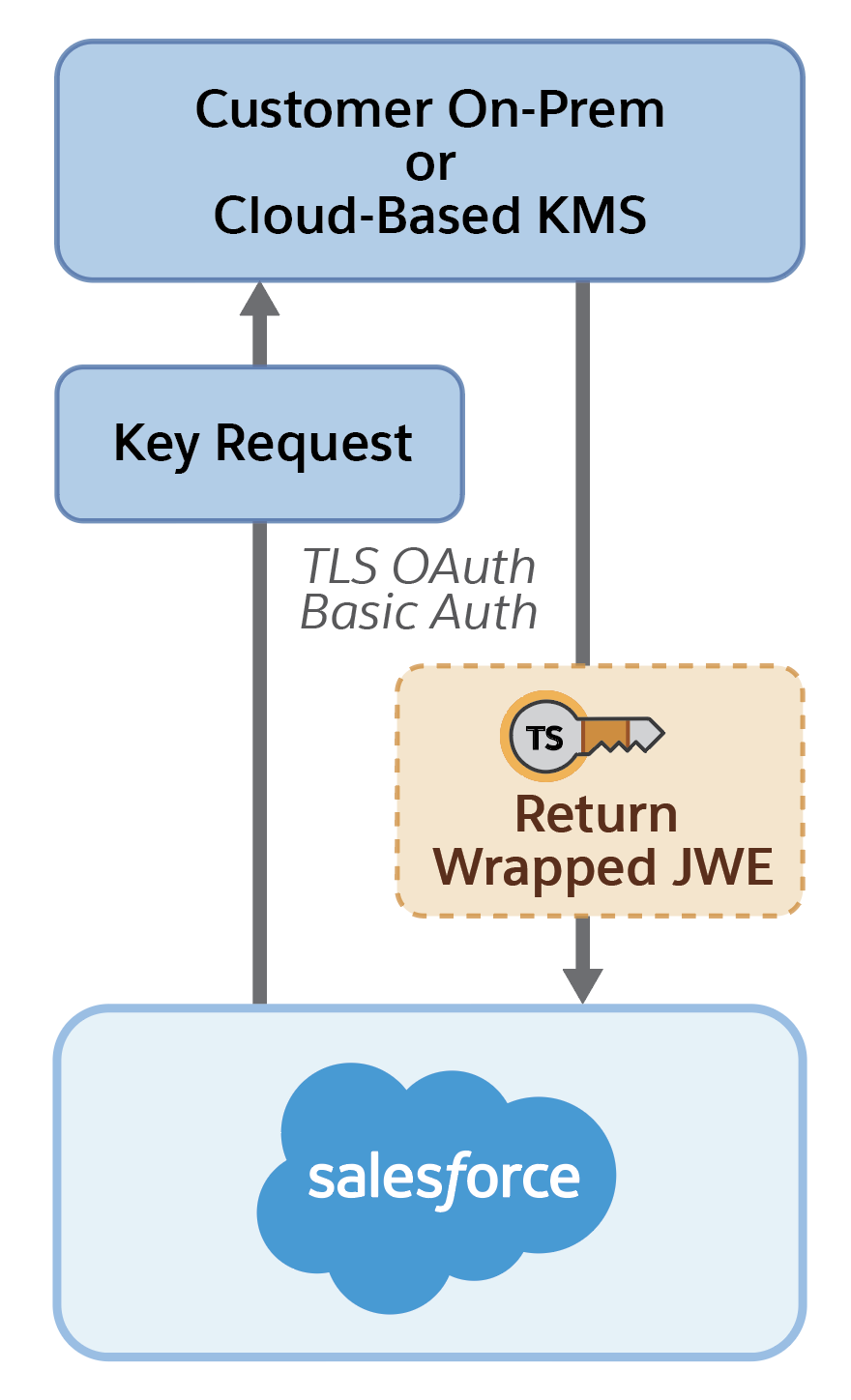
When users access encrypted data or add sensitive data to encrypted data elements, the Cache-Only Key Service first checks the local encrypted key cache for the DEK. If it’s present, it’s used for the decryption or encryption operation.
If the DEK isn’t present, the Cache-Only Key Service makes a callout to the customer’s key service endpoint via the specified Named Credential.
The customer’s key service returns a CEK/KEK (key encryption key) wrapped key formatted as a JWE.
The encrypted key cache validates the response and sends the CEK over to the regional Shield KMS to be unwrapped.
The regional Shield KMS unwraps the CEK with the HSM-generated certificate’s private key (KEK).
The unwrapped CEK is returned to the encrypted key cache over a TLS-secured channel.
The DEK is unwrapped with the CEK.
The DEK is then rewrapped using a CEK and placed in the encrypted cache. The DEK is then available for use.
Subsequent encryption and decryption requests go through the encrypted key cache until the DEK is revoked or rotated, or until the cache is flushed. After the cache is flushed, the Cache-Only Key Service fetches DEK from your specified key service the next time it’s needed.
