Upload a BYOK Tenant Secret for Database Encryption
For Database Encryption, you upload a tenant secret as your BYOK material. The Shield
Key Management Service (KMS) uses your tenant secret to derive the keys used for encrypting and
decrypting your transactional database data. This tenant secret is only used for Database
Encryption.
Required Editions
Available in both Salesforce Classic (not available in all orgs) and Lightning
Experience.
Available in: Enterprise, Performance, and Unlimited
Editions with the Salesforce Shield or Shield Platform Encryption licenses.
Available for free in Developer Edition.
User
Permissions Needed
To generate, destroy, export, import, upload, and configure key
material:
Manage Encryption Keys
To view and edit Setup:
View Setup and Configuration
From Setup, in the Quick Find box, enter Platform Encryption,
and then select Key Management.
The Key Inventory and Management page loads.
In the Key Management Table, select Database.
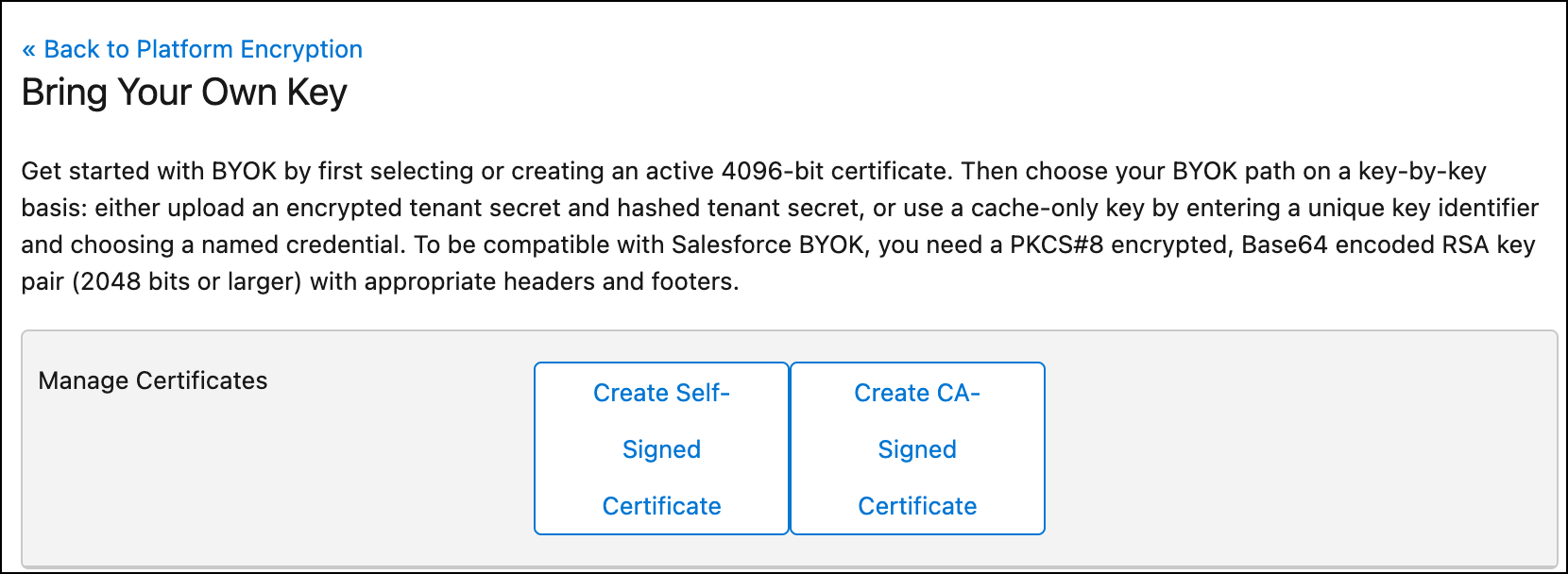
Click Bring Your Own Key.
If you’re prompted to generate a certificate, choose either Self-Signed or CA
Signed. If you have already created certificates you can either select one of those or create
a new one.
Note This certificate is used only to secure the upload of your key
material.
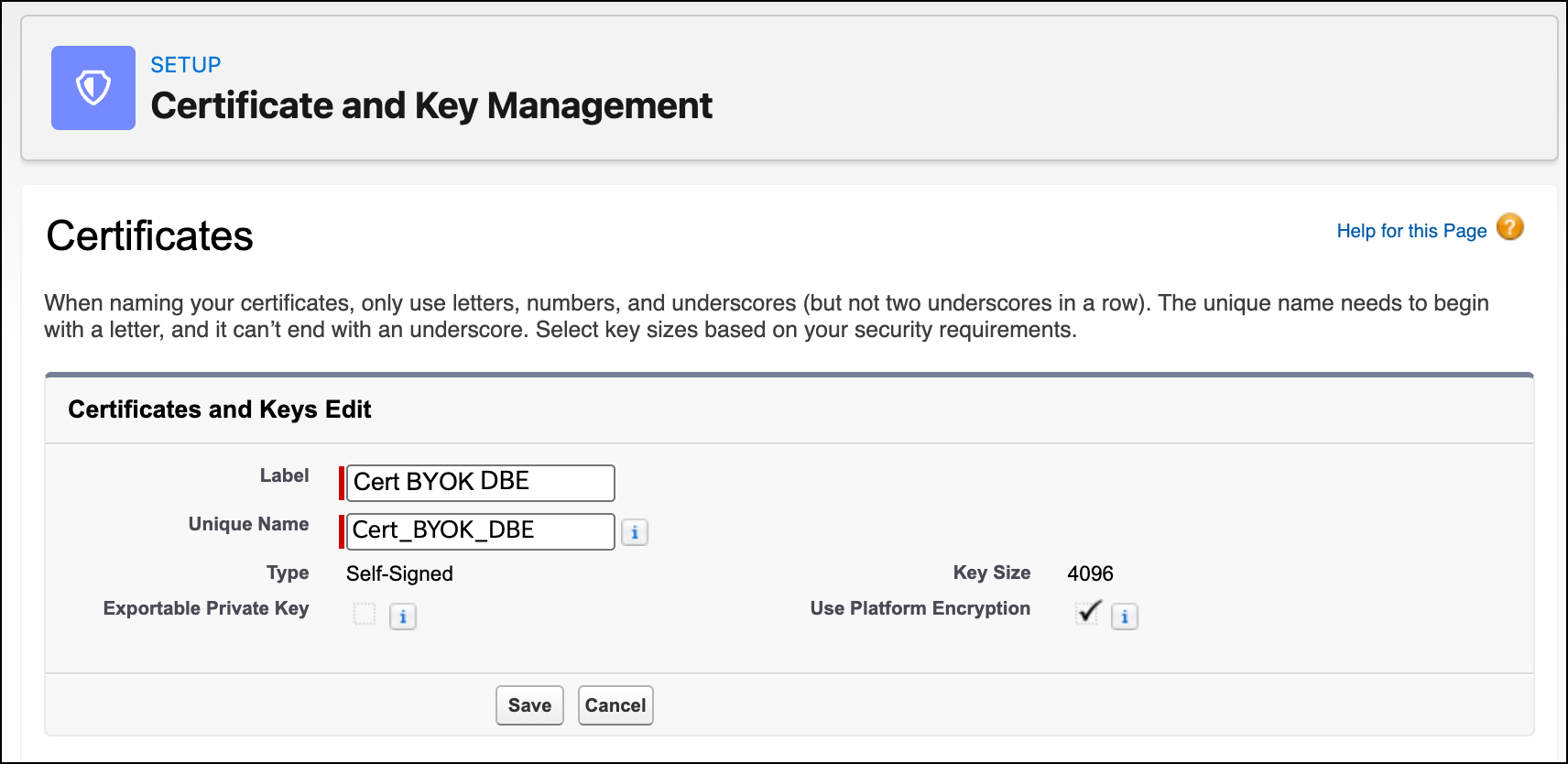
If you choose to create a new certificate, the Certificate and Key Management page
appears.
In the provided space, type a label, and then select Save.
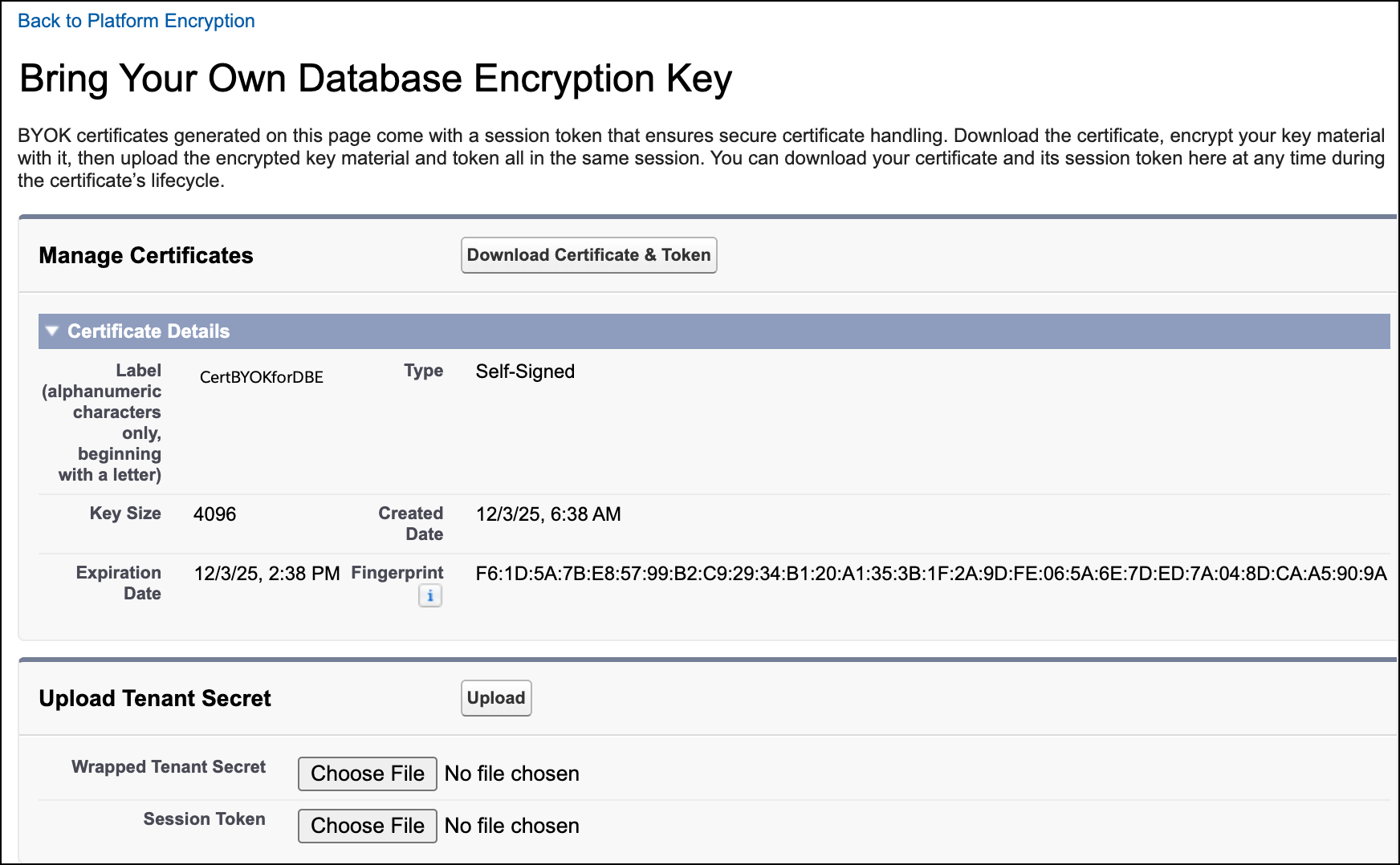
On the Bring Your Own Database Encryption Key page, click Download Certificate
and Token to download the files you need to prepare and upload your tenant
secret.
Use the certificate to prepare your key material for upload. See Wrap BYOK Key Material.
After you have wrapped your key material, in the Upload Tenant Secret section, attach both the encrypted key material and the
session_token.txt file associated with your certificate. Click
Upload.
This tenant secret becomes the active tenant secret for Database Encryption.
From here on, the Shield KMS uses your tenant secret as part of a derived key used to
encrypt and decrypt your users’ search data.
Did this article solve your issue?
Let us know so we can improve!
Loading
Salesforce Help | Article
Cookie Consent Manager
General Information
Required Cookies
Functional Cookies
Advertising Cookies
General Information
We use three kinds of cookies on our websites: required, functional, and advertising. You can choose whether functional and advertising cookies apply. Click on the different cookie categories to find out more about each category and to change the default settings.
Privacy Statement
Required Cookies
Always Active
Required cookies are necessary for basic website functionality. Some examples include: session cookies needed to transmit the website, authentication cookies, and security cookies.
Functional Cookies
Functional cookies enhance functions, performance, and services on the website. Some examples include: cookies used to analyze site traffic, cookies used for market research, and cookies used to display advertising that is not directed to a particular individual.
Advertising Cookies
Advertising cookies track activity across websites in order to understand a viewer’s interests, and direct them specific marketing. Some examples include: cookies used for remarketing, or interest-based advertising.