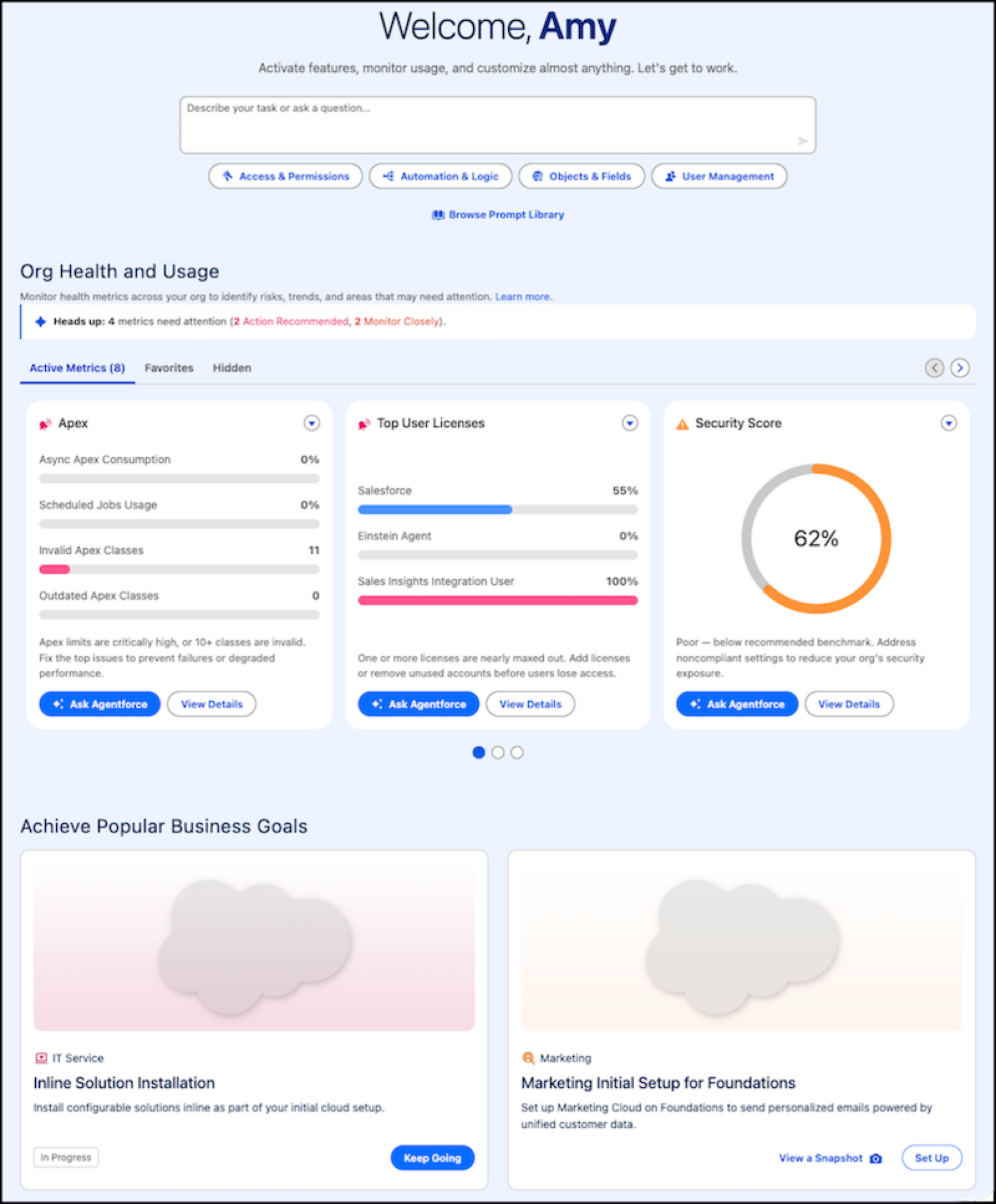
In Winter ‘26, Setup Home was redesigned to provide a more efficient experience, and
enhanced with dedicated tiles from Salesforce Go and more. Agentforce takes that new Home page
and gives it an AI upgrade, adding a prompt bar where you can ask questions or enter a prompt to
start working with the agent.
Required Editions
Available in: Lightning Experience
Available in: Enterprise, Performance, Unlimited, and
Developer Editions with Foundations or Agentforce 1
Editions
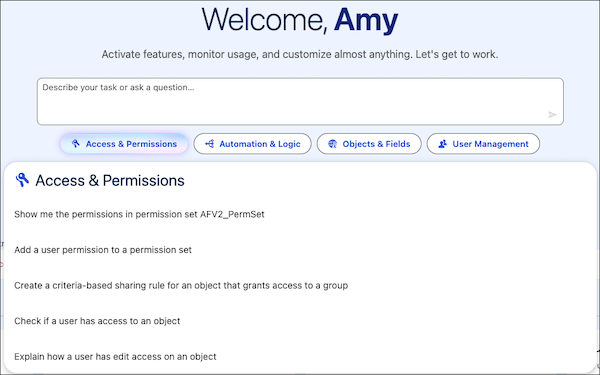
To start a conversation with the Setup Agent with an example prompt, use the Prompt Library next to the
prompt bar.
The categorised recommendations on Setup Home and conversation recommendations in the
Agentforce panel—are personalized based on your activity, helping you quickly get started on
common tasks with fewer clicks. To get more personalized recommendations based on your
activity in Setup, enable Enhanced Conversation Recommendations.
Setup with Agentforce generates categorized and conversational recommendations from signals
in user utterances. These recommendations can reflect personalisation factors such as Setup
Audit Trail activity, a user’s most recently used (MRU) data, and how often they open Setup
pages.
Setup Home also includes an overview of your Salesforce org health and usage metrics so you
can identify issues and potential improvements without navigating to many Setup pages. This
section gives you access in one central location to essential information such as a security
health score, license usage, data and file storage, and org optimization recommendations.
The Agentforce-enabled Setup Home page isn't available in Setup apps that have their own
customized home page, such as Data 360 and Service Cloud.
We use three kinds of cookies on our websites: required, functional, and advertising. You can choose whether functional and advertising cookies apply. Click on the different cookie categories to find out more about each category and to change the default settings.
Privacy Statement
Required Cookies
Always Active
Required cookies are necessary for basic website functionality. Some examples include: session cookies needed to transmit the website, authentication cookies, and security cookies.
Functional Cookies
Functional cookies enhance functions, performance, and services on the website. Some examples include: cookies used to analyze site traffic, cookies used for market research, and cookies used to display advertising that is not directed to a particular individual.
Advertising Cookies
Advertising cookies track activity across websites in order to understand a viewer’s interests, and direct them specific marketing. Some examples include: cookies used for remarketing, or interest-based advertising.