Use Setup with Agentforce
You can get started with Agentforce from any page in Setup.
Required Editions
| Available in: Lightning Experience |
| Available in: Enterprise, Performance, Unlimited, and Developer Editions with Foundations or Agentforce 1 Editions |
Setup with Agentforce expands the number of tabs available as you work through Setup. Agent conversations can open in their own tabs. Setup pages open in a single dedicated Setup tab rather than overwriting the Home page.
You can still navigate through Setup by using the left sidebar, which is available on all pages, including Object Manager. You can expand or collapse the left sidebar, giving you more real estate to work with. As you navigate through Setup, the sidebar’s expanded or collapsed state is preserved.
Use Setup with Agentforce from Setup Home
- Start a conversation by using the prompt bar, the Prompt Library,
conversation recommendations, or the Ask Agentforce buttons in the Org Health and Usage
section. Conversations started on Setup Home always open in a new conversation tab.
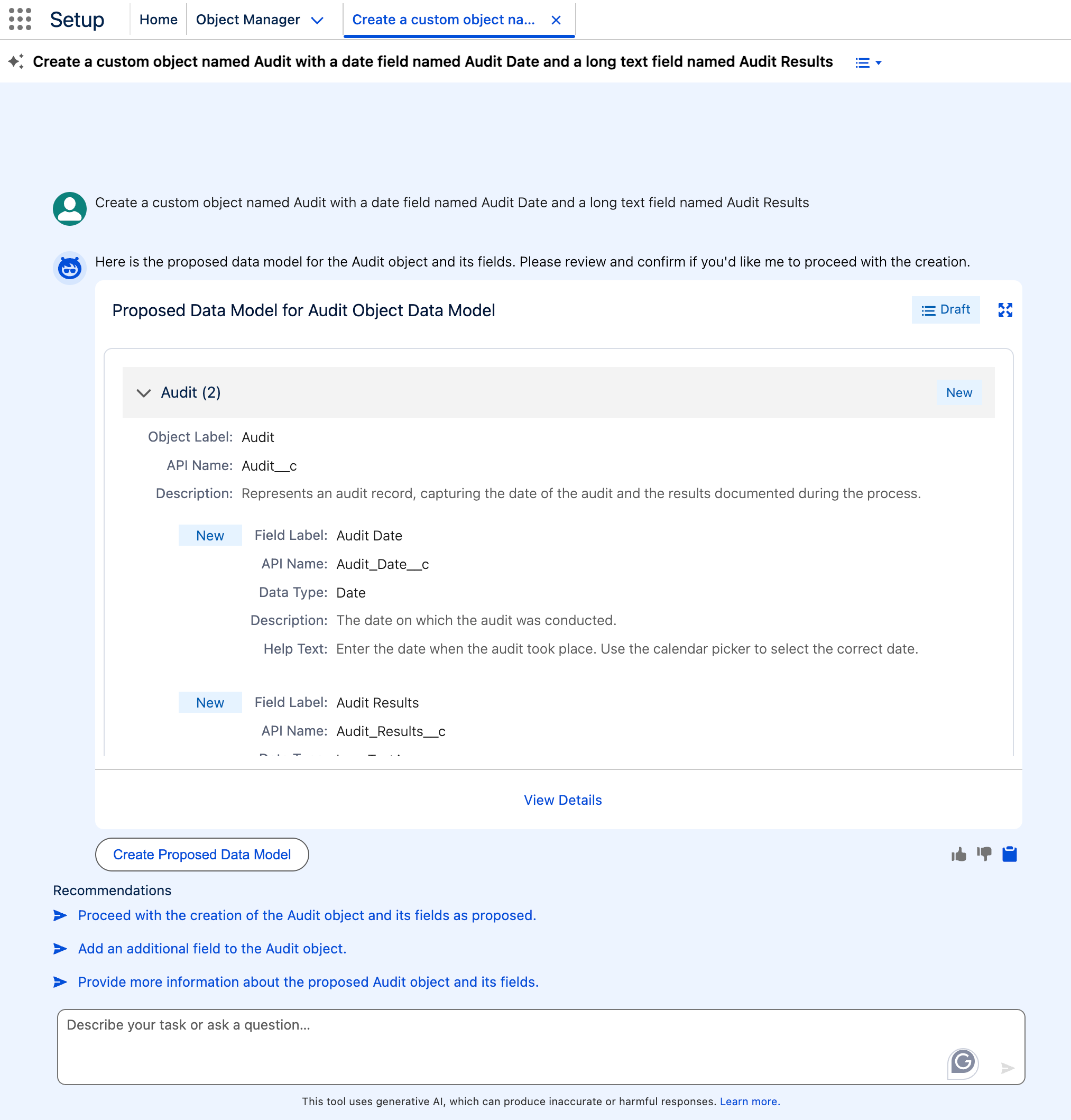
- In the full screen view, if you click
 or View Details on a card, the conversation condenses into
a narrow view on the right-hand side, and the expanded card appears in the main screen
area.
or View Details on a card, the conversation condenses into
a narrow view on the right-hand side, and the expanded card appears in the main screen
area.
Use Setup with Agentforce from All Other Setup Pages
- Kick off a conversation by clicking the Ask Agent for Setup button (
 ). These conversations open in the Agentforce side panel to keep you in the
context of your original page so you can proceed through Setup and chat with the agent at
the same time.
). These conversations open in the Agentforce side panel to keep you in the
context of your original page so you can proceed through Setup and chat with the agent at
the same time. - In the Agentforce panel, you can click
 to increase the width of the panel. You can also click or View Details from a card to expand the conversation to
a larger view. When the Agentforce panel is expanded, the Pin the Panel icon in the header
is disabled.
to increase the width of the panel. You can also click or View Details from a card to expand the conversation to
a larger view. When the Agentforce panel is expanded, the Pin the Panel icon in the header
is disabled.
Navigation Tips
- You can open a conversation in a new tab in two ways.
- Return to Setup Home and enter a new prompt or question in the prompt bar. Each new conversation that’s initiated from the Setup Home prompt bar opens in a new tab in Setup. These separate tabs make multitasking easier, as you can switch between different tasks or conversations without losing your work.
- In the Agentforce panel header, click the Open chat in new
tab icon (
 ) to open the conversation in a new Setup tab.
- If you ask a question or enter a command that the agent can’t answer or complete, the agent provides links to the relevant Setup or Salesforce Go pages, reducing navigation time. The Setup agent can also respond with related information sourced from Salesforce Help, and provide links to the source articles.
- Use the Prompt Library for Setup with Agentforce
Use ready-made prompts to quickly start a conversation with the Setup agent. You can explore example prompts organized by category, such as user access, flows, and org health, to learn more about Setup with Agentforce capabilities.
Did this article solve your issue?
Let us know so we can improve!
