
You are here:
Einstein Enhancements for Starter and Pro Suite
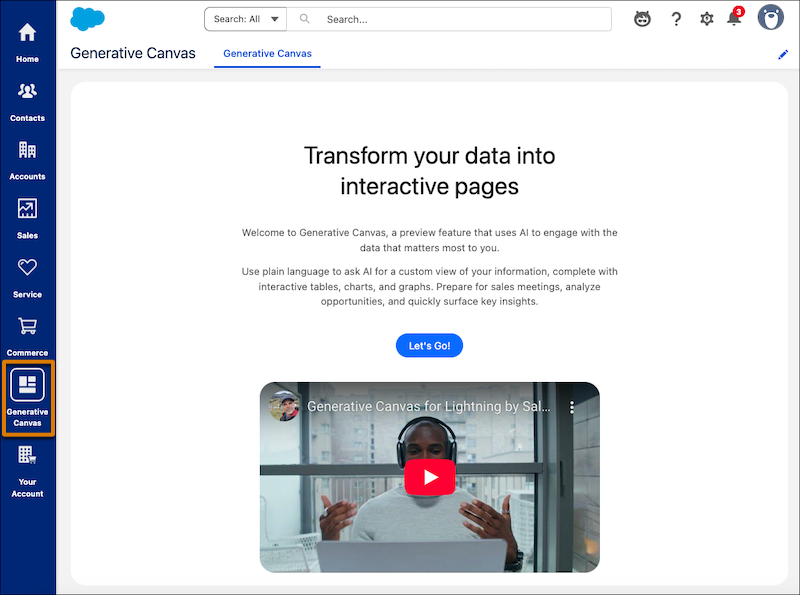
To easily set up Generative Canvas, use the new landing page and app in the vertical navigation bar.
Turn on Generative Canvas and Einstein with a Single Selection
Save time and effort with a streamlined setup for Generative Canvas. Now you can turn on Generative Canvas and Einstein at the same time. From the Generative Canvas app home page, select Let’s Go! When you enable the Generative Canvas toggle, Einstein is automatically enabled as well.
This functionality is available for Starter and Pro Suite starting in April 2025.
Import Your Accounts and Contacts from Generative Canvas
Import your account and contact data directly from Generative Canvas. Simply select the Import my accounts or Import my contacts instructions to launch the guided import process.
This functionality is available for Starter and Pro Suite starting in April 2025.
Set Up and Access Generative Canvas from the Navigation Bar (Preview)
Powered by Einstein and large language models (LLMs), Generative Canvas gathers information across records and creates a canvas that displays the important details in one place. To easily access Generative Canvas, you can now click the new Generative Canvas app in the vertical navigation bar. If you’re setting up Generative Canvas for the first time, the app opens a new Generative Canvas landing page where you can learn about and turn on the feature. Previously, the Generative Canvas app was available only after setting up Generative Canvas.
This functionality is available for Starter and Pro Suite starting in February 2025.

