
You are here:
Earlier Starter and Pro Suite Release Notes
Starter and Pro Suite archives release notes older than one calendar year. Refer to the help documentation for the most accurate and current information on using Starter and Pro Suite functionality.
December 14, 2023
The new monthly term, in addition to the annual term, lets you continue to work in Salesforce and grow your business with flexible subscription options to fit your company’s needs. Click Buy Now from your Starter trial and select Monthly Term.
November 14, 2023
Provide access to the Starter Home, Marketing, Onboarding, Sales, and Service app permission sets with the new Starter All Apps permission set license.
Provide access to the Pro Suite Sales, Service, Marketing, and Commerce app permission sets with the new Starter Pro permission set license.
Aditionally, meet and exceed sales goals when you predict winning opportunities and forecast sales based on revenue, roles, or products. Increase team productivity by automating tasks and customizing user interfaces.
- Sell more products and services when you show prices using quotes your reps create from standard or customized templates.
- Increase revenue by accepting direct online payments.
- Guarantee revenue with contracts that define the terms for doing business with other companies.
- Fulfill customer expectations for product and service requests through orders that include quantity, price, and dates.
Get Pro Suite directly from your Starter trial and continue your work in Salesforce. Click Buy Now from your Starter trial and select Pro Suite.
October 23, 2023
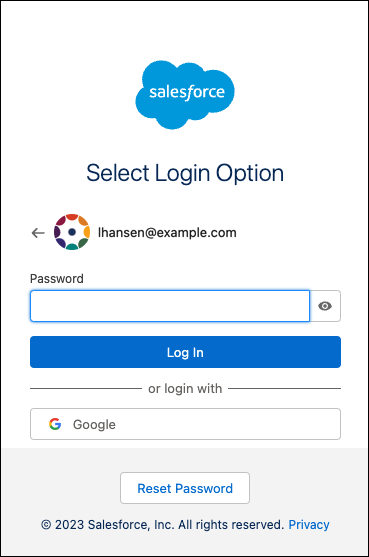
Log in to your Salesforce Starter org using single sign-on through welcome.salesforce.com and the Environment Switcher. Use the same authentication provider that you used to register for your org.
August 28, 2023
Here are new options to create and edit email content:
- Use the List component to add bulleted or numbered lists. Visually separate components or sections of your email with the Divider component.
- Add a background image to your email, or to sections or columns within the email.
- Find and fix errors more quickly with centralized error messages.
- Design mobile-friendly emails by switching preview devices and stacking columns in a section.
- The Unsubscribe Link merge field in the content builder is now named Opt Out of All Emails.
July 31, 2023
Explore Marketing features that help you create personalized email content, execute on campaigns, and analyze their success.
- Click Marketing and select a page to access campaigns, email content, segments, and more.
- Get started quickly with preconfigured campaigns that help you create email series or single promotions. For each email you send, choose whether to boost your ROI with Einstein Send Time Optimization, which delivers emails at the right time.
- After July 31, new Starter customers will have access to marketing features. Customers who purchased Starter before July 31 get access to these features as they roll out to current customers in September. Additional setup is required for these customers.
- Customers who purchased Salesforce Starter before July 31, 2023 can now use Einstein Send Time Optimization, which operates from a different infrastructure from Salesforce Starter as further described in the Salesforce Trust and Compliance Documentation. This infrastructure may involve privacy and security protections that are different than Salesforce Starter and may be hosted in physical locations that are different than Salesforce Starter.
July 18, 2023
Provide Starter users access to Customer 360 permission sets with the new Starter C360 Persona permission set license.
May 15, 2023
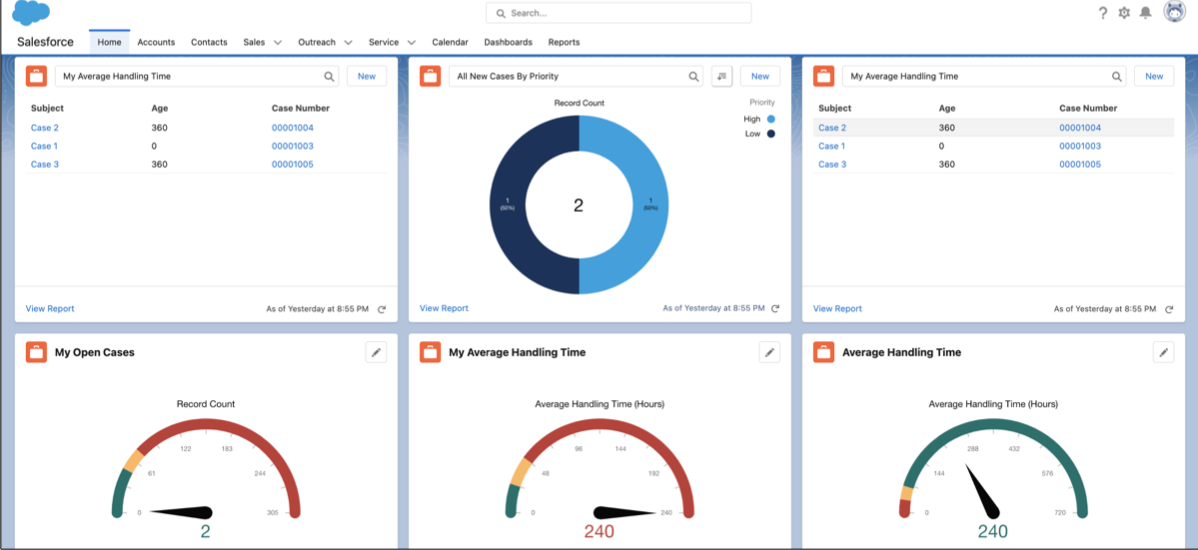
Home includes service-focused widgets so you can quickly gain insights and find customer details. From the Choose your focus dropdown menu, select Service. Explore snapshots into cases and handling times.
April 24, 2023
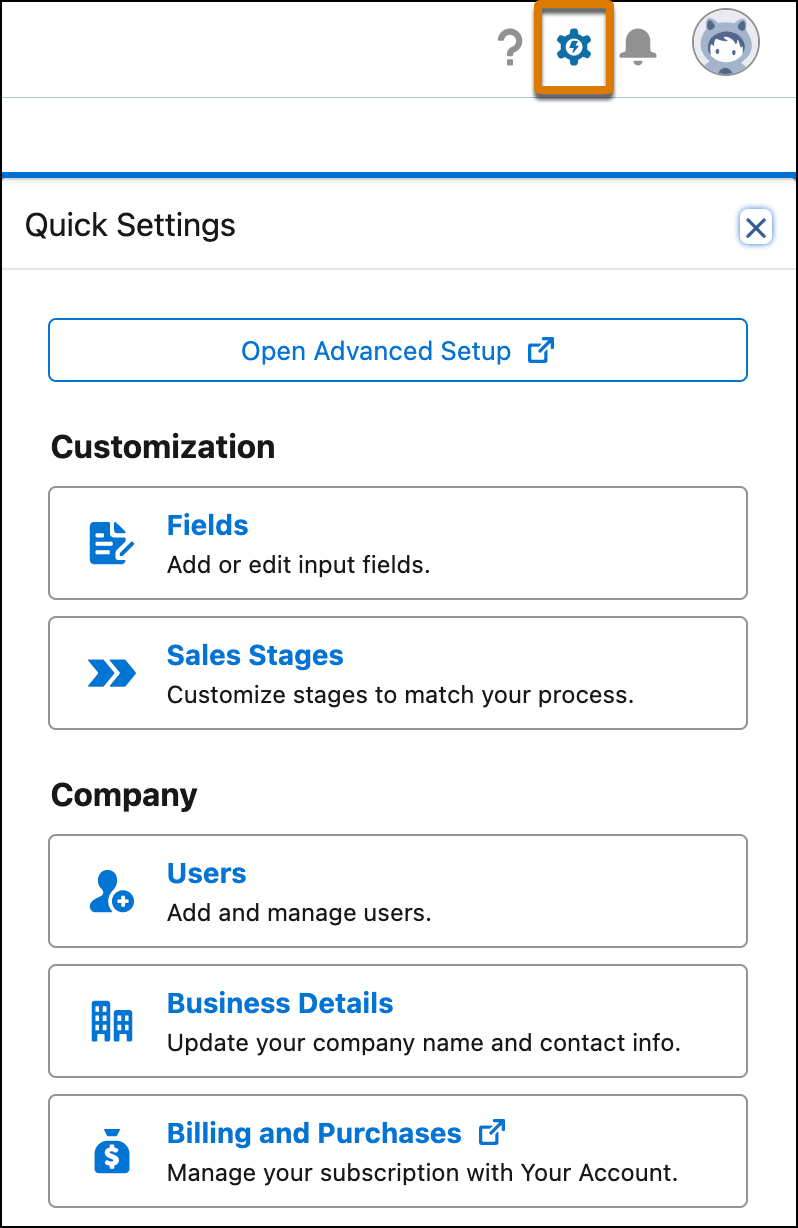
Quickly access the most common customization and company settings from the Quick Settings menu. Click the gear icon in the global header to see options for customizing fields and sales stages. Manage users, your Salesforce subscription, and company name and contact details. The Quick Settings menu is available for users with the System Administrator profile.
April 3, 2023
Salesforce Easy is now named Salesforce Starter, available with the Starter Edition.
January 30, 2023
Users with multiple Salesforce Starter orgs under one email address use the Environment Switcher dashboard to choose which Salesforce Starter org to open. Log in at welcome.salesforce.com.
January 16, 2023
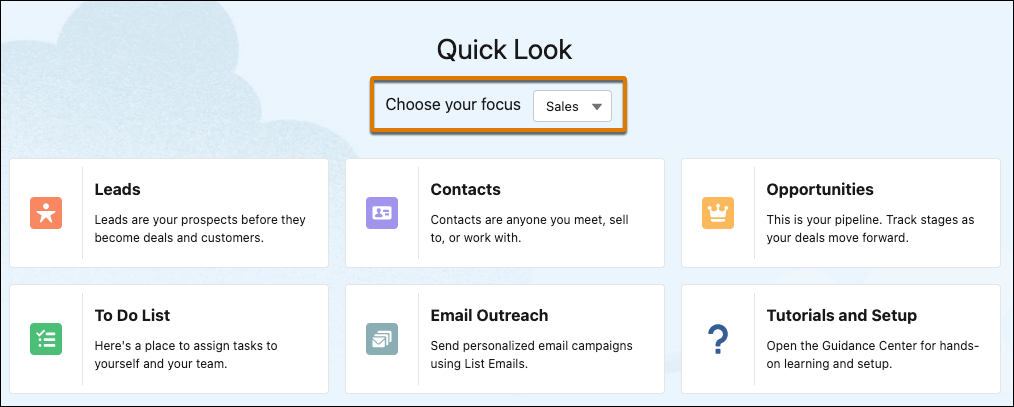
These features are available for Salesforce Starter only if you signed up after January 16, 2023.
- To choose which quick links are available from Home, use the focus selector. From the Choose your focus dropdown menu, select Sales or Service. Quick links, such as Leads and Email Outreach, highlight where to start in Salesforce Starter. The focus selector doesn’t impact the report widgets shown.
- Gain key insights right away on Home with the contacts report widget. Add contacts and access reports for your contacts, new contacts, and all contacts. The contacts widget is available only if you select Win more deals in the onboarding survey.
