
You are here:
Set Up Landing Pages and Forms in Starter and Pro Suite
Get users ready to build engaging web pages and forms.
Required Editions
| Available in: Lightning Experience |
| Available in: Starter and Pro Suite Editions. |
| User Permissions Needed | |
|---|---|
| To edit user permissions, add contributors to a site or workspace, and create and publish a form that uses data source fields: | View Setup and Configuration AND Modify All Data AND Other permissions. See User Permissions in Salesforce Suites |
- Add the banner integration to your landing pages site.
- From Advanced Setup, in the Quick Find box, enter All Sites, and select All Sites under Digital Experiences.
- Next to Marketing Landing Pages, select Builder.Landing pages in Starter and Pro Suite are served by the Digital Experiences Sites framework. This site operates behind the scenes. Don’t add content to it.
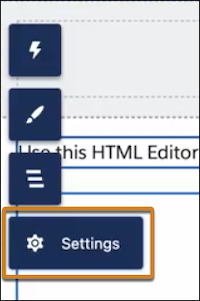
- Click Settings and select Integrations.
- On the Data Cloud tile, click Add to Site.
- Find the Data Cloud Web Tracking Consent Banner integration, click Add to Site, and enable it.
- Make sure users are assigned one of the standard permission set groups.If you’re in Starter, all users who are assigned permissions from the Quick Settings menu automatically get the General Users permission set group.
- From Quick Settings, select Users.
- Assign the General User permission set group to users to grant access to all features and functionality. Assign the Marketing User permission set group to grant access to only marketing features and functionality.
- If you create content in additional workspaces in the Marketing app, assign users a
workspace contributor role so they can create pages and forms. In Starter and Pro Suite, all users who are assigned the General User or Marketing User permission set group automatically get Content Manager role access in the default workspace. See Add Workspace Contributors.
- From Advanced Setup, assign users a site contributor role so they can preview landing pages.
- (Optional) Add the reCAPTCHA integration to your landing pages site to protect pages from bots and fraud.
- Install the Landing Pages and Forms Analytics package for all users so they can access activity data.

In addition to using forms on your internal landing pages site, you can also take advantage of the same end-to-end experience to build, design, test, preview, deploy, and report on forms being used on your own hosted web pages. To get started, navigate to Setup, and, in the Quick Find box, enter and select Landing Pages and Embedded Forms. There, you’ll find everything you need to Embed a Form on an External Site.
Did this article solve your issue?
Let us know so we can improve!
