Select An Org
Salesforce Mobile Web Experience Retirement
Publish Date: Apr 12, 2025
Description
The Salesforce mobile web experience retired with the Summer ’20 release.
What changed?
Previously you could access the “Salesforce mobile app” experience on your device in two ways, by installing the downloadable Salesforce mobile app from Google Play or the App Store or via a supported mobile browser. Salesforce removed access to Salesforce on your browser, i.e., the mobile web experience. Starting with the Summer ’20 release, you need to have the Salesforce mobile app installed on your device or use Lightning Experience on iPad Safari.
Why did Salesforce make this change?
Salesforce wants to focus development on enhancing the Salesforce mobile app to ensure you have a consistent and quality experience, which led us to retire the mobile browser version.
What were the recommended actions?
If you want to continue to access Salesforce on your mobile device or have not already done so, we encourage you to download and/or update the Salesforce mobile app from Google Play or the App Store to ensure that you receive the most up-to-date Salesforce experience.
To aid in your transition, please review the Salesforce Mobile App to learn more about the Salesforce mobile app and its features.
In the fall of 2019, Apple released a new operating system for the iPad called iPadOS. By default, accessing Salesforce via Safari on iPadOS loads the desktop browser user experience rather than the previous Salesforce mobile browser experience. For more information, please see Salesforce on the New iPad Operating System, iPadOS and Technical Requirements for Tablets.
What happens if I try to access Salesforce on a mobile web browser?
When users tried to access Salesforce on an iOS phone, the following happens:
They get an interstitial page that prompts them to use the Salesforce mobile app.
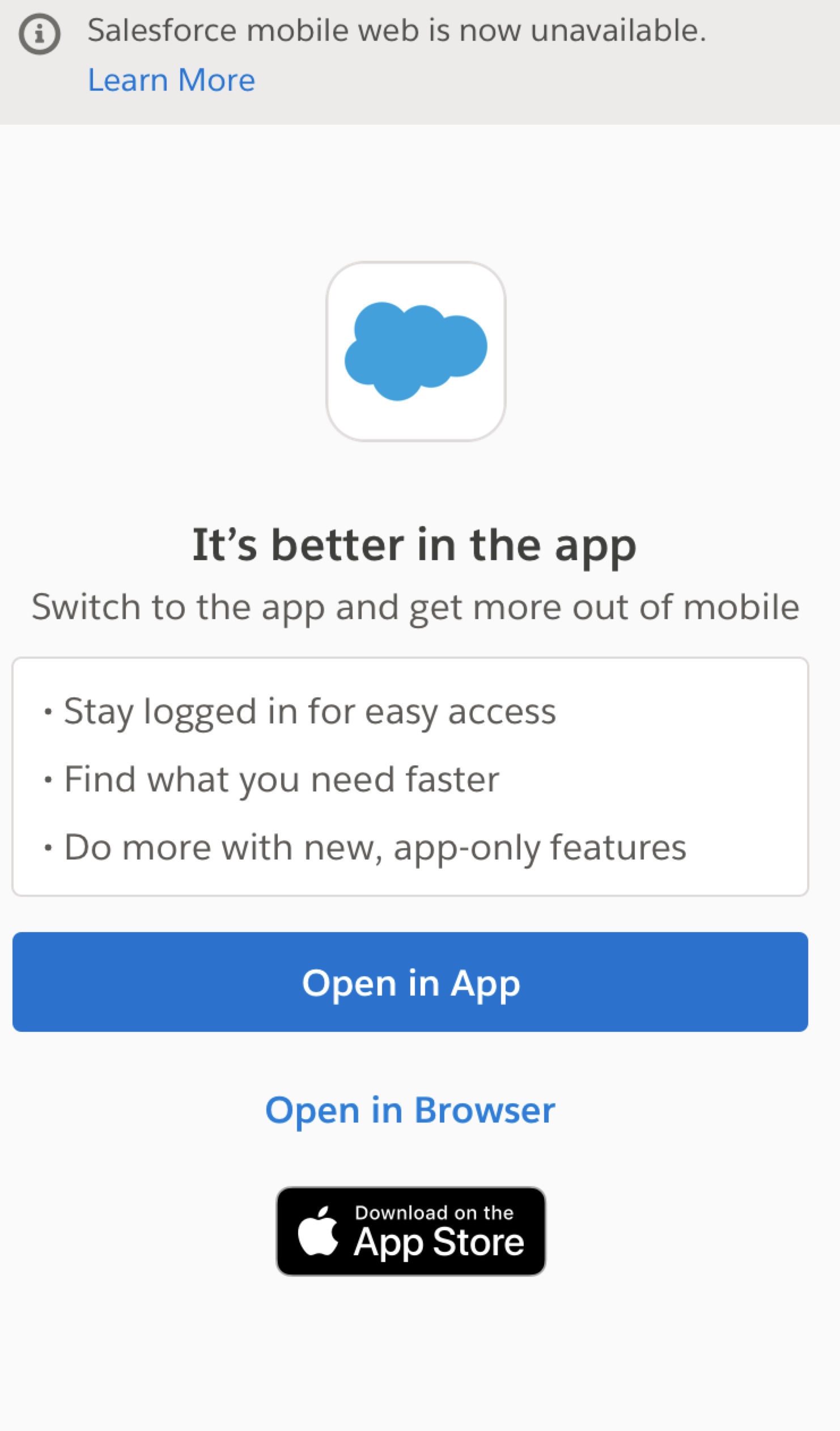
NOTE: Some links open automatically in the Salesforce mobile app if it’s already installed.
There are up to 2 buttons on the interstitial:
- "Open in App" if they are logged in and a Lightning Experience-only user.
- "Open in Browser" if they aren't logged in, or if they are logged in, they have access to Salesforce Classic.
If the user selects “Open in App” and they don’t have the Salesforce mobile app installed, they are directed to the App Store via a supported mobile browser.
If the user selects “Open in Browser,” one of the following options occurs (after logging into Salesforce):
- If they are a Lightning Experience-only user, they get a blocking modal (they cannot access Salesforce on a mobile web browser).
- If they have access to Salesforce Classic, they can access Salesforce via a mobile web browser, although this experience is not supported (Classic has never been supported on a mobile web browser).
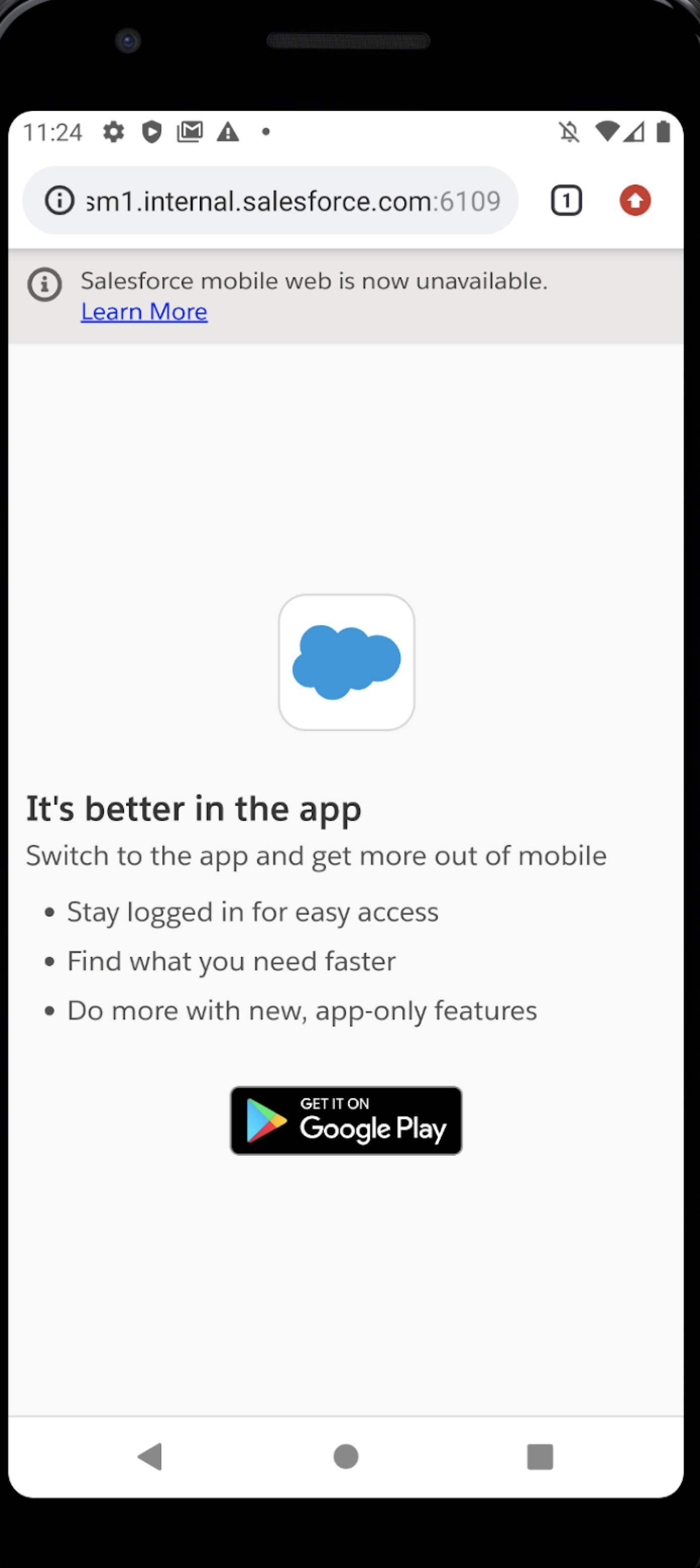
When users tried to access Salesforce on an Android phone or tablet, the following happens:
If the Salesforce mobile app is installed, the user can choose to open the link in the Salesforce mobile app or in a browser. If the user selects the Salesforce mobile app, the link opens in the Salesforce mobile app. If the user selects the browser option, they are prompted to log in.
- If the user has access to Salesforce Classic, the link opens via a mobile web browser, although this experience is not supported (Classic has never been supported on mobile web browser).
- If the user is a Lightning Experience-only user, they get a blocking message and are prompted to use the Salesforce mobile app.

If the Salesforce mobile app isn’t installed, the user can choose to install it from the Google Play Store or open the link in a browser. If the user chooses to open the link in a browser, the user is prompted to log in.
- If the user has access to Salesforce Classic, the link opens via a mobile web browser, although this experience is not supported (Classic has never been supported on mobile web browser). NOTE: a mini-infobar notifies the user that there is a Salesforce mobile app that they can download.
- If the user is a Lightning Experience-only user, they get a blocking message and are prompted to download the Salesforce mobile app.
When users tried to access Salesforce on an iPad using Safari running iPadOS, the following happens:
The experience that opens is determined by the user’s default desktop interface setting. If a user sees Classic on their desktop, they will see the same experience on their iPad (Classic has never been supported on mobile web browser). If a user sees Lightning Experience on their desktop, Lightning Experience on iPad Safari opens. See Salesforce Help: Technical Requirements for Tablets and Salesforce Help: Lightning Experience on iPad Safari Considerations.
If you downloaded the Salesforce mobile app and want to use it, open it manually.
Debugging Lightning components and applications without Mobile Web
You can run your Lightning applications and components using the Salesforce mobile app on your device. Use the mobile app to review issues your applications and components might have on mobile.
In addition, Salesforce has new mobile tooling available to debug Lightning components for mobile.
- Download Salesforce mobile app virtual device builds to verify your Lightning components work well on the mobile app.
- Mobile previews are also available within Microsoft VSCode for local development of Lightning web components
Find out more and get access to these tools at the Mobile Tools page on developer.salesforce.com.
What was the Salesforce Mobile Web experience that was retired?
The mobile web experience is the mobile browser version of the mobile app and has sometimes been referred to as “Salesforce 1” or one.app. This option allowed you to use a browser-based version that closely resembles the old Salesforce mobile app. It was typically identified by the dark blue left navigation. See below for examples from an iPad and an iPhone. You could identify the mobile browser version by looking at the url to see if it contains “/one.app” or “/lightning.”
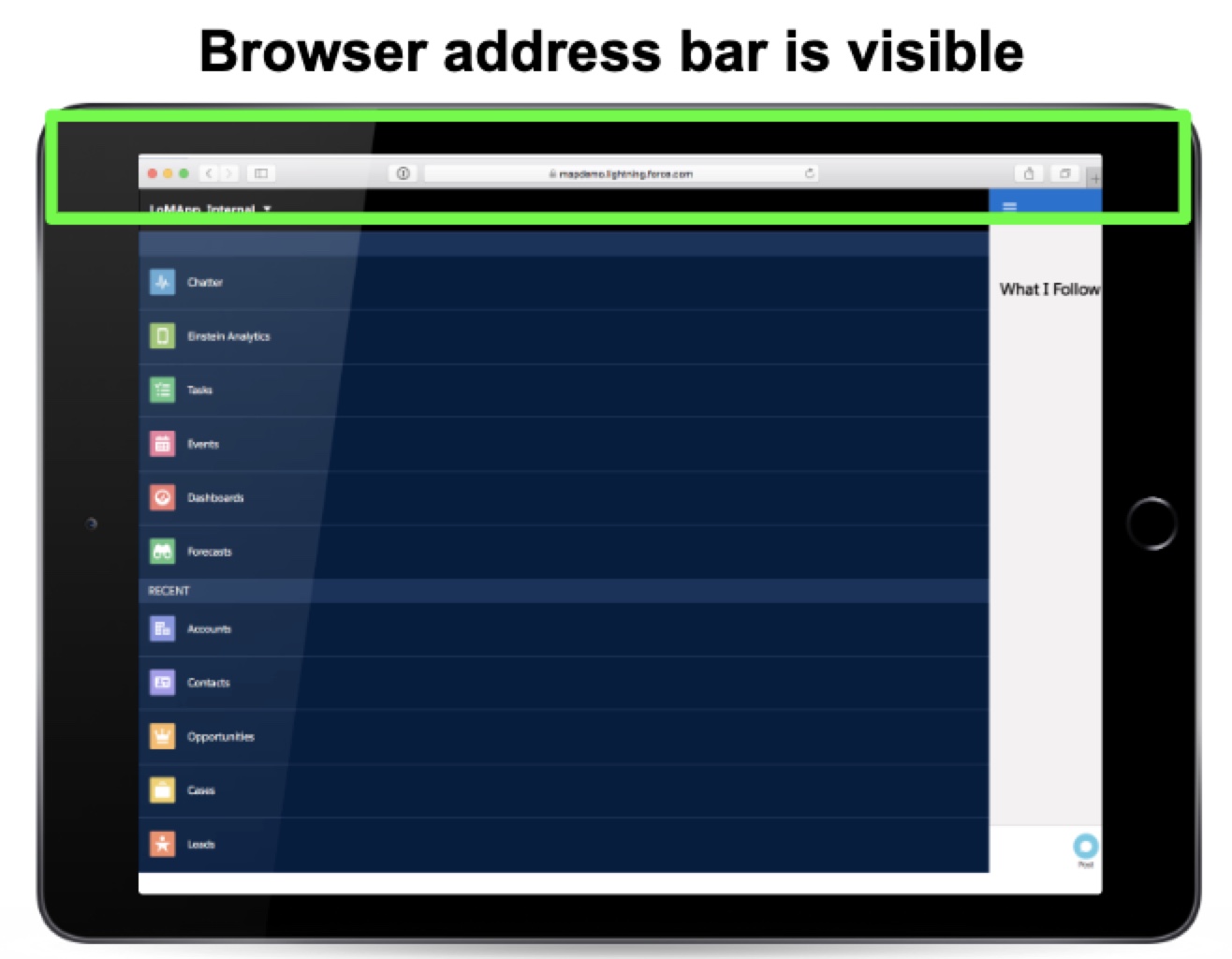
Mobile Web Experience (browser) on iPad
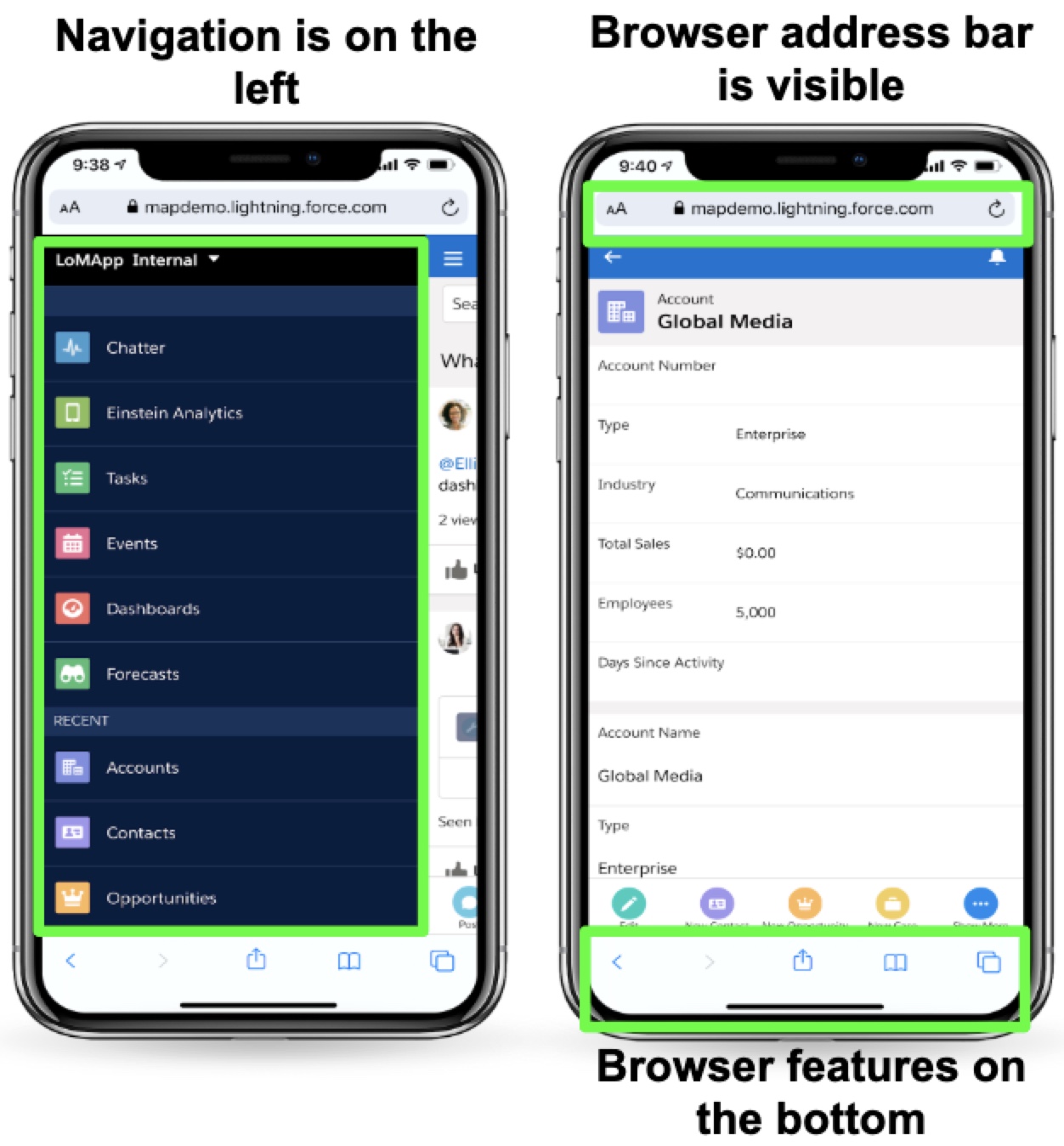
Mobile Web Experience (browser) on iPhone
Examples of Salesforce access on mobile devices
Example of the Salesforce Mobile App
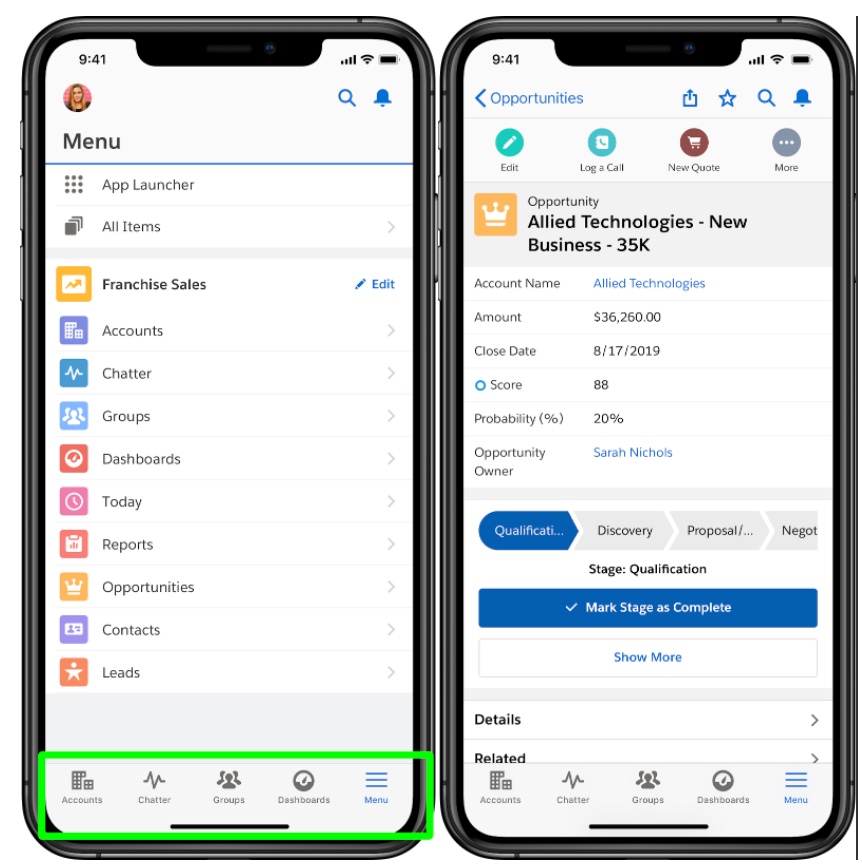
Salesforce Mobile Web App on iPhone
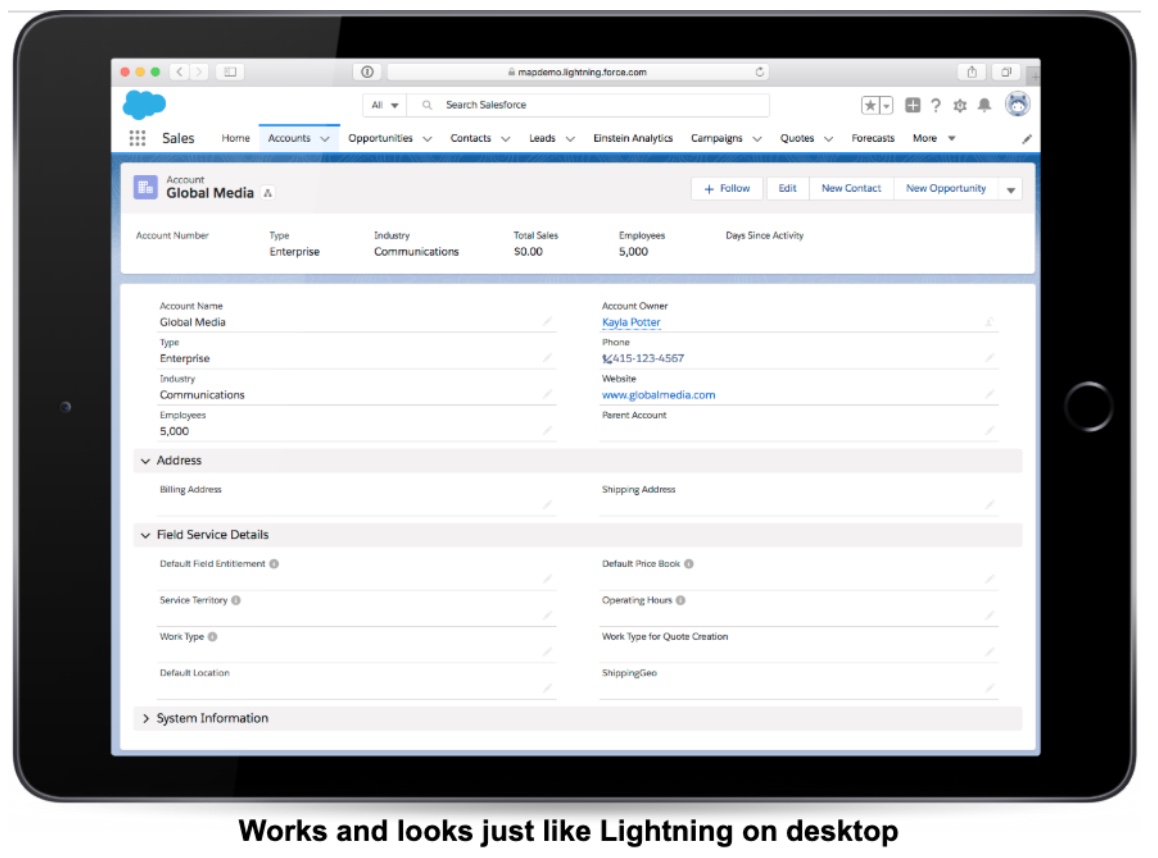
Example of Lightning Experience on iPad Safari
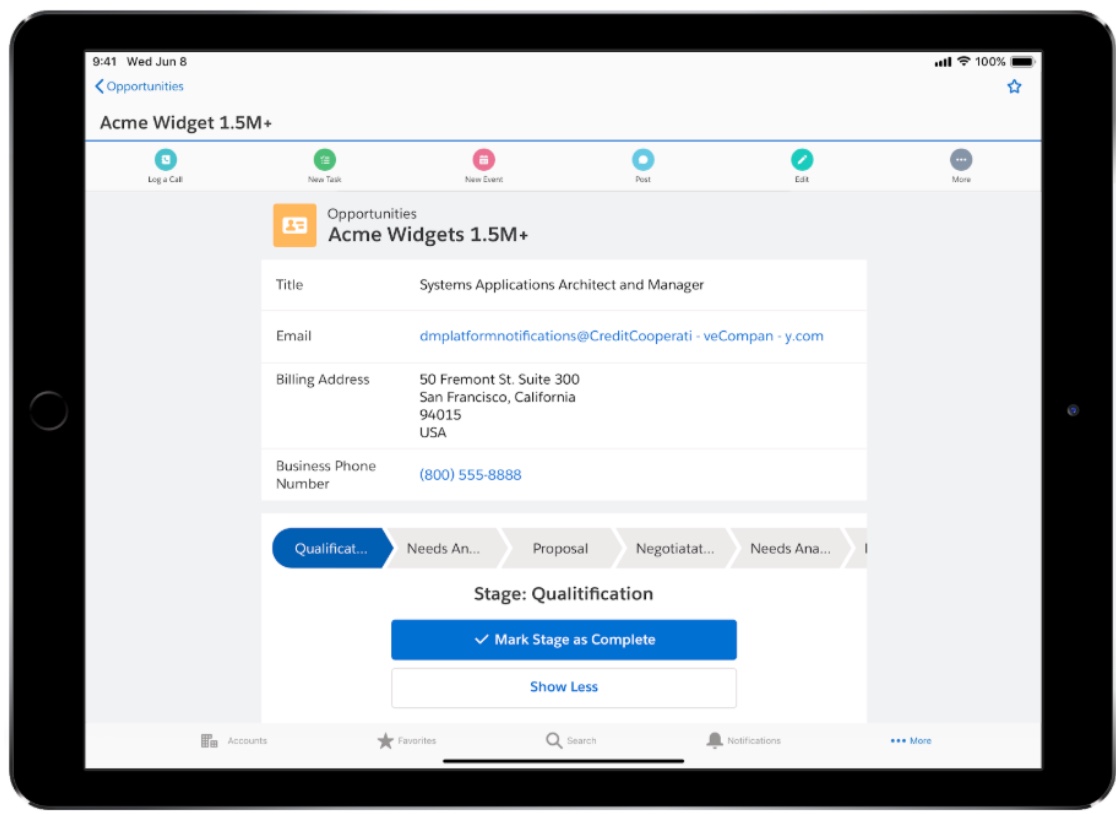
Salesforce Mobile App on iPad
FAQs
How did this affect the End of Life (EOL) apps and UIs built with the Mobile SDK or Hybrid Remote Apps?
Specifically in scenarios where partners created a hybrid remote app that loads VF pages onto a WebView.
The mobile web experience (one.app) EOL should not impact visualforce-based apps. It is possible that some SDK developers are hitting one.app in their hybrid apps - in that case they need to find a new alternative.
What if Users are NOT allowed to download apps due to security (for example, banks)?
This restriction is because customers in regulated industries are unable to use Mobile Device Management (lets IT monitor and control a user’s entire device). The Mobile App Security team is working on a set of features called Mobile Application Management (lets IT monitor and control a specific app - not the entire device). This set of features will allow customers in regulated industries to use the mobile app. Salesforce is working on a comprehensive security solution with features like jailbreak detection, network integrity, and dozens of other policies that will make it possible for regulated customers to run the genuine mobile app.
How did affect the EOL affect Visualforce pages hosted via Force.com (Lightning Platform) sites?
We generally expect Visualforce pages to work in the mobile app; however, there are known issues around areas such as scrolling, back button behavior, navigation, and UI layout/appearance.
We don't recommend VF as the framework of choice for mobile and instead suggest customers leverage LWC to develop new mobile-friendly content.
Was I still able to access Salesforce Classic on mobile devices, even though it has never been supported?
Access to Salesforce Classic will be blocked for users that don’t have access to Classic on their desktops. Please reference: Lightning Experience and Classic UI full site in mobile browsers
How was Communities be impacted by the EOL of the Mobile Web Experience?
Lightning Community users will be unaffected by Mobile Web Experience EOL in Summer ‘20.
If you currently use the Mobile Web Experience (one.app) through the web browser to access Salesforce Tabs + Visualforce communities, you will need to download the Salesforce Mobile App.
What happened with Visualforce Communities?
Visualforce communities, in general, should work fine. Ex: Success community should continue to work. In some convoluted cases, if developers use one.app experience embedded in Visualforce pages, they would have to find a new alternative.
What about Success Communities? (https://success.salesforce.com)
Success Communities should not be impacted.
If you were accessing Salesforce Tabs or Visualforce Communities, was I affected by this EOL. What were the options? Just the mobile app?
At a minimum, you can download the Salesforce Mobile App.
Other options are being evaluated.
If you have more questions, open a case with support via Salesforce Help or contact your Salesforce account team. To view all current and past retirements, see Salesforce Product & Feature Retirements.
For more information about Salesforce’s approach to retiring products and features, read our Product & Feature Retirement Philosophy.
Knowledge Article Number
000380219
Did this article solve your issue?
Let us know so we can improve!
