Seleziona un'organizzazione
Customer Success Score: FAQs
Data pubblicazione: Jun 16, 2026
Descrizione

• Access FAQs • Score FAQs • Additional Features FAQs Visit the Customer Success Score: Overview article for more information about the Customer Success Score and how to use it. Visit the Customer Success Score: Signals article for more information about the individual signals. What’s New? Customer Success Score February 2026 Updates Product Adoption:
Access FAQs Why don't I have access to the Customer Success Score in the Help Portal? Review how to access the Customer Success Score and eligibility requirements. Not a Designated Contact? Ask a Primary Designated Contact for your org to set you up with Designated Contact permissions on Salesforce Help. Please refer to the Create and Manage Designated Contacts article for additional steps. Contact your Account Executive or Customer Success Manager if you need help troubleshooting. Don't have an eligible Success Plan? Contact your Account Executive to learn how to upgrade your Success Plan. Why don't I have access even though I'm a Designated Contact and have an org with the Signature Success Plan? Make sure that your org displays a Support Level of either SigCore, SigUSCore, Marketing Cloud Signature, Commerce Cloud Signature, MuleSoft Signature, or Tableau Signature. Orgs with a Signature Success Plan that have a service contract beginning before February 2021 do not have access to the Customer Success Score at this time. If you have multiple orgs, it is also possible that you may not be a Designated Contact in all orgs connected to your Trailblazer.me account. Talk to a Primary Designated Contact at your company or contact your Account Executive or Customer Success Manager for setup assistance. Why can't I access the feature if I was just added as a Designated Contact and it is a Signature Success Plan Org? Typically, you should be able to access the Customer Success Score as soon as you've been granted Designated Contact permissions, however, the process may take up to an hour to complete. If you were granted permissions but still do not have access after 2 hours, please contact your Account Executive or Customer Success Manager. How do I add more Designated Contacts so that they can view the Customer Success Score? To edit a Designated Contact’s (DC) permissions, you must be a Primary Designated Contact. To change DC permissions:
Note: Once assigned as a DC, Primary DC (Manage Designated Contacts), or admin (View All Cases and Access Reports), these permissions cannot be unassigned within Salesforce Help. To address this, please create a case with Salesforce Support to unassign these privileges. What if I have connectivity issues with components or services on the Customer Success Score? We recommend allowing the following URLs on your network for these components: My Recommendations: https://orch-nginx-prod.herokuapp.com/ My Account Team: https://pds.help.salesforce.com/ My Products: https://pds.help.salesforce.com/ ProActive Monitoring (ProM) Metrics (Performance Status Tab): overview.help.salesforce.com My Score (Dashboard): https://help-legacy.salesforce.com/ Score FAQs Where should I focus on the Customer Success Score to make an impact? If you are a Premier Success Plan customer, work with the Success Guide or Onboarding Specialist as part of your Success Review. If you are a Signature Success Plan customer, work with your Account Executive or Customer Success Manager to determine which signals to prioritize for the biggest impact. How often are scores updated? Scores are refreshed around the fifteenth of every month and will show the last 13 complete months. In some cases, if the signal is new, it will not have a full trend line. Why have my signals under Customer Expertise not changed even though I completed recommended activities? There could be two potential reasons for this:
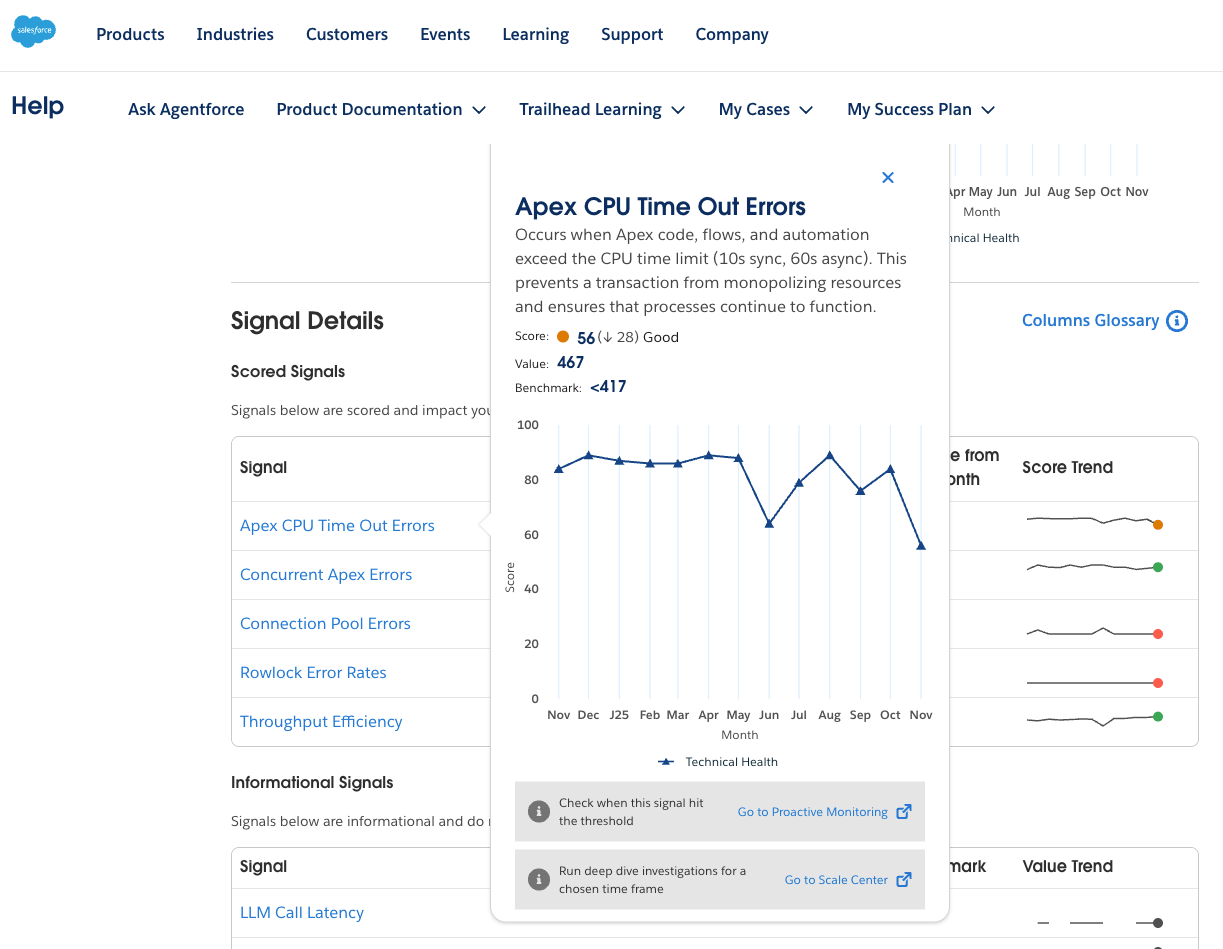
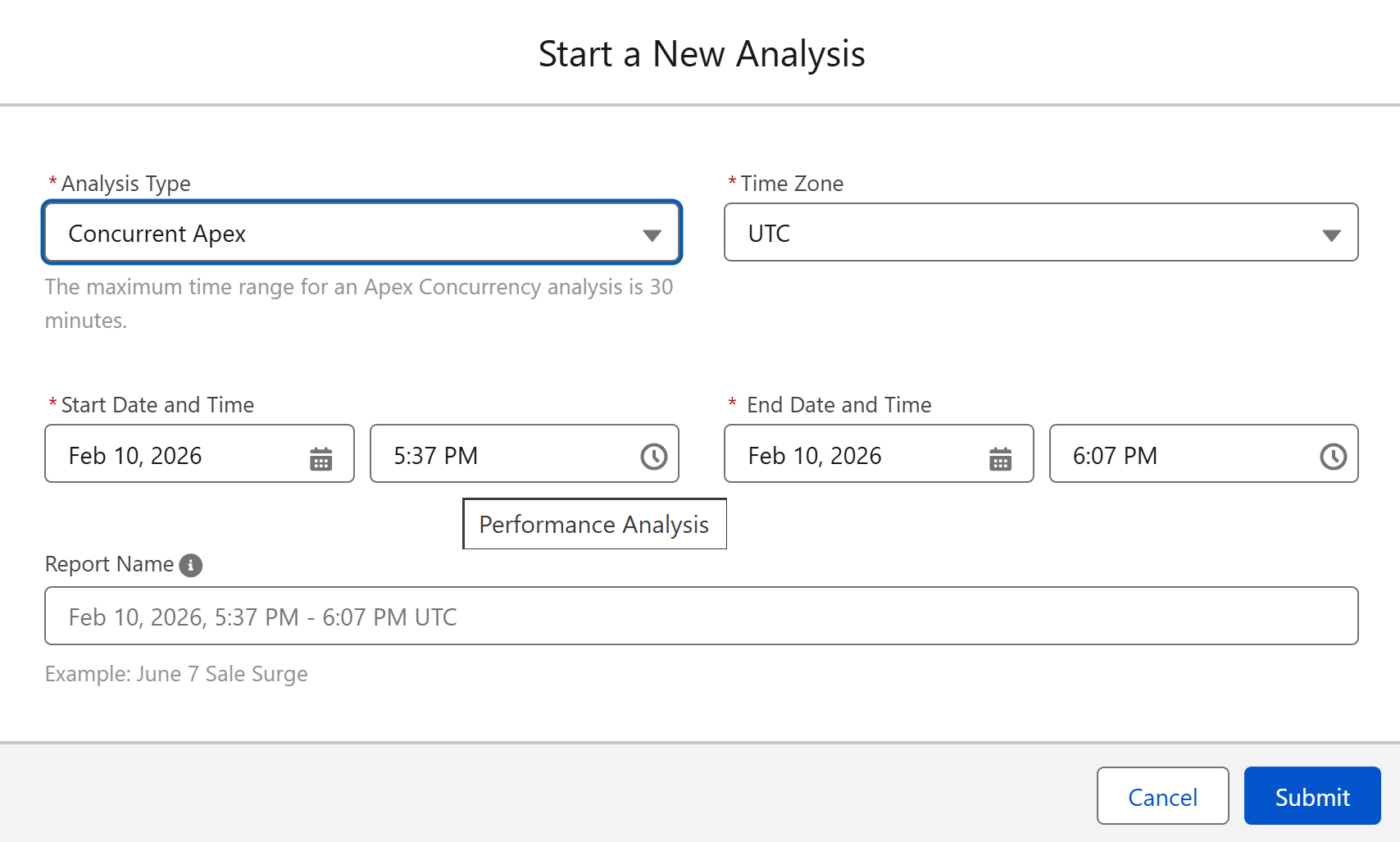
Can I view multiple orgs at once in the Customer Success Score? At this time the Customer Success Score is by org and does not offer a rolled-up version across orgs. It is something that is under consideration for future releases. If you have access to multiple orgs, or other clouds such as Commerce Cloud, MuleSoft or Tableau, use the org picker to select the correct one. For Commerce Cloud, select the realm. If you have Marketing Cloud, the Customer Success Score will be visible in your Help portal through your Marketing Cloud login. When should I Complete or Archive a recommendation? Mark as Complete when a recommendation is fully implemented, regardless of whether it was done before or after the recommendation was delivered. Select Archive if the recommendation is not relevant to you or if you choose not to implement it. If you select Archive, you can provide the reason for not implementing. Do Expertise signals track activities done by my personal email address? At this time, we are unable to track activity completed by personal email addresses. Expertise signals only track email addresses that are associated with the org. To combine your personal and work email addresses, try merging your Trailblazer accounts. How can I provide feedback on the Customer Success Score when viewing it from within the Help Portal? Additional Features FAQs How can users leverage Scale Center to Improve THS?
|
Numero articolo Knowledge
000396262
Questo articolo ha risolto il problema?
Facci sapere, così possiamo migliorare!
