Seleccionar una organización
How to Derive the Public Certificate From the JWKS URL
Fecha de publicación: Aug 6, 2025
Tarea
GOAL
This article explains on how to derive PEM Public Certificate from JWKS URL.Note: JWKS URL will be something like "https://dev-xxx.okta.com/oauth2/aus1tzw829xxxxzf357/v1/keys". See contents of it below.
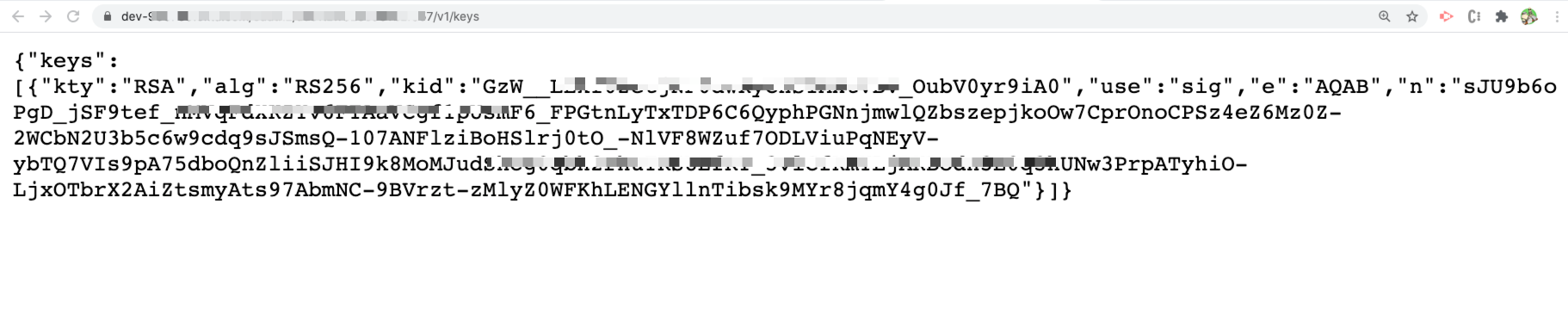
Your token provider will be able to provide this.
Pasos
- Install node-jose as per https://www.npmjs.com/package/node-jose#installing
- Create a file “public.jwk” with the following content, taken from the JWKS URL:
{
    "kty": "RSA",
    "kid": "288WlRQvku-fgd",
    "n": "qV-sfsdfsdf-Ap-sfsdfd-12zza0q9smjLm3-eNqq-sdfs-sfsdf-sdf-sdf-DVUoLw",
    "e": "AQAB"
}
- Create a javascript file “jwk-to-pem.js” with the following content:
const jose = require('node-jose');
const fs = require('fs');

const args = process.argv.slice(2);

const key = fs.readFileSync(args[0]);

var DUMP_PRIVATE_KEY = ('true' == args[1]);

jose.JWK.asKey(key)
  .then(function(key) {
    console.log(key.toPEM(DUMP_PRIVATE_KEY));
  });
- From the command line execute the below:
node jwk-to-pem.js public.jwkq3ADEyOT45QCkuDBqjor73na5iD5hvZDwn9zNVo0Ulb
- This results in Public Certificate as below:
-----BEGIN PUBLIC KEY-----
MIIBIjANBgkqhkiG9w0BAQEFAAOCAQ8AMIIBCgKCAQEA1LBYoHvIn04pOcdg43yB
ZUNcWJs5yK4ltPBgqAoNxnKmsbGdBqTs7P6lYsGQt586dzZwLfq8GJM3N9BpnYbb
LICt3jiXAapWxSabx+nQcbtAaHHN5qxvfR+nHQggPtCttDIoptI9ijWhcX/GiVh8
q/35CH59vvMuswUiWctQLSMA5Iz1fw5V390a98TrTH+dddd+VEQpUw/T/pDD
sYpAcZXLuyP/dZsG+l0/+
fgb+yPHrGoUrDUHjLoM11cwlgaBiNqaBnLhhm1F3TSCStQ2VNxAsP4c/aDFi0uRV
DQIDAQAB
-----END PUBLIC KEY-----
- This Public Certificate can then be used in JWT Key field in JWT policy.
Número del artículo de conocimiento
001115988
¿Resolvió este artículo su problema?
¡Háganos saber cómo podemos mejorar!
