Velg en organisasjon
Trailhead Academy Experience Guide
This article provides an overview of the Trailhead Academy experience, including how to customize preferences, search for courses, register for training, access certifications and events, use My Dashboard, and get support. It also explains how to sign in with a Trailblazer Account, view learning activity, and manage course and certification information within Trailhead Academy.
Trailhead Academy offers a personalized learning experience where you can easily access Salesforce courses and certifications—all from one central page.
Note: My Dashboard and Order History reflect activity from May 6, 2024 onward. Any activity prior to this date will not be displayed. If you need assistance with records before May 6, 2024, please log a case.
Customize Your Preferences
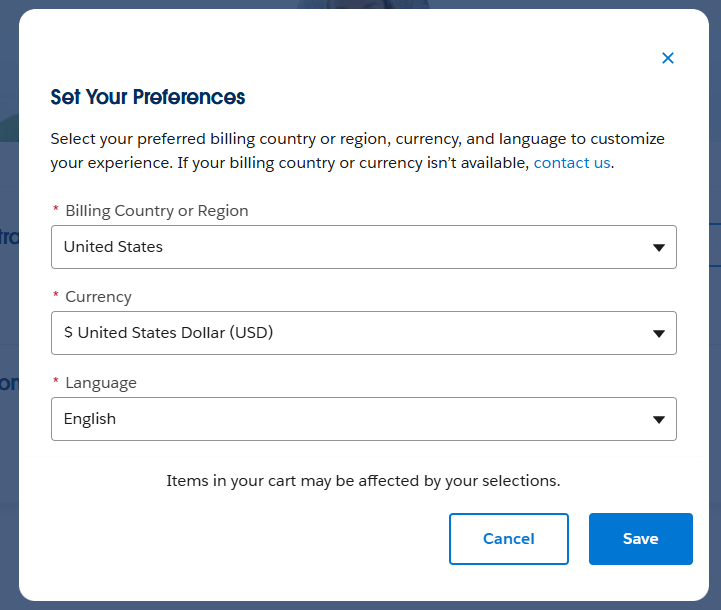
When you first navigate to the Trailhead Academy main page, a pop-up menu appears prompting for your preferred Billing Country, Currency, and Language. These settings personalize your entire site search and purchase experience.
Trailhead Academy supports six Global languages: English, German, Spanish, French, Portuguese, and Japanese.
You can change these settings at any time during your journey, with your preferences saved for future visits.
See Trailhead Academy preferences pop-up showing Billing Country, Currency, and Language options.
Find and Register for Trailhead Academy Courses
To access available Training offerings select the Learn and click on All Training. The Trailhead Academy search functionality, located in the top-right corner of the page, helps you quickly locate and explore courses with a single search. For example, enter “Admin” to find Administrator courses or search by a specific course name.
See Trailhead Academy catalog search page with filter options for Product, Role, and Level.
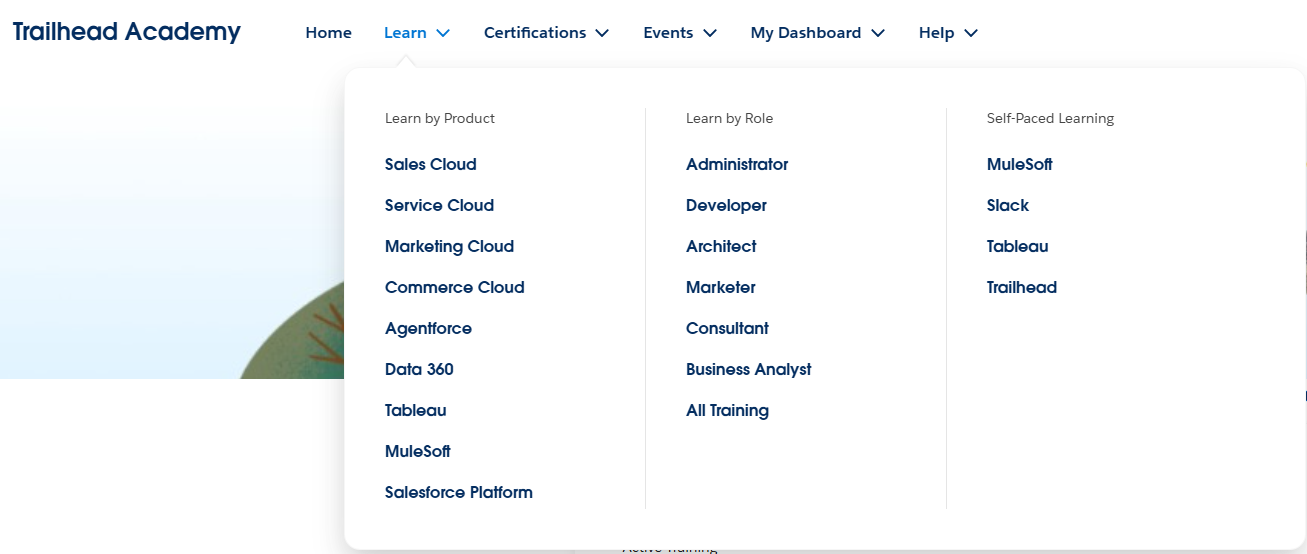
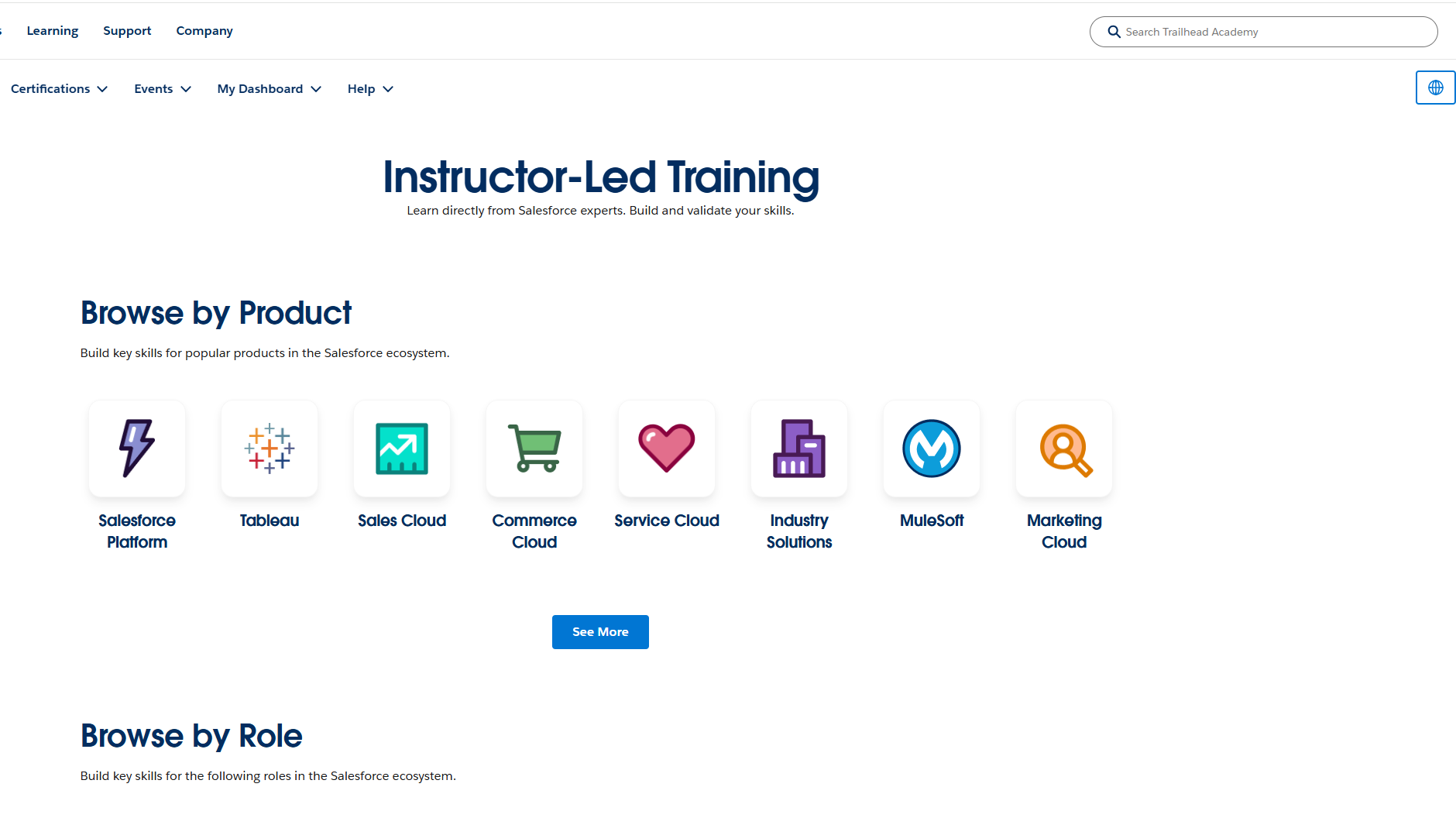
You can also browse available training offerings by:
- Product
- Role
- New and Trending courses
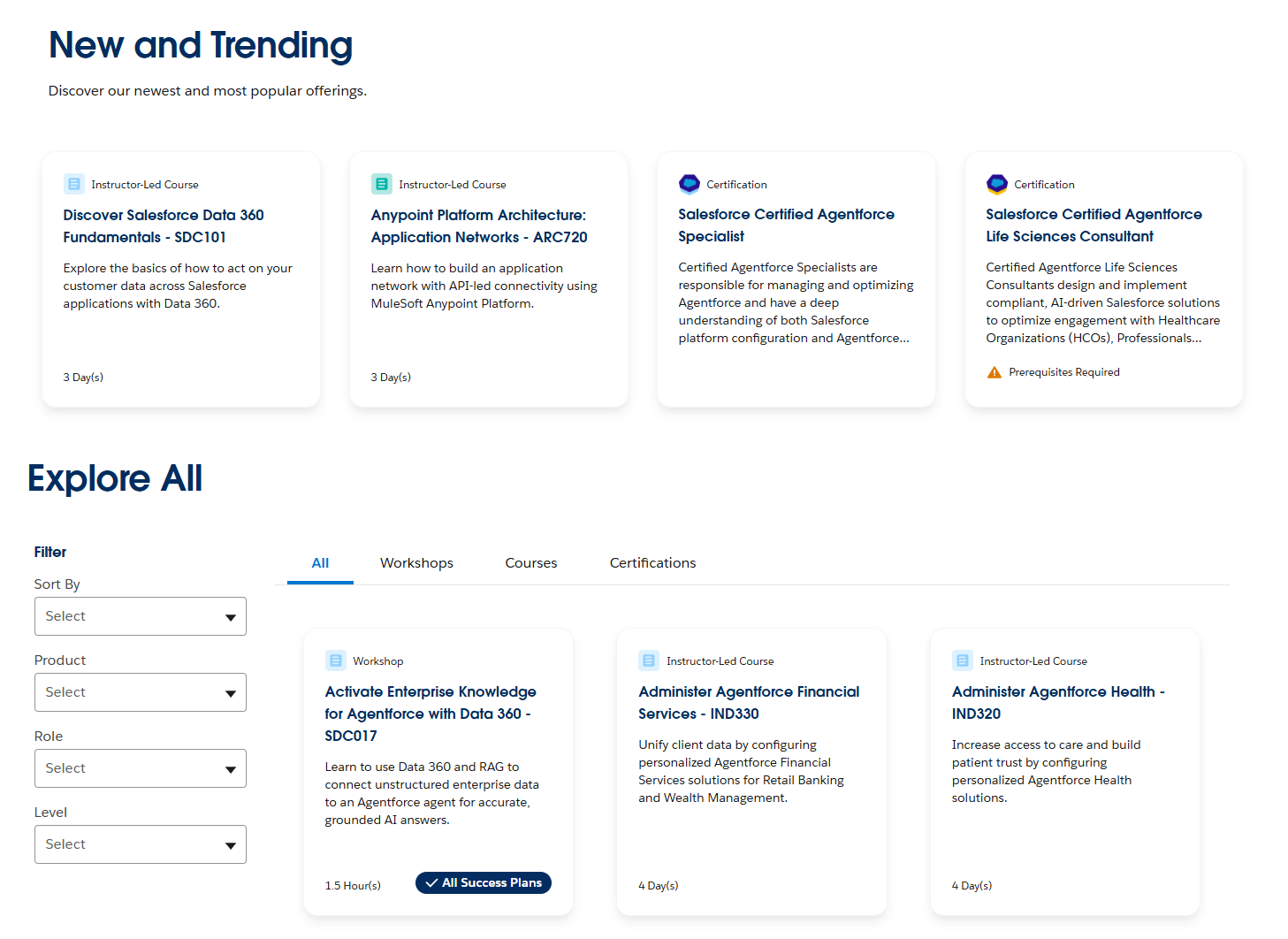
Additional filter options allow you to further refine your search results by:
- Product
- Role
- Level
Please see the Trailhead Academy Catalog search options below and explore the available training offerings.
See Trailhead Academy New and Trending menu and Explore All filter options.
Once you find a course that interests you, select the course tile to view detailed information, including the course description, intended audience, prework, lesson overview, and additional topics covered.
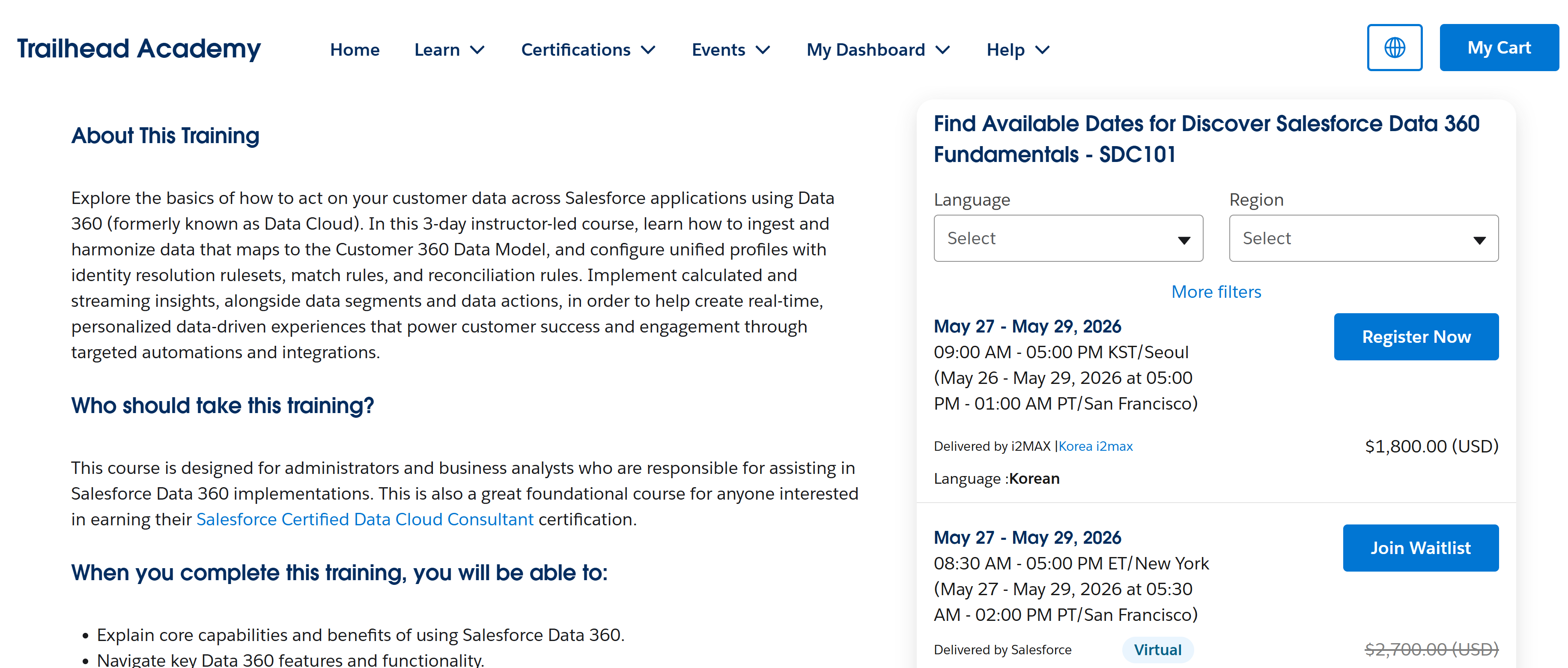
From the available course sessions, choose the date and time, language, and region that best fit your schedule and learning preferences.
To enroll, select Register Now or Join Waitlist. Review the course price, apply any eligible discounts, complete your billing information (if required), and accept the terms and conditions to finalize your registration.
After your purchase is complete, you can access your course details, view your order confirmation, or cancel your registration from the My Dashboard page.
See Trailhead Academy available course session menu.
Find Help
From the Help menu select Salesforce Help to browse Knowledge Articles or log a case for further assistance on your learning journey.
How to Get Started with Your Trailblazer Account
Search capabilities are available without a Trailblazer Account login. However, you must sign in with your Trailblazer Account to access your My Dashboard page, receive personalized course and certification recommendations, and purchase courses.
We accept credit card payments worldwide. Wire transfer is also available for customers in India and Japan. If you require additional purchasing options, please log a case for assistance.
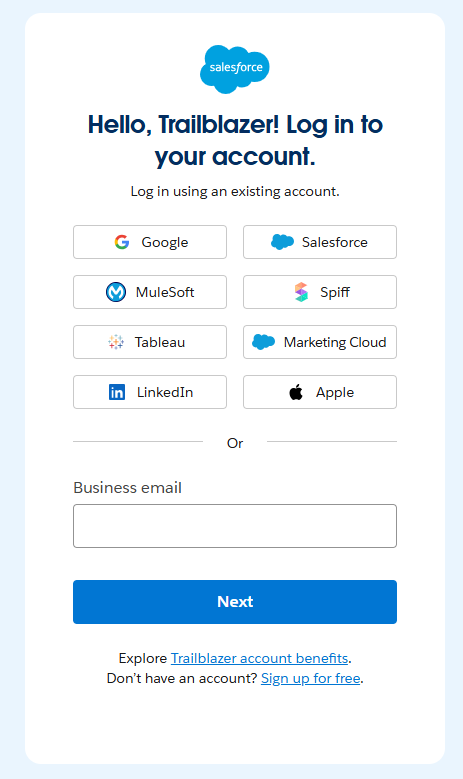
Select Get Started for the most personalized Trailhead Academy experience. From the login menu, choose your preferred Trailblazer Account sign-in option and log in using your existing account credentials.
If you do not already have a Trailblazer Account, select Sign Up to create your free account.
For added security, you may be prompted to verify your account using a single-use code sent to your registered email address. Enter the code and select Submit Code to continue.
See Trailhead Academy login menu showing Trailblazer Account sign-in options.
Accessing Trailhead Academy Homepage
Once signed in, you can explore the Trailhead Academy homepage and discover personalized learning opportunities aligned to your role, as well as certifications that validate your skills.
Trailhead Academy includes five main navigation menus:
- Learn — Explore curated courses based on your role and previously completed training.
- Certifications —Enhance your resume and showcase your expertise with certifications, Superbadges, Super Sets, and additional learning resources.
- Events — Participate in immersive instructor-led learning experiences, earn industry-recognized certifications, and connect with the Trailblazer Community.
- Help — Access support for Trailhead, Salesforce Certifications, Trailhead Academy, and more.
- My Dashboard — View your personalized learner experience, including upcoming and in-progress courses, certifications, and order history.
My Dashboard Overview
After authentication, your My Dashboard page displays your in-progress and upcoming courses, along with your order history.
- Log in to Trailhead Academy using your registered email address.
- Select the My Dashboard tab and choose one of the following options:
- Training — View your registered, ongoing, and upcoming training courses.
- Certifications — View your upcoming and completed certification exams.
- Order History — Review your course and registration purchase history.
Optimized for Mobile, Best on Desktop
Our learning experience is now optimized for mobile devices. However, for the easiest navigation and best overall experience, we recommend using a desktop.
Need to contact us? Please log a case.
Resources:
Hjalp denne artikkelen med å løse problemet ditt?
La oss få vite det slik at vi kan forbedre!
