組織を選択
Slack をご契約のお客様が Salesforce ヘルプサイトへログインする方法
公開日: Oct 27, 2026
説明
Slack をご契約のお客様が Salesforce ヘルプサイトにログインする方法を以下で説明いたします。
解決策
Salesforce ヘルプサイトにログインする方法
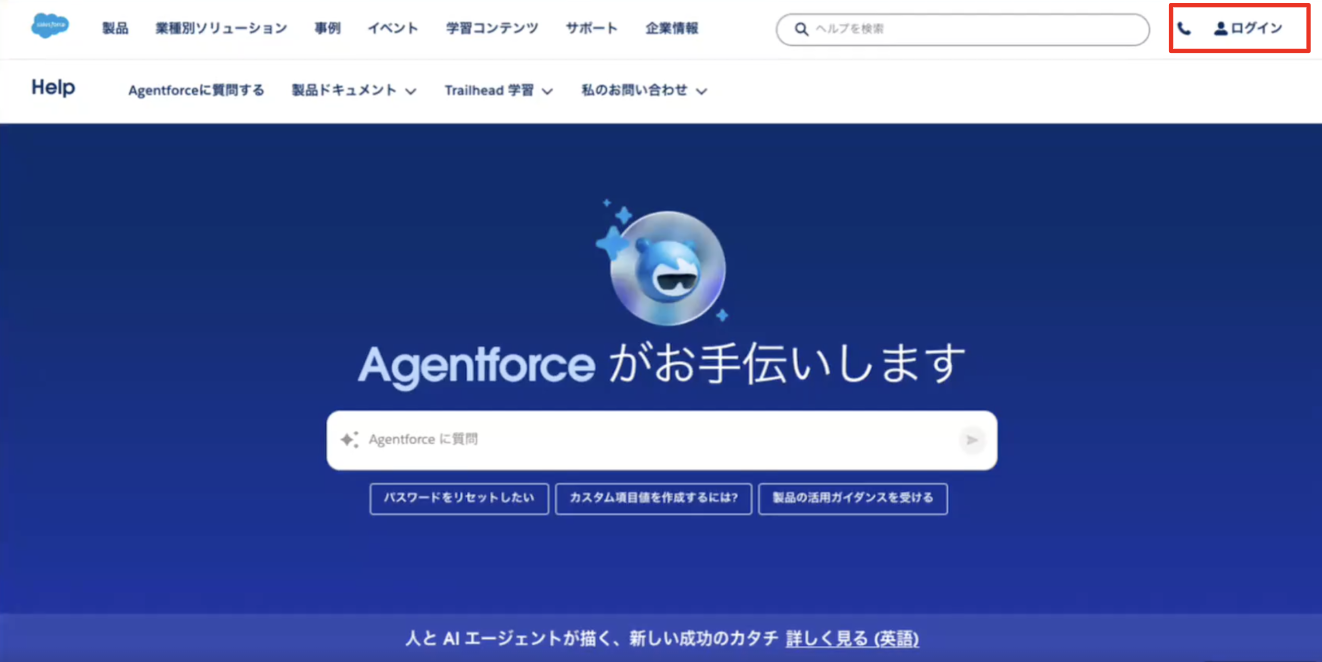
1.Salesforce ヘルプサイト にアクセスし、画面右上の [ログイン] をクリックします
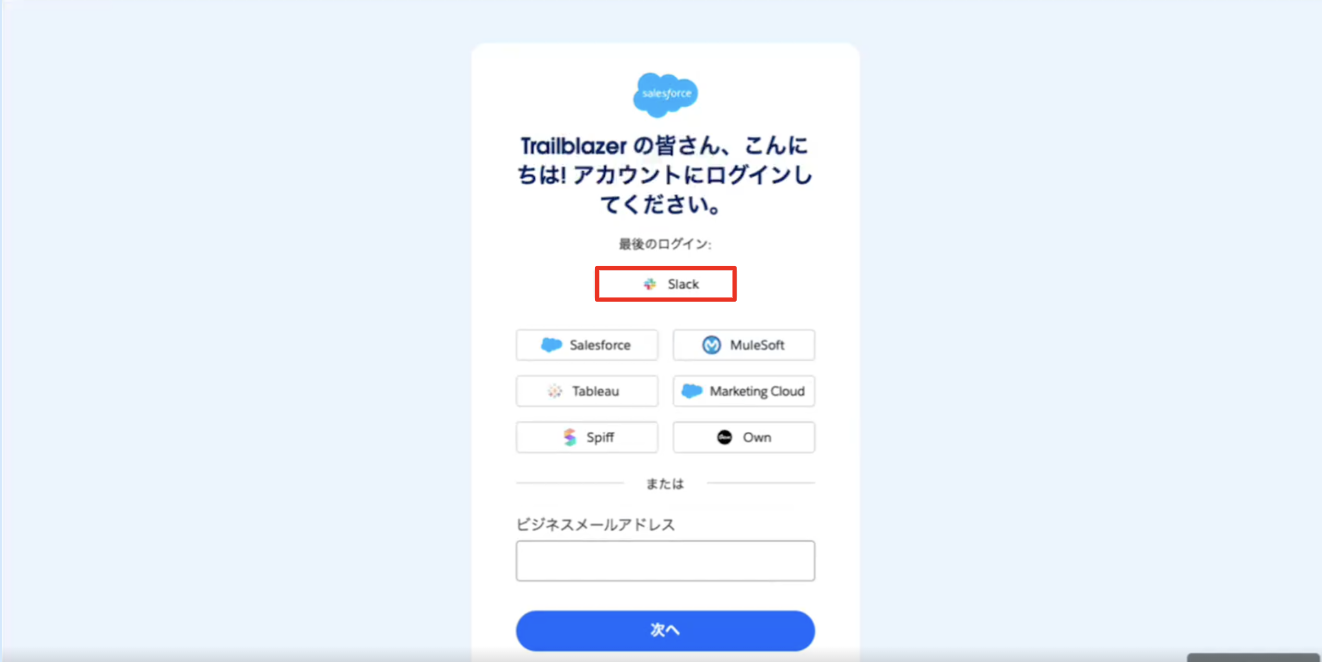
2.アカウントのログイン画面で [Slack] をクリックします。
※ログイン画面の選択肢に Slack が表示されていない場合は [その他のオプションを表示] をクリックしてください。
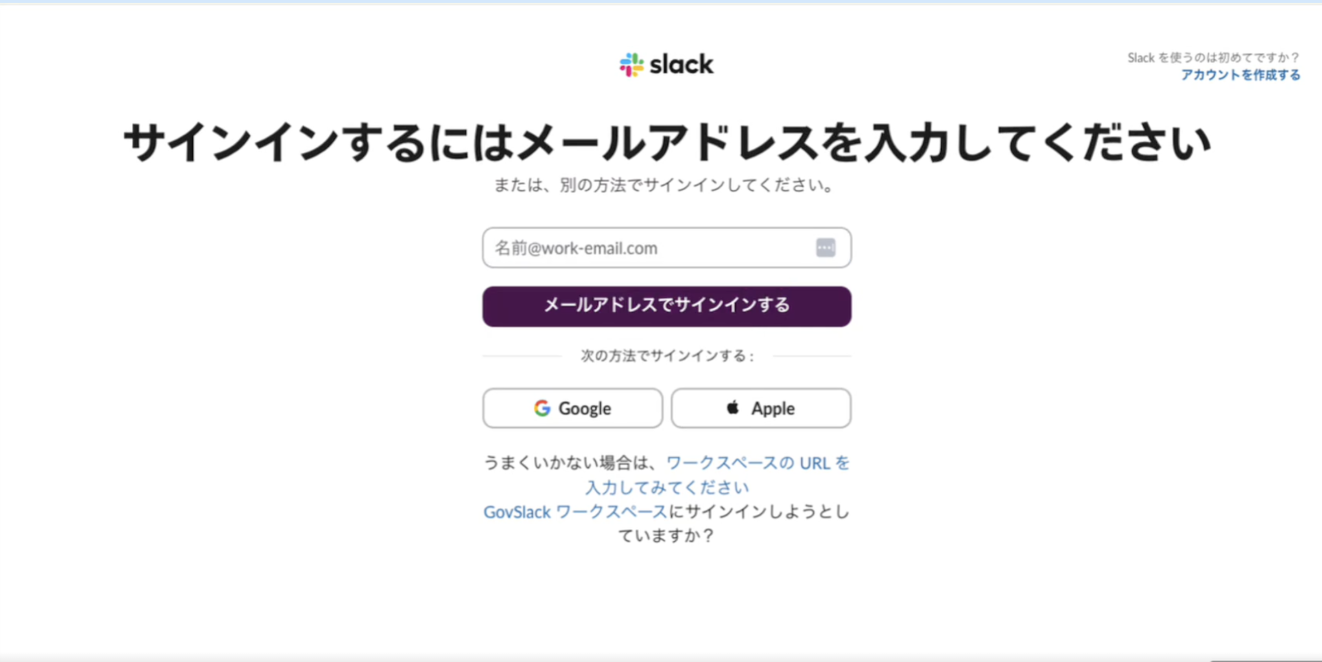
3.サインインに使用するメールアドレスを入力して、[メールアドレスでサインインする] をクリックします。
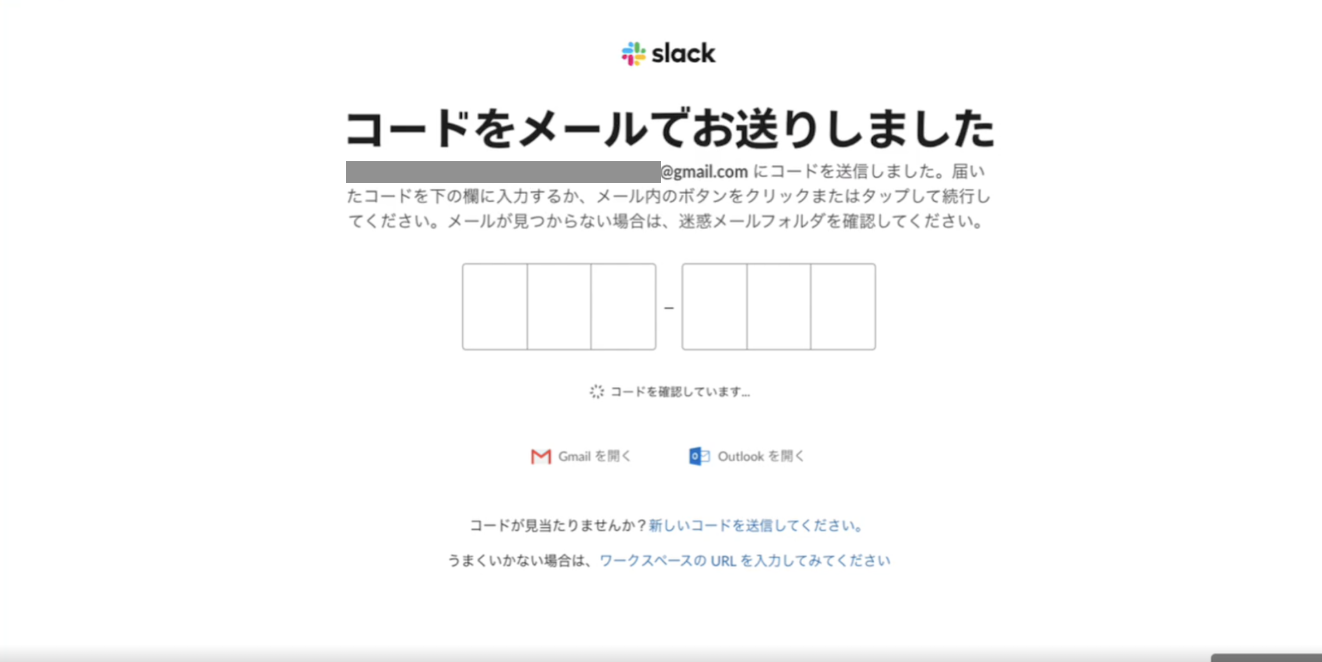
4.入力したメールアドレスに送られたログイン用のコードを入力します。
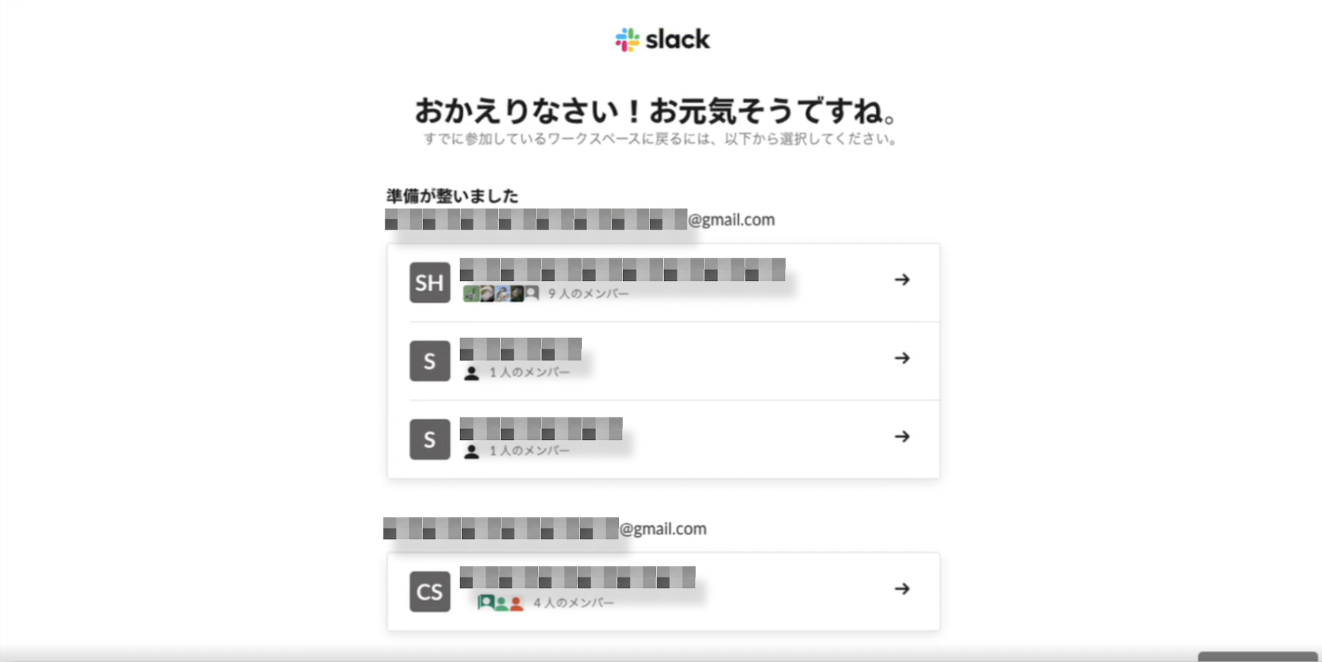
5.サインイン先を選択します。
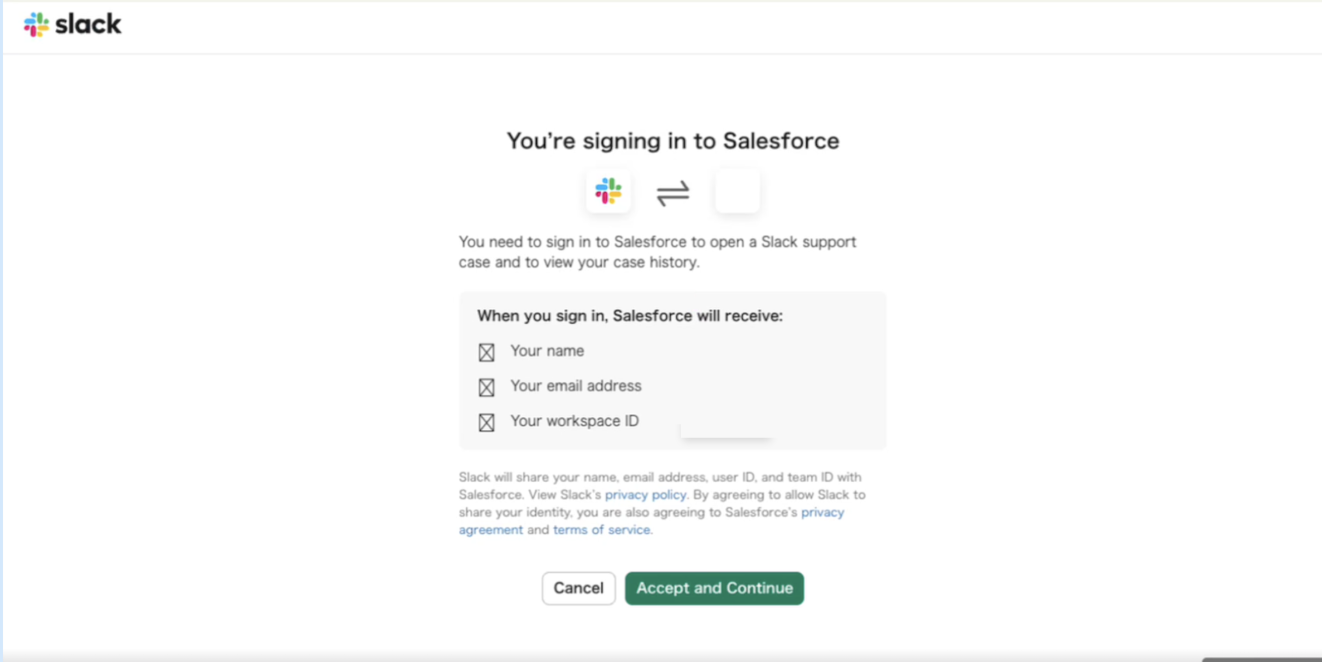
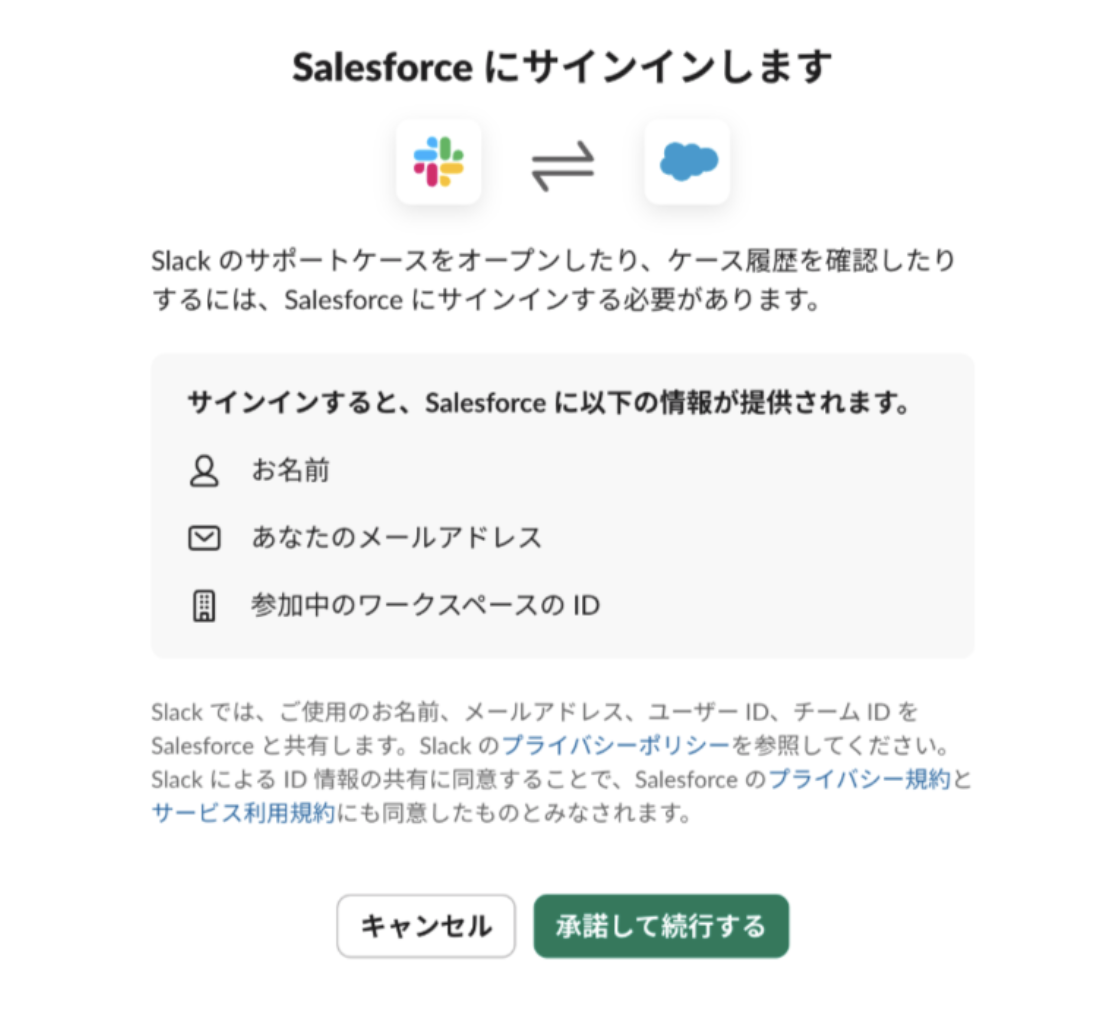
6.[承認して続行する (Accept and Continue) ] をクリックし、Slack と Salesforce の情報が連携され、サインインが完了します。
Slack ヘルプセンターから Salesforce ヘルプサイトにログインする方法
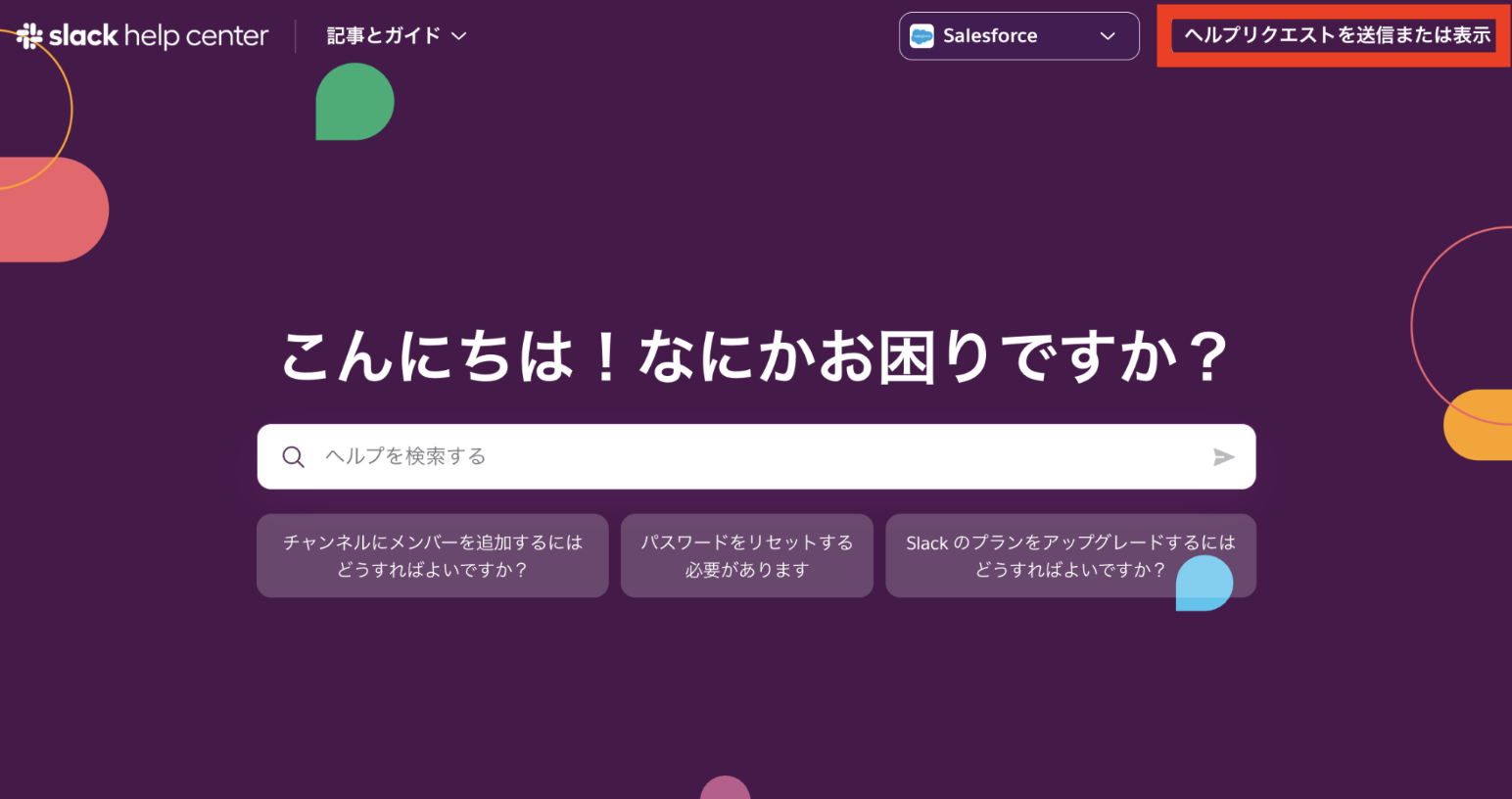
1.右上の [ヘルプリクエストを送信または表示] をクリックします。
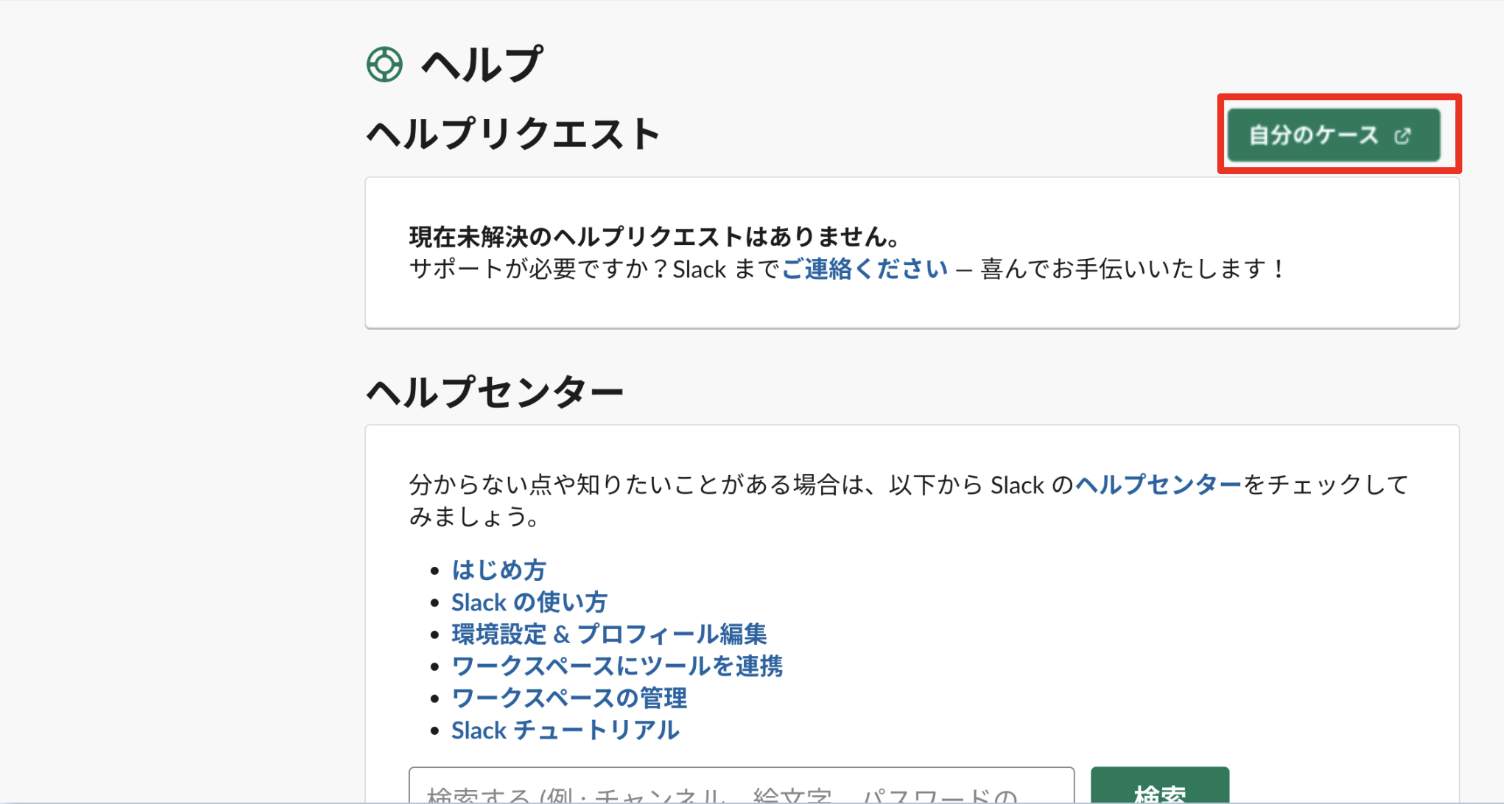
2. [自分のケース] をクリックします。
3. [承認して続行する (Accept and Continue) ] をクリックし、Slack と Salesforce の情報が連携されサインインが完了した後に、Salesforce ヘルプサイトへリダイレクトされます。
その他のリソース
ナレッジ記事番号
005461991
この記事で問題は解決されましたか?
ご意見をお待ちしております。
