You are here:
Sample Voice Call Connection Configuration in Genesys
The steps for connecting a Rep voice call record (VC3) with an Agent voice call record (VC2) vary for each telephony system. This example illustrates how to perform this configuration in Genesys.
-
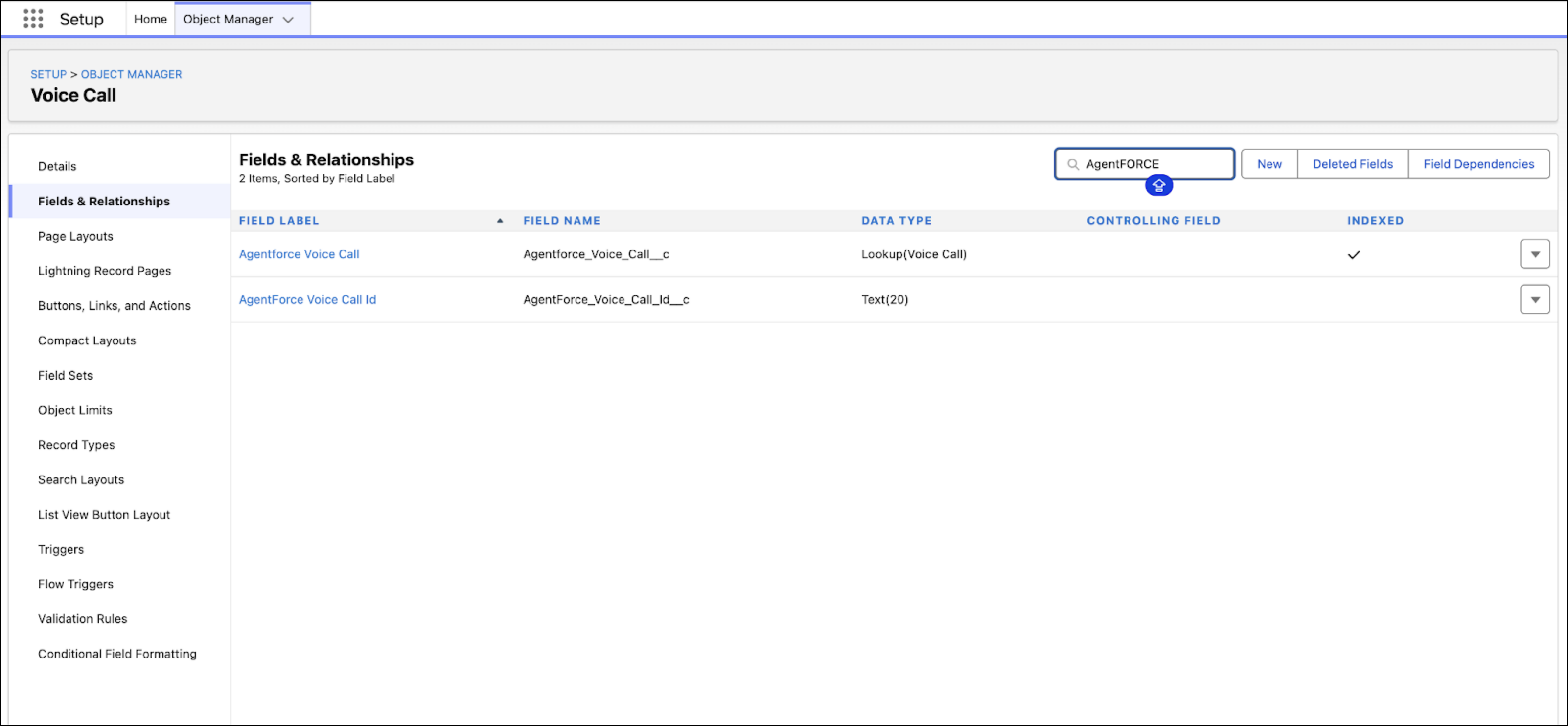
In Salesforce, create these custom fields on the Salesforce VoiceCall object.
Agentforce Voice Call ID. This custom string field stores the unique ID of the Initial voice call record (VC1).
Agentforce Voice Call. This custom lookup field on the Salesforce VoiceCall object stores the ID of the related Agent voice call record (VC 2). This field gives reps easy access to the Agent call record (VC2).
-
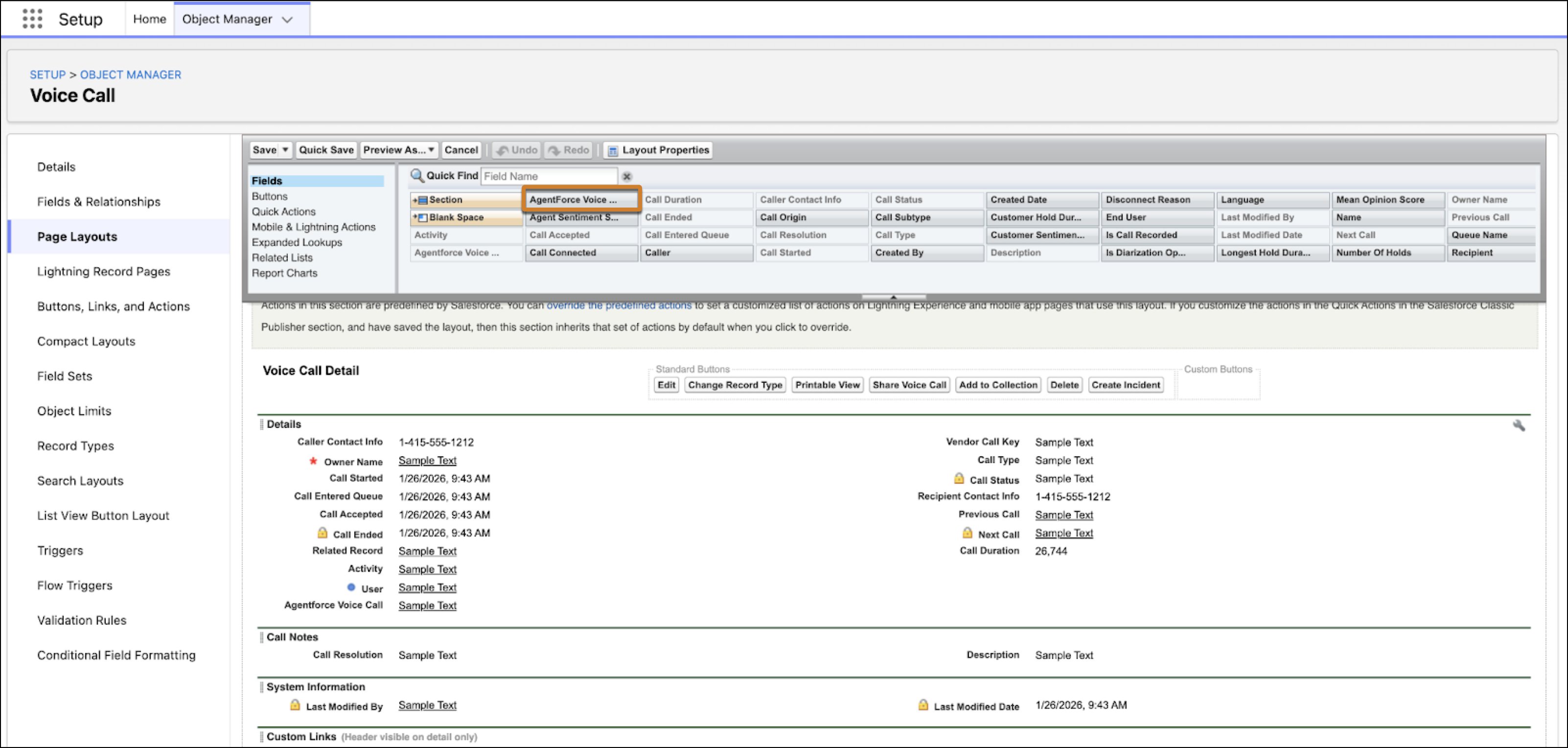
Add the Agentforce Voice Call custom lookup field to the Voice Call record page
layout.
-
Configure these settings in Genesys Architect.
-
In the App Launcher of Genesys Console App, select CX Cloud Genesys
Settings.
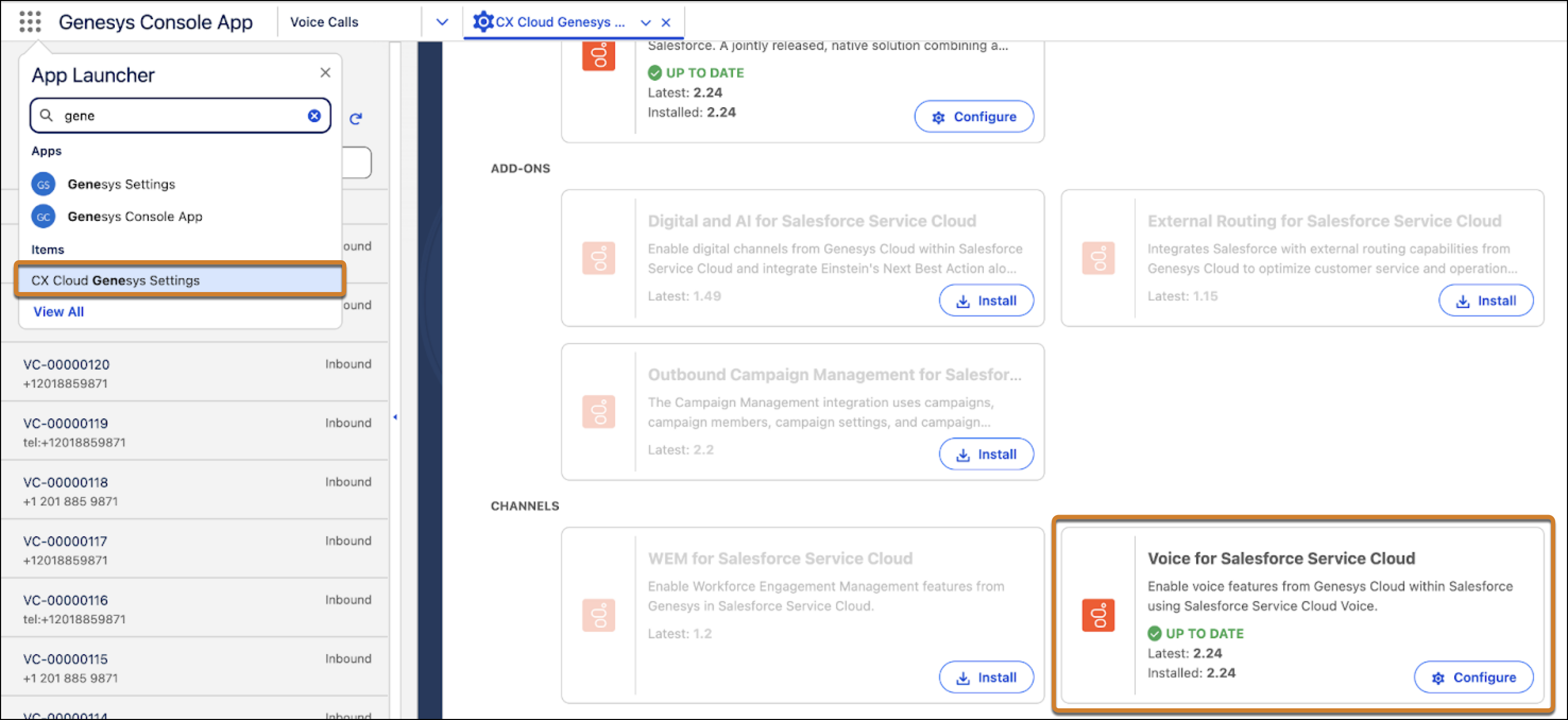
- In the Voice for Salesforce Service Cloud box, click Configure.
-
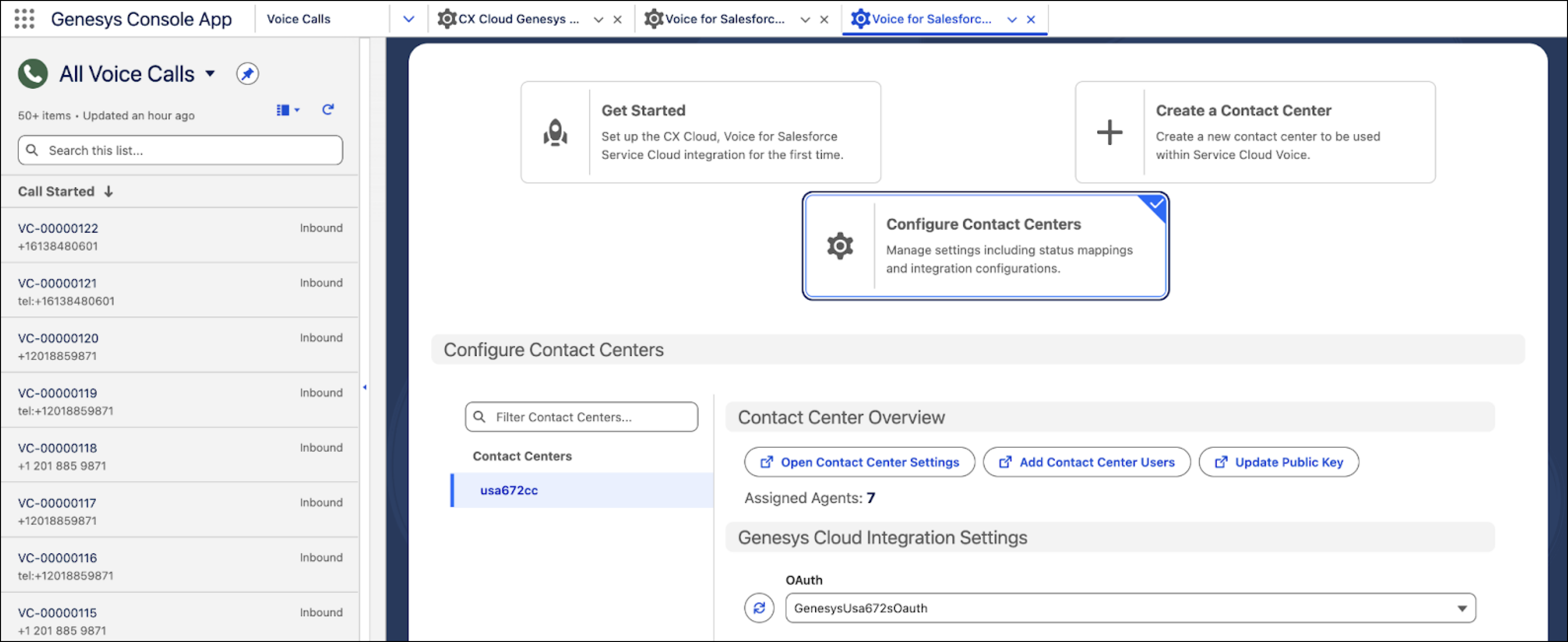
Select Configure Contact Centers.
-
To link VC1 with VC3 by using the participant data, populate the
Agentforce Voice Call IDfield with VC1 ID in a conversation field mapping. EnterParticipant.prevVoiceCallIdin the Conversation Attributes field andAgentforce Voice Call IDin the Salesforce Fields field, and then click Save.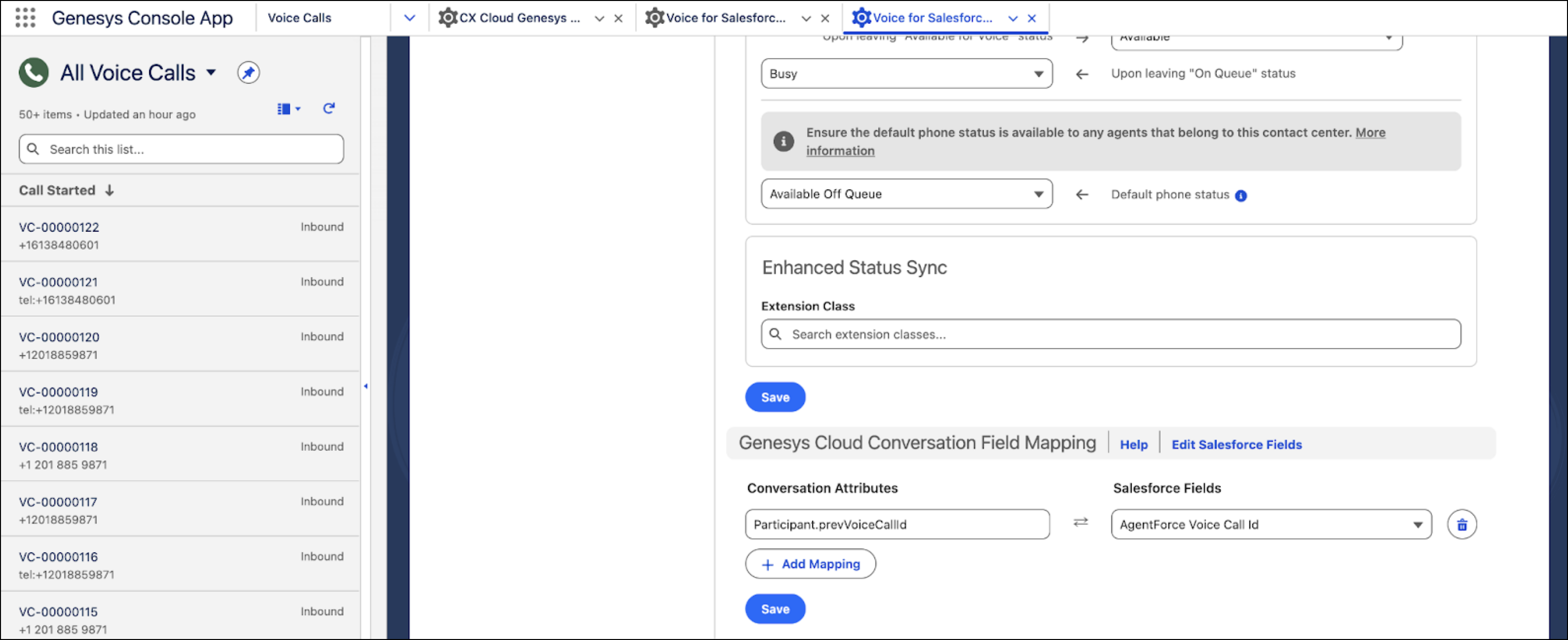
-
In Genesys Architect, use the Set Participant Data action in the inbound call flow to synchronize
the
prevVoiceCallIdcontact attribute as the ID of the Initial voice call record (VC 1). Later, you use this ID to act as the key to link the subsequent voice call records inside Salesforce.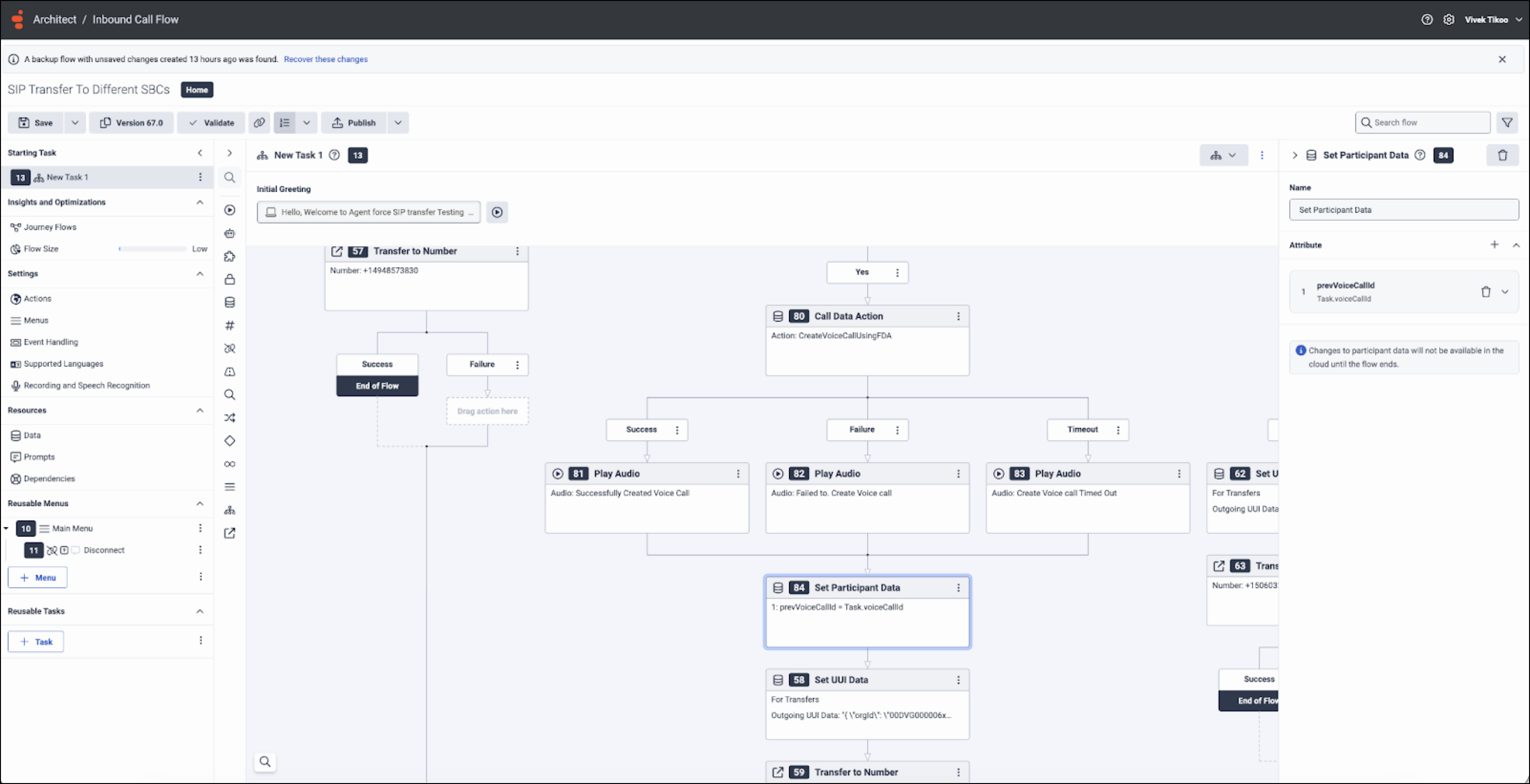
-
In the App Launcher of Genesys Console App, select CX Cloud Genesys
Settings.
-
To connect the Rep voice call record (VC3) and the Agent voice call record (VC2), create a
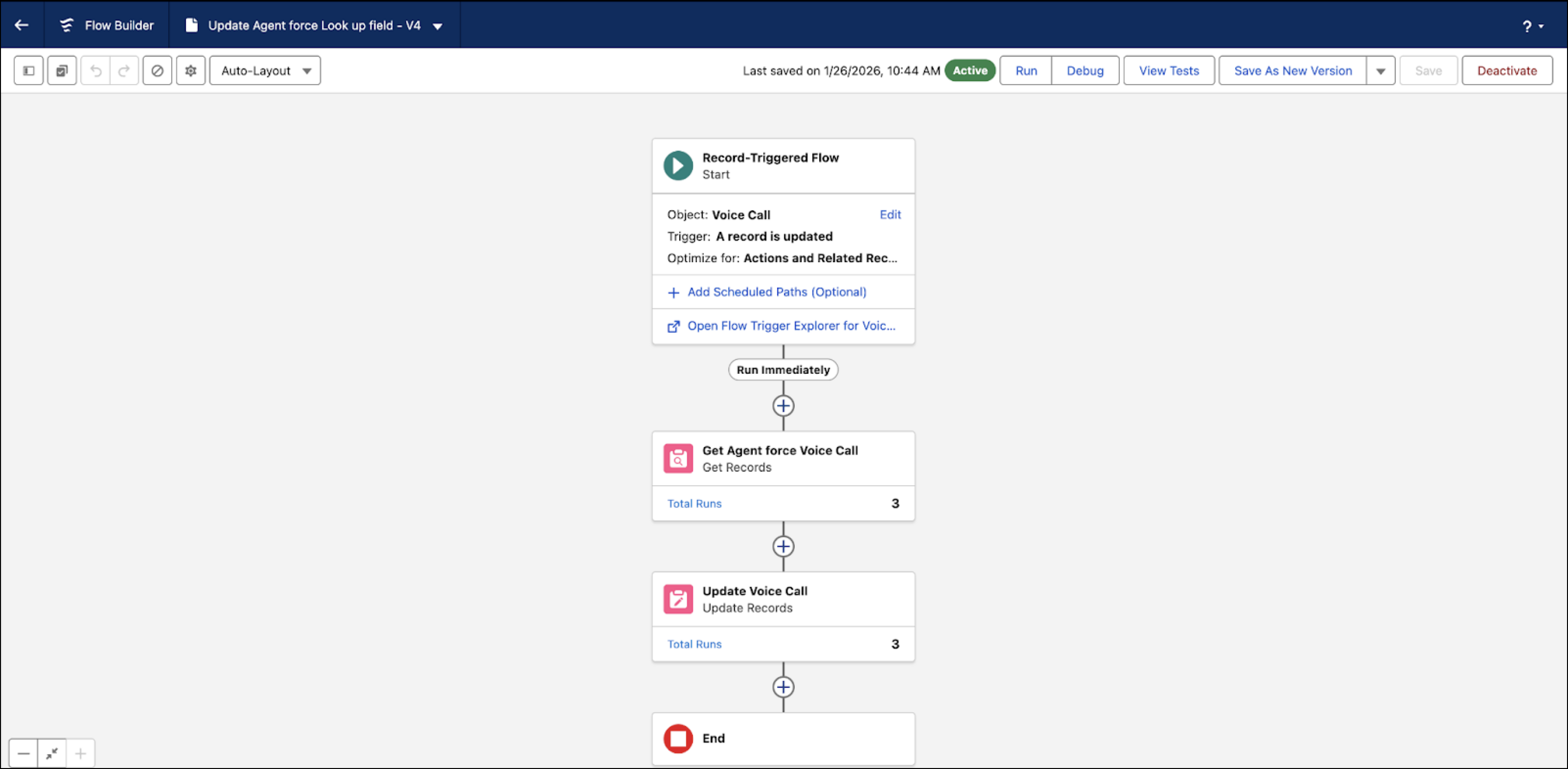
VoiceCall update flow trigger in Salesforce. In the flow, set the Agentforce Voice Call custom
lookup field of VC3 to VC2’s ID, using VC1’s ID.
Before you create the flow trigger, let’s understand how this lookup works. The flow trigger runs when the Rep voice call record (VC3) is created. It uses the ID stored in the Agentforce Voice Call ID custom field on VC3, which is the unique ID of the related Initial voice call record (VC1). To determine the related Agent voice call record (VC2), the flow finds the record where the
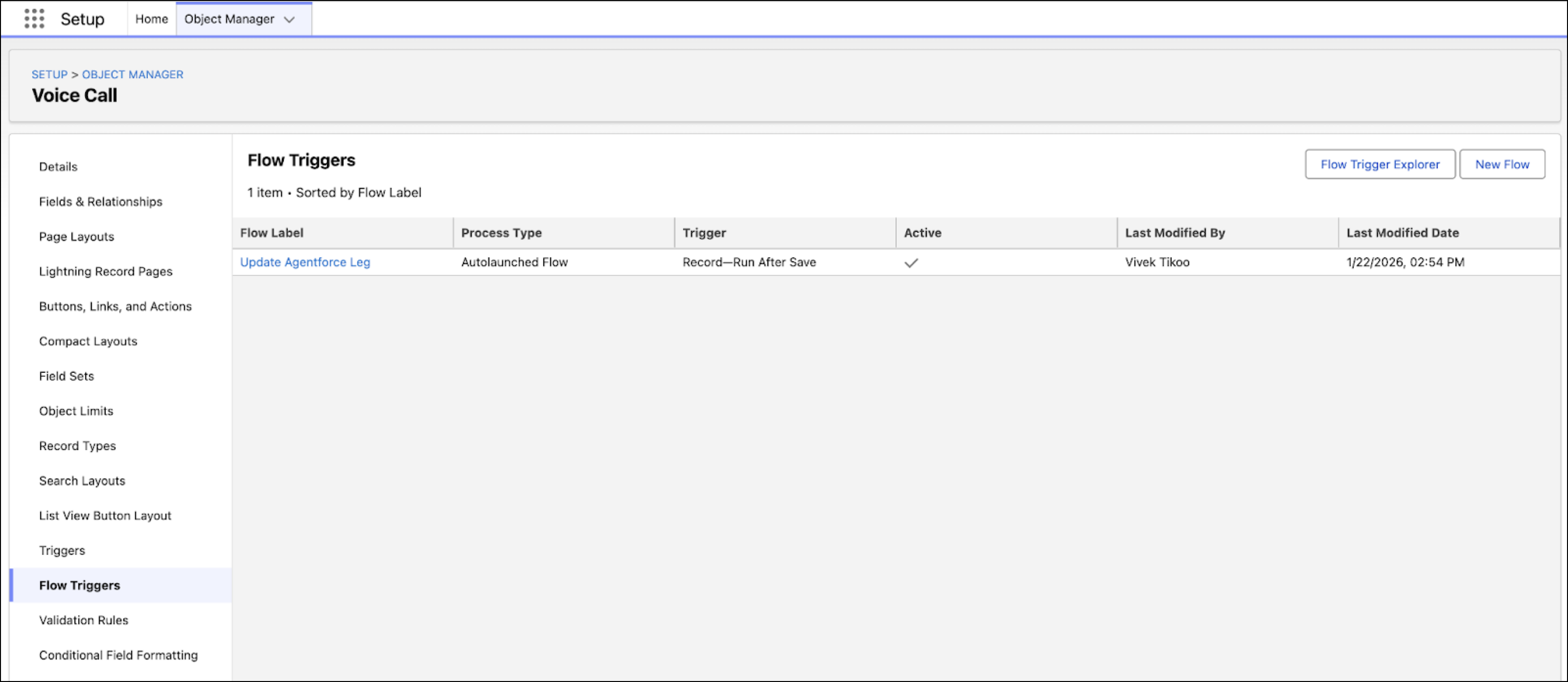
VoiceCall.previousCallIdfield matches VC1's ID. After VC2 is found, the flow updates VC3's Agentforce Voice Call custom lookup field to point to VC2, linking the conversations.- Open the Voice Call object in Object Manager.
- Click Flow Triggers.
- Click New Flow and create the flow trigger.
-
To populate the Agentforce Voice Call custom lookup field with the VC2 ID, run the flow
trigger when the Rep voice call record (VC3) is created.
This flow links VC2 and VC3 records by using VC1's ID from VC3's custom field to find VC2. It then populates the Agentforce Voice Call custom lookup field in VC3 with VC2’s ID.
The resulting Rep voice call record (VC3) in the VoiceCall object has this information.
ID Agentforce Voice Call ID Agentforce Voice Call VC3_ID
(Rep voice call record ID)
VC1_ID
(Initial voice call record ID)
VC2_ID
(Agent voice call record ID)