
Assign Data Libraries to Features
See which features support data libraries and learn how to add your libraries.
Required Editions
| Available in: Lightning Experience |
| Available in: Enterprise, Performance, and Unlimited Editions with the Einstein for Platform or Einstein or Agentforce for Sales or Service add-on, or Agentforce Foundations |
To use Agentforce Data Libraries, you must have Data 360 set up. Data libraries consume Data 360 credits.
See which features are linked to each library from the data library setup.
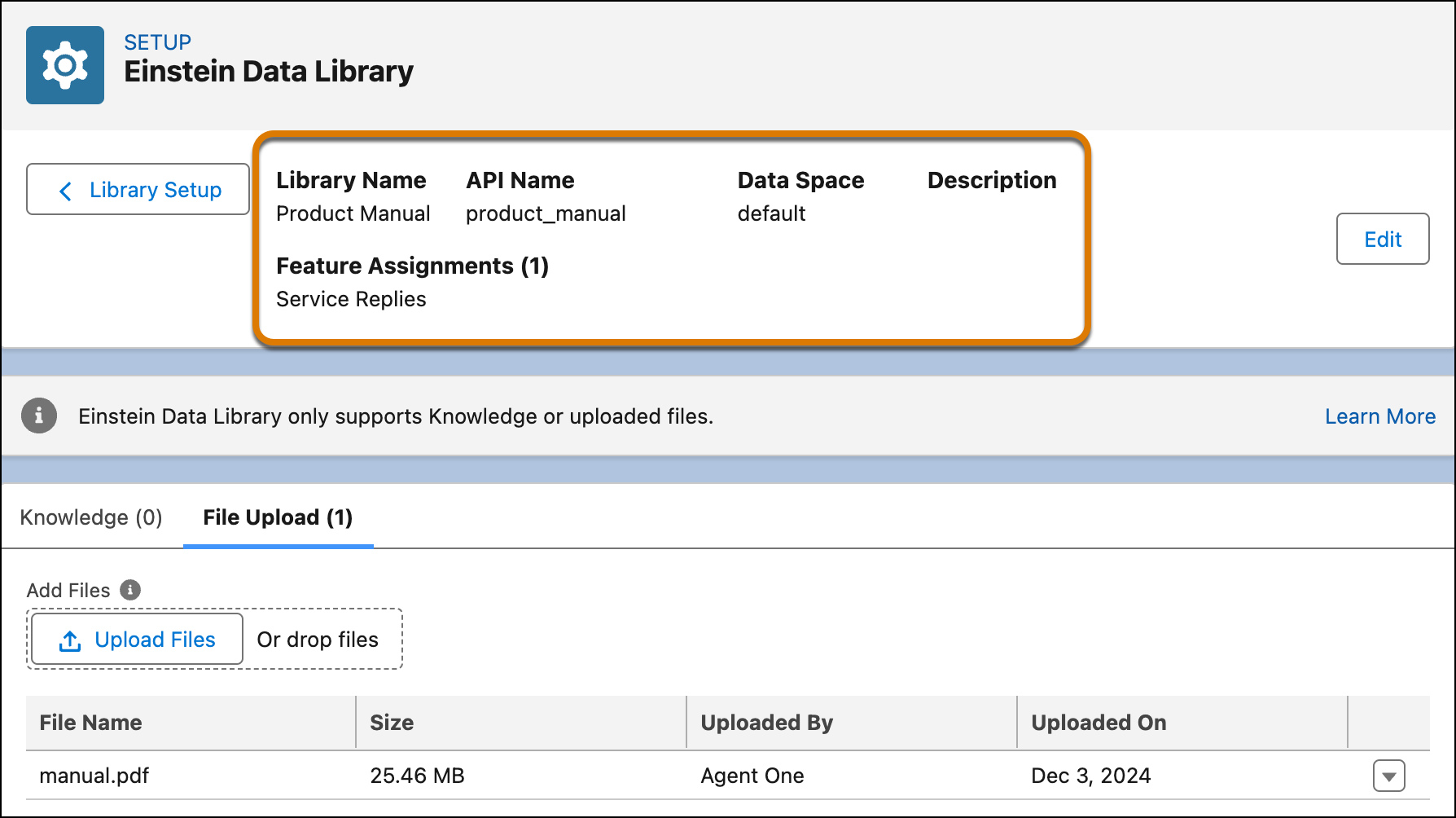
You can create multiple data libraries and assign them to multiple features, but each feature can use one data library at a time. To add a data library, go to the setup for that feature.
| Feature | Description | Enabled with AI Agents |
|---|---|---|
| Assign a Data Library to Your Agent | Improve your agent’s response accuracy and personalize answers with trusted data sources. | Yes |
| Einstein Service Replies | Follows a chat conversation as it unfolds and then drafts and recommends fluent, courteous, and relevant replies for your agents to review, edit, and post. | No |
| Agentforce Service Agent | Agentforce Service Agents support your customers in your channels and escalates to service reps when necessary. |
Yes |
| Agentforce Service Assistant | Agentforce Service Assistant is an assistive Agentforce agent that helps service reps resolve cases faster with real-time case summaries and step-by-step resolution guidance. |
Yes |
- Assign a Data Library to Your Agent
Improve your agent’s response accuracy and personalize answers with trusted data sources via Agentforce Data Library.
