
You are here:
Monitor and Analyze Einstein Service Replies
Evaluate and track the effectiveness of Einstein Service Replies in your organization by creating custom report types that connect case and messaging session data with generative AI audit and feedback data.
| Products or Features |
|
| Roles and Permissions |
|
Two key metrics that can provide valuable insights:
- Monitoring the frequency of AI-generated responses per case helps evaluate system usage and direction. High volumes may indicate strong adoption or complex issues needing multiple AI interactions. Low counts might suggest limited use or preference for human intervention. Analyzing these patterns informs necessary adjustments and improvements.
- Analyzing user feedback, positive and negative, is crucial for determining the effectiveness of AI-generated replies and identifying areas for refinement. Positive feedback highlights successful AI interactions.
To report and analyze generative AI activity on Service Reply use cases that are related to case information, connect the case information and the associated messaging sessions with the generative AI data.
Case and messaging session information are stored in Salesforce CRM objects.
- Cases are records that are used to track and resolve customer issues. Case records contain information about the case progress and its associated records and can be accessed through Case object.
- Enhanced Chat is one of the channels used in Service Cloud to provide your customers with a personalized messaging experience from your mobile app or website to the Service Console. The messaging session object includes information about the messages exchanged. If you are still using legacy Salesforce Chat, you’ll be working with the live chat transcript object.
- Generative AI audit and feedback data is stored in Data 360 DMOs.
Here’s a diagram that illustrates the components of this solution and the connections between them.
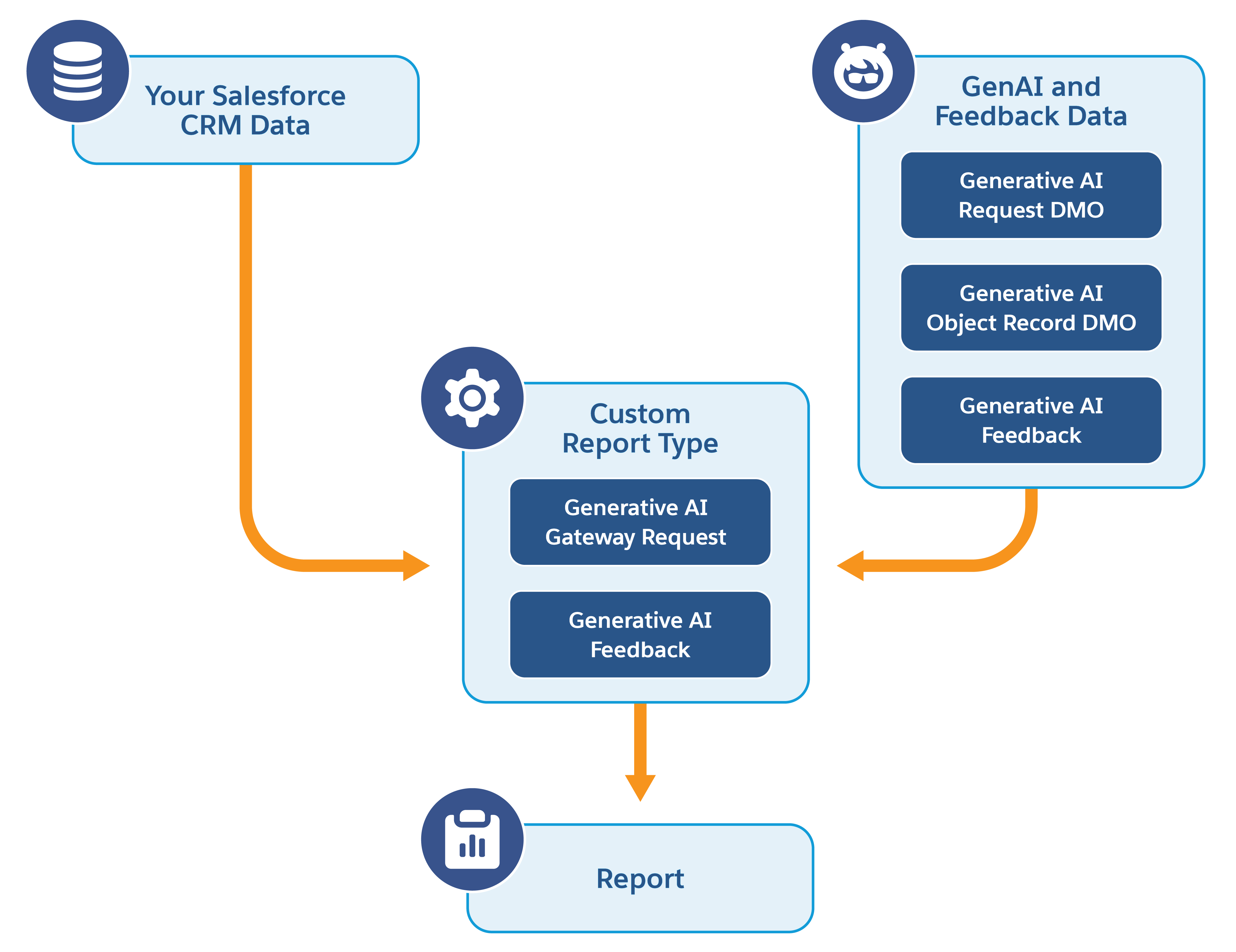
Let's review the steps required to implement this solution.
- Create Data Streams to Monitor Einstein Service Replies
Create data streams to bring the case and message data stored in Salesforce CRM objects into Data 360. - Link Case and Messaging DMOs to Generative AI Data
Create relationships between your custom data model objects (DMOs) and the generative AI data model objects (DMOs). - Create Custom Reports to Monitor Generative AI Requests for Service Replies
Create a custom report type and custom report to monitor the number of generative AI requests made for a specific case and its current status. - Create Custom Reports to Monitor User Feedback for Service Replies
Create a custom report type and custom report monitor the user feedback and analyze the performance of service replies while handling cases.
Did this article solve your issue?
Let us know so we can improve!
