Einstein Trust Layer Limits
Einstein Trust Layer is supported in the sandbox staging environments with some limits.
Required Editions
| Einstein generative AI is available in Lightning Experience. Setup for Einstein generative AI is available in Lightning Experience. |
| Available in: Enterprise, Performance, and Unlimited editions with the Einstein for Sales, Einstein for Platform, or Einstein for Service add-ons |
Einstein Trust Layer Support in Sandbox Environments
Einstein Trust Layer is included in the sandbox staging environments to ensure your data is protected from exposure to third-party large language models (LLMs). Trust Layer features such as secure data retrieval, system policies, data masking, and toxicity detection help you safely test generative AI features.

Data masking for LLMs is disabled for agents. See Data Masking and Agents. For embedded generative AI features, such as Einstein Service Replies, Einstein Work Summaries data masking is available, and you can configure it in Einstein Trust Layer setup.
The following Einstein Trust Layer features aren’t available for testing in the staging environments:
- Grounding on Objects in Data 360.
Einstein Trust Layer Configuration in Sandbox Environments
The Einstein Trust Layer settings may not be applied correctly if your Sandbox environment is not synchronized with your Production environment. Synchronization issues can happen during these scenarios:
- When you create a new Sandbox org with Einstein Trust Layer settings copied from your production org.
- If you enable or disable data masking for individual PII entities.
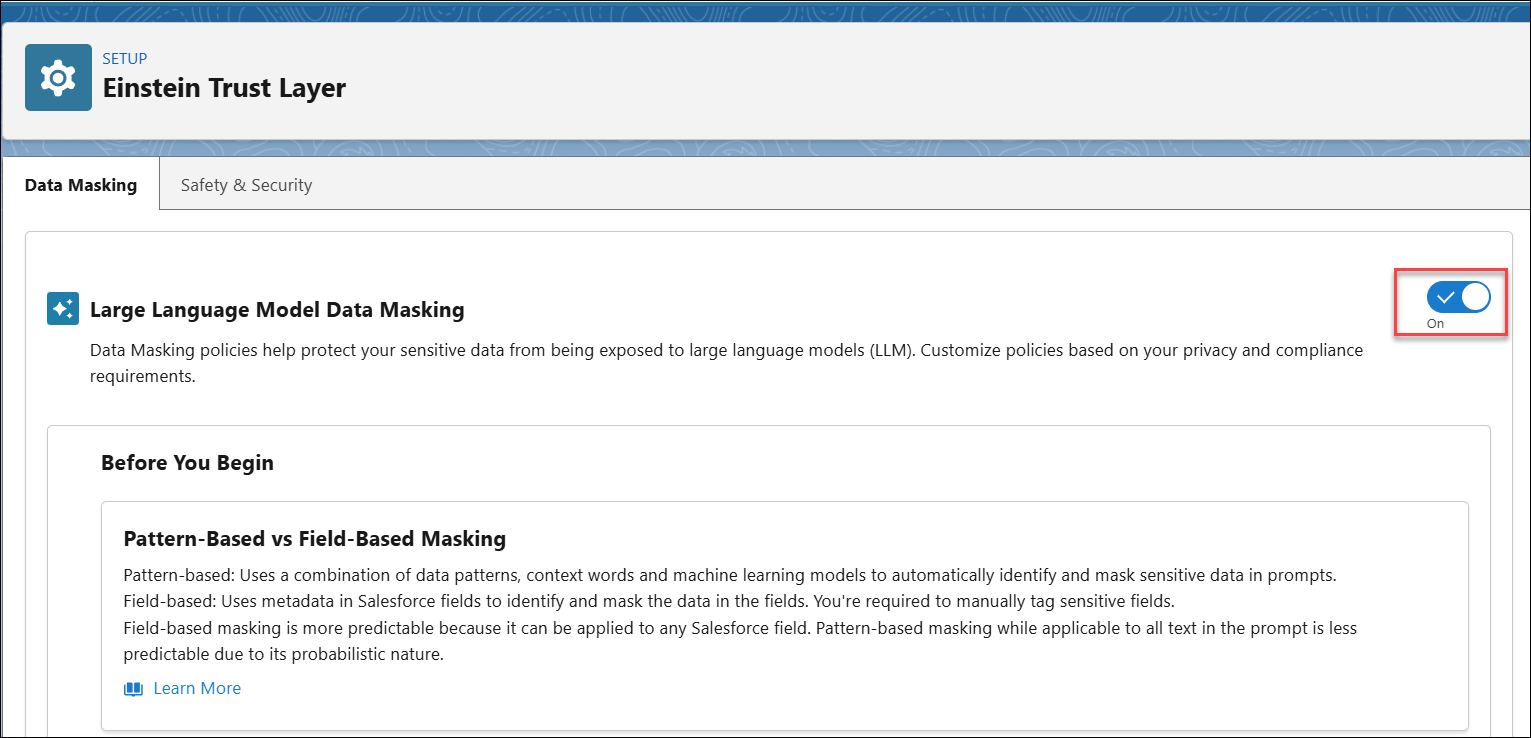
To make sure the Einstein Trust Layer settings are correctly applied in the Sandbox environment, in Einstein Trust Layer Setup page of your production environment, turn the data masking setting off, wait for about one minute, and then turn it back on.