
You are here:
Recommended Results
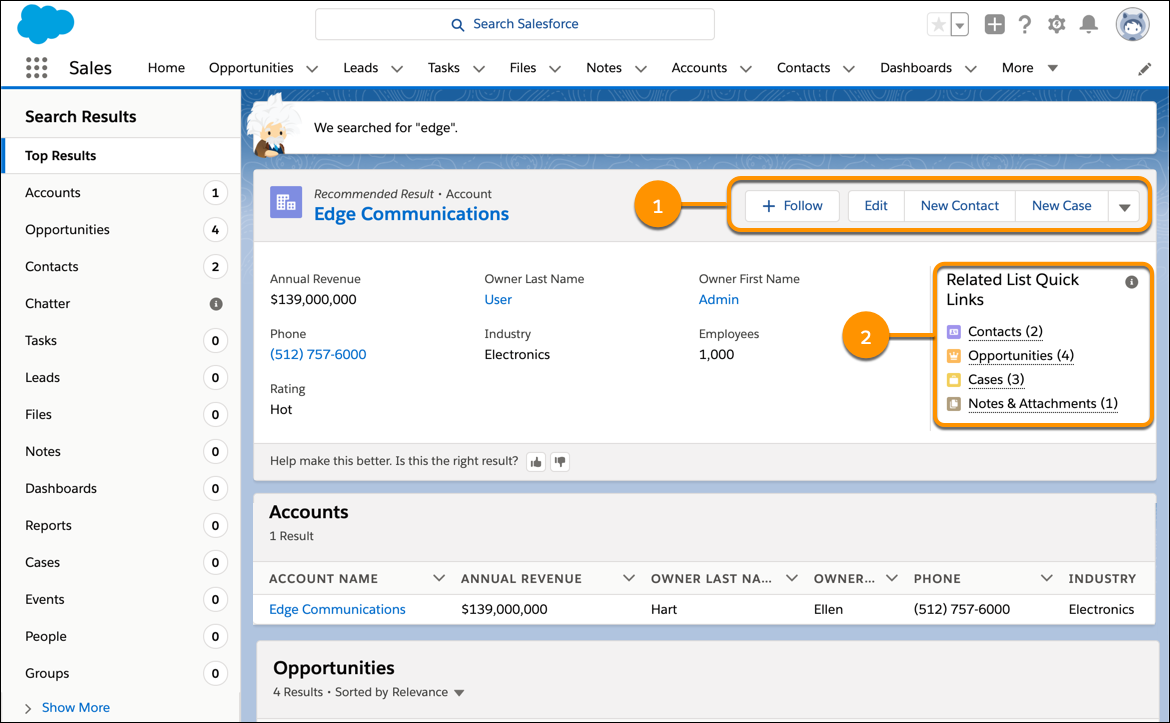
Einstein Search shows you a recommended result when it finds a good match for your search terms. It places this result first along with actions and links to related records.
You can see a recommended result appears at the top of your search results. And there’s a preview of record details so you can tell whether it’s the one that you want. The actions shown with the recommended result (1) are the same actions available on the complete record page.
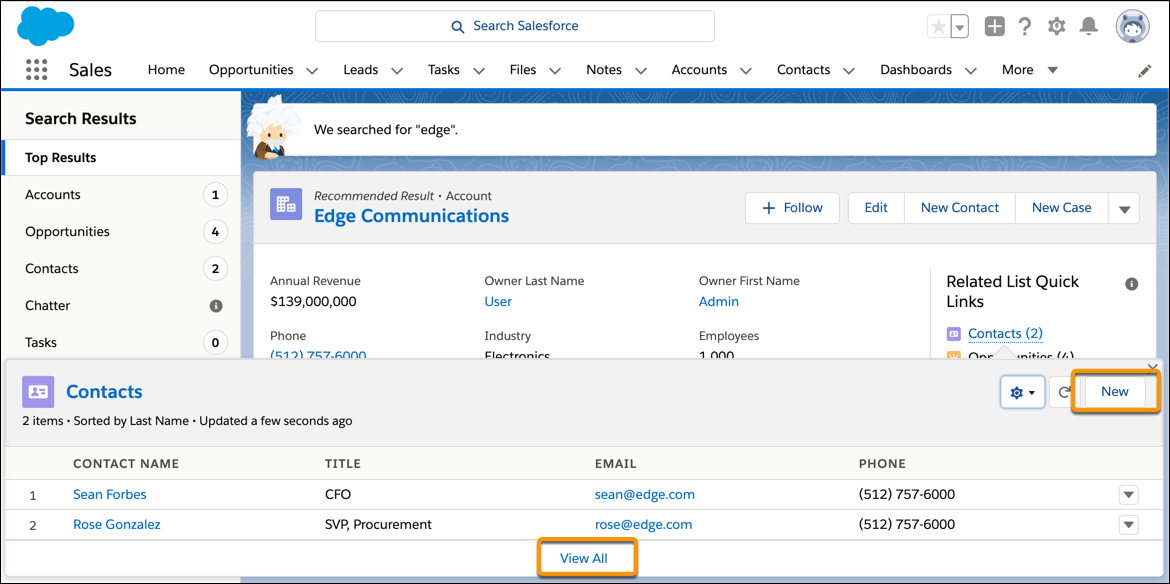
You can also act on the recommended result’s related records. Under Related List Quick Links (2), hover over a link to see up to 10 related records and their available actions. The recommended result is shown only on the Top Results page, not on pages for objects.
To see a complete list of related records, click View All.
You can see recommended results for these objects:
- Accounts
- Contacts
- Cases
- Groups
- Leads
- Opportunities
- Person Accounts (if enabled in your org)
- Users
You can see record previews for all objects except:
- Chatter
- Knowledge articles
- Reports
- Dashboards
- Tasks
- Events
If multiple results match your search term, Recommended Result provides a recommendation based on which record is most relevant according to Einstein Search or a user’s likelihood of clicking that record.
