
You are here:
How Einstein Search Works
From the moment you create a record in Salesforce, the search engine works to make your information easy to find. Get a high-level look at how Einstein Search works.
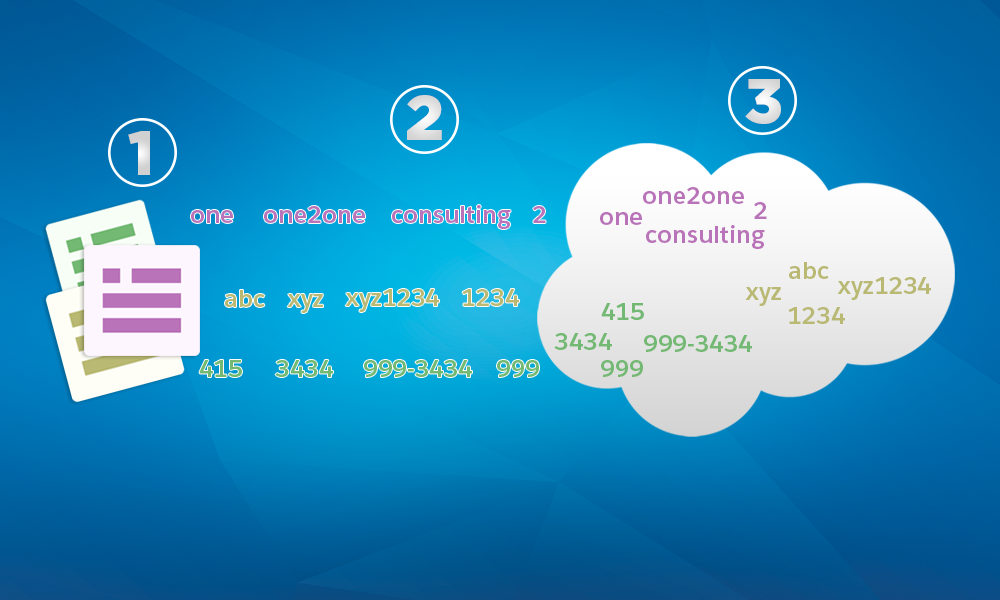
When you create a record (1), the search engine breaks up the searchable content into smaller pieces, called tokens (2). It stores the tokens in a search index (3). The search index is much like a book index—each token in the index has a link back to the record it came from. Indexing content helps the search engine quickly find relevant results when you search.
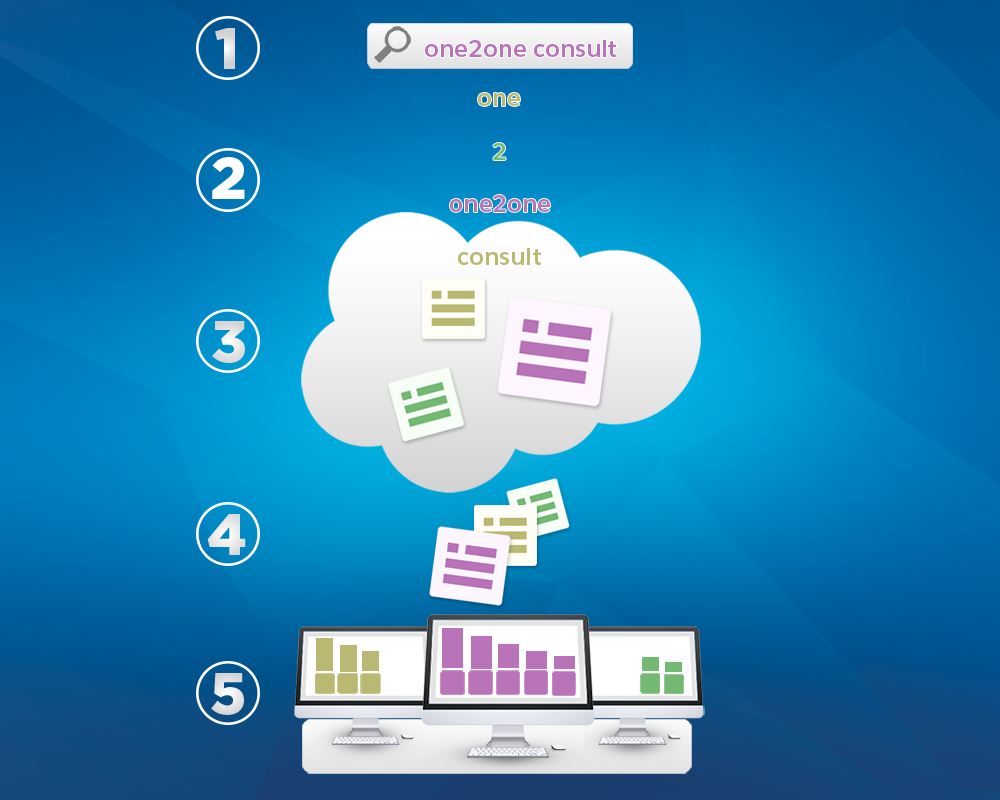
When you search (1), the search engine breaks up your search term into tokens as well (2). It matches those tokens against the index to find matching records (3), ranks the records by relevance (4), and returns the results you have access to (5). Access permissions are based on users' profiles. If an object isn’t available in your user profile, you can't see results for that object.
- After a record is created or updated, it can take a few minutes for the new text to be
indexed and become searchable. A record doesn’t show in the search results until it’s in the
index. Wait a few minutes and search again. If the record still isn’t searchable after 15
minutes, contact your admin.
 Note If a record is created or updated using bulk API, it may take more than 15 minutes for the record to be searchable. If such a record doesn’t show in the search results, wait for a few hours for it to be indexed before contacting your admin.
 - For small development orgs, the search index can be deleted after a period of no activity. When search activity is detected again, the search index is restored quickly. If you experience issues, such as search returning records where only the Name field matches the search term, or you get a "Search Unavailable" error, wait a few minutes and try again.
- To enhance Einstein Search performance, searchability is disabled for custom objects that haven't been searched for more than 120 days. To enable object and field searchability, contact your admin.
- Not all objects and fields are searchable.
- The search engine only returns results you have permission to view. Tab settings and visibility affect which objects are in search results for custom objects and standard objects in Lightning Experience.
- Search is available for Fully Supported Languages. However, not all features, including lemmatization and synonym groups, are available in all languages and for all objects. Only exact matches are returned for searches in End-User Languages. For more information about languages, see Supported Languages in Salesforce Help.
- To broaden a search, perform a full search. Enter your term, press Enter (Windows) or Return (Mac) or choose the first option in the list. View the list of all search results and filter only when necessary.
- How Search Breaks Up Information
To efficiently store and find information, the search engine breaks up record content into smaller pieces, called tokens. The tokens are stored in the search index. See how common types of information, including emails, websites, and phone numbers are tokenized. - How Search Results are Ordered
The search engine sorts results most relevant to the user based on search term frequency, order, uniqueness, record activity, and access permissions. Search result relevance can vary for each user. Search returns only the records that you have access to view. - How Does Einstein Search Use My Data
Get answers to your questions about how Einstein Search uses your data for global models. Rest assured that nothing changes in terms of security, privacy, or data residency.
