
Loading
Salesforce now sends email only from verified domains. Read More
Analyze Your Data
Table of Contents
Select Filters

          No results
          No results
          Here are some search tips

          Check the spelling of your keywords.
          Use more general search terms.
          Select fewer filters to broaden your search.

          Search all of Salesforce Help
          Stay Organized with Collections

          Stay Organized with Collections

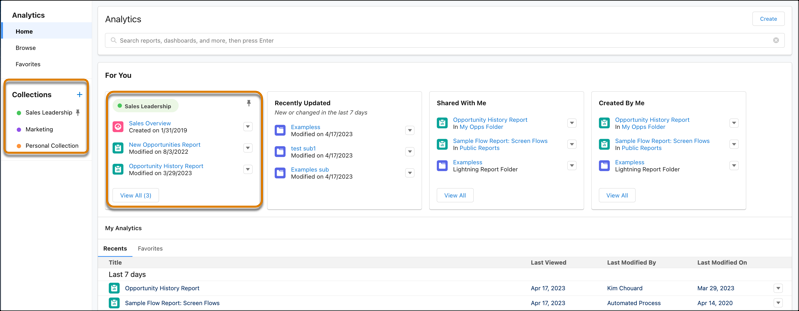
          Collections enable you to curate and organize your analytics in a customized way. By creating a collection, you have a personalized set of analytics that’s relevant to your projects or interests. Your analytics can be drawn from different folders, and you can avoid searching different folders to access your most important analytics. In addition, collections can personalize the home page that makes it easier to find and use the information that matters most to you.
          Required Editions

          Available in: Lightning Experience
          Available in: Professional, Enterprise, Performance, Unlimited, and Developer Editions
          Available in: Enhanced Folder Sharing
          Also available with CRM Analytics, which is available for an extra cost in Performance, Enterprise, Unlimited, and Developer Editions.
          User Permissions Needed
          To use collections:
          Enhanced Folder Sharing
          Run Reports OR Create and Customize Dashboards
          To manage a collection with CRM Analytics items: Use CRM Analytics

          Add your items, such as those related to a project or commonly used, for immediate access. You can pin collections to your home page, hide collections, and share collections with others.

          Adding item to a colleciton.

           
          Loading
          Salesforce Help | Article