You are here:
Find Dashboards and Datasets by Field Using Semantic Search
Uncover CRM Analytics items beyond just those matching exact keywords. Semantic search boosts searching with a behind-the-scenes view of object fields and dataset columns across all your org’s data. You can ask to see dashboards using specific sObject or dataset fields, or ask for datasets containing specific sObject fields. Semantic search inspects all your data, but the search results are tailored for you, adhering to user access, sharing rules, and row-level security.
To initiate semantic search, use this syntax in the home page search bar:
targetAssetType sourceAssetType:fieldName1,fieldName2The targetAssetType can be
dashboard or dataset. The
sourceAssetType can be
object-field or dataset-field.
The fieldName must be the developerName
of the field. For example:
- To list dashboards using the activity.ActivityName sObject field, enter dashboard object-field:activity.ActivityName
- To list dashboards using the Opportunity.Amount dataset field, enter dashboard dataset-field:Opportunity.Amount
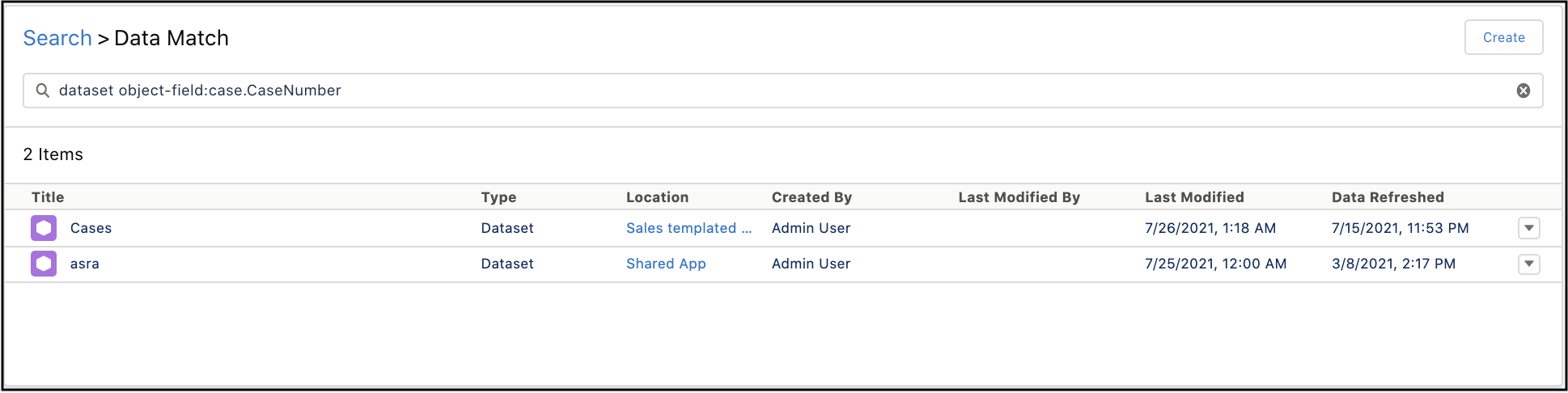
- To list datasets containing the case.CaseNumber sObject field, enter dataset object-field:case.CaseNumber