
You are here:
Manage Filters from Linked or Embedded Dashboard with External Filters
External filters enable you to determine whether dashboard queries can be influenced by filters from linked or embedded dashboards. This means you can selectively apply external filters to specific queries while keeping others isolated.
- Select the widget that has the query you want to update.
- Click the Query tab.
-
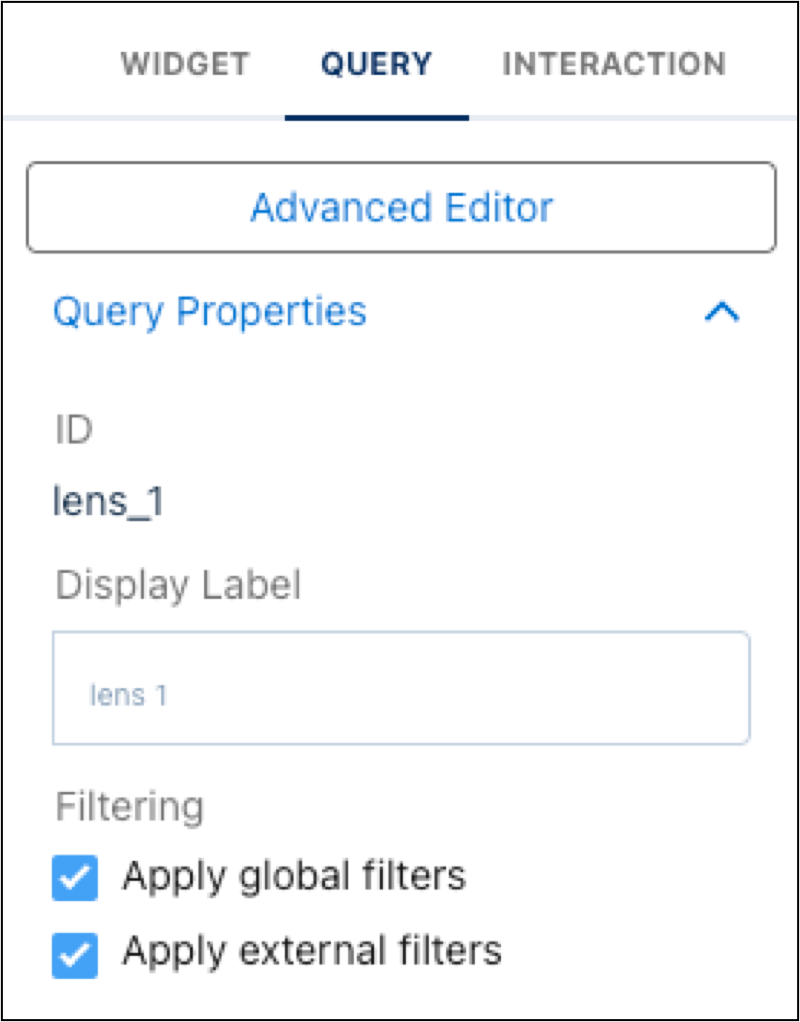
All queries are enabled to be filtered by linked or embedded dashboards by default.
Click Apply external filters to isolate a query from those
filters.
 Note Disabling or enabling this setting doesn’t affect other filter settings.
 - Save the dashboard.
Did this article solve your issue?
Let us know so we can improve!
