
You are here:
Tips for Salesforce Direct Data Queries
Direct Data is an option for querying live Salesforce data without having to set up replication or create datasets. With Direct Data, you can query Salesforce objects in the dashboard designer’s explorer and edit Salesforce Object Query Language (SOQL) queries in the query editor.
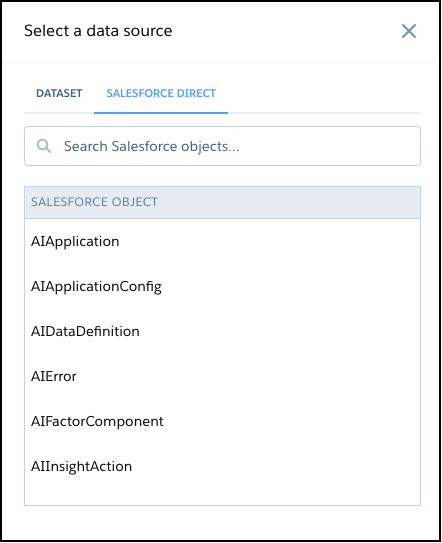
Direct Data is available only in the dashboard designer. Click Create Query, and then select the Salesforce Direct tab. Select an object and the dashboard designer’s explorer opens with the object’s data ready to explore.

Important Direct Data widgets aren’t automatically refreshed but are updated
when the dashboard is refreshed.
Take the following into consideration.
- For best performance, use Direct Data only where data changes often and scheduled dataflows aren’t frequent enough. Queries on Salesforce objects with a large number of records could increase query time. Use filters to limit the data that’s queried. For example, rather than querying all cases opened, query only cases opened within a defined period of time.
- Direct Data is accessible only in the dashboard designer. After a Direct Data widget is added to a dashboard, you can select Explore from the widget’s dropdown and open a Direct Data exploration in a new tab. However, saving custom queries on Direct Data lenses isn’t supported.
- In the explorer, these features aren’t available:
- Compare tables
- Totals and subtotals in tables
- Conversational querying
- Suggested charts
- Drilling into data by hour, minute, or second
- Applying filters based on aggregated measures or Boolean logic
- Conditional formatting in bar charts
- Filtering in the repeater widget
- Compact Form v1.0
- These sharing options aren’t available from a Direct Data widget: Download as CSV and Download as Excel.
- These actions aren’t available from a Direct Data widget: Annotate, Set Notification, and Subscribe.
- Direct Data queries are run in user context, and the current user’s permissions, field-level security, and sharing rules apply. Security predicates and inherited sharing rules aren’t available.
- Advanced custom SQL queries containing subqueries or Common Table Expressions (CTE) don’t always work as expected
- Dashboards with direct data queries aren’t supported in Experience Cloud.
Maximum limits on CRM Analytics API calls and on queries apply to Direct Data.
- Maximum concurrent CRM Analytics API calls per org is 100.
- Maximum CRM Analytics API calls per user per hour is 10,000.
- Maximum concurrent queries per organization is 50 per platform.
- Maximum concurrent queries per user is 10.
Did this article solve your issue?
Let us know so we can improve!
