
You are here:
Assign Bulk Action to Table Widget
Configure the table widget properties to expose the bulk action defined in the Visualforce page.
- Open the CRM Analytics dashboard that contains the table widget.
- Edit the dashboard.
- Select the table widget.
- In the widget properties, select Show custom action.
-
Enter the following widget properties.
Property Description Custom Action Label Label for the action in the action menu. Visualforce Page Name API name of the Visualforce page. Visualforce Namespace Prefix Optional. Namespace prefix specified for the Visualforce page. 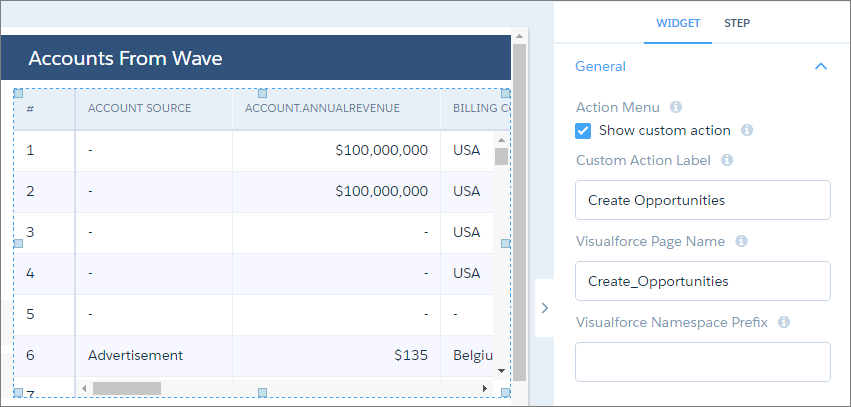
- Save the dashboard.
Did this article solve your issue?
Let us know so we can improve!
