无需切换到 Analytics Studio 并创建仪表板查询,即可从 Data 360 记录中分析和显示客户参与模式。通过 CRM Analytics Direct Data for Data 360,您现在可以从数据对象的记录页面探索计算见解、数据湖对象和数据模型。在表格和图表中查看、简档和趋势数据,或在业务工作流中对 Data 360 运行查询。
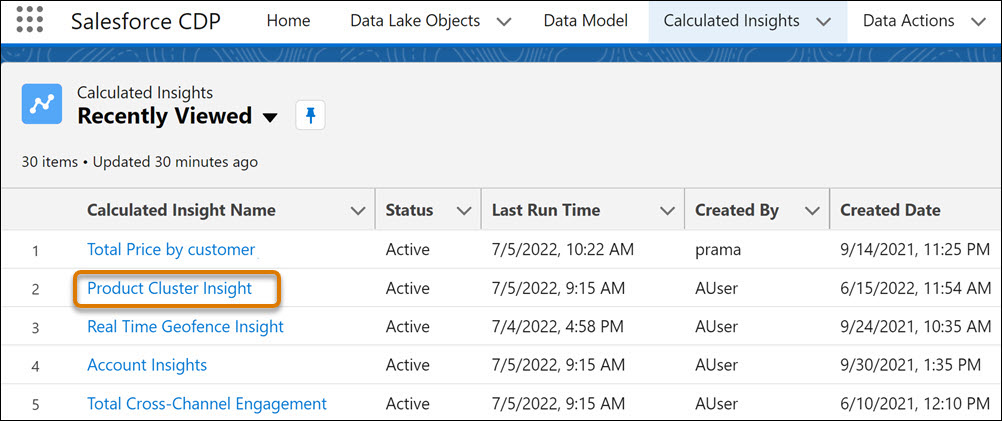
假设您在 Data 360 仪表板中创建了关于产品集群的计算见解。要在 CRM Analytics 的漏斗图中按产品类别查看支出:
在“计算见解”选项卡中,单击构建于产品集群的见解。
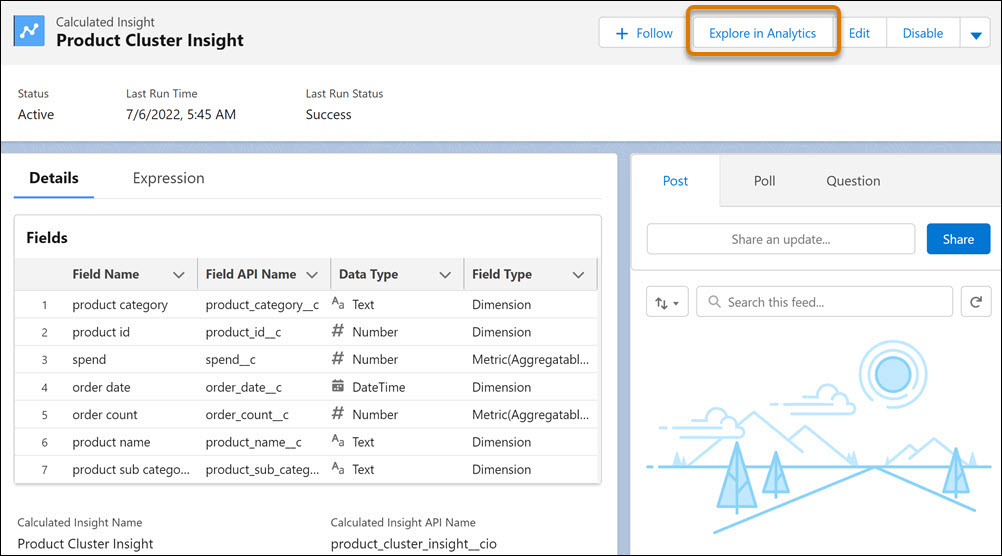
从见解的记录页面中,单击在 Analytics 中探索。
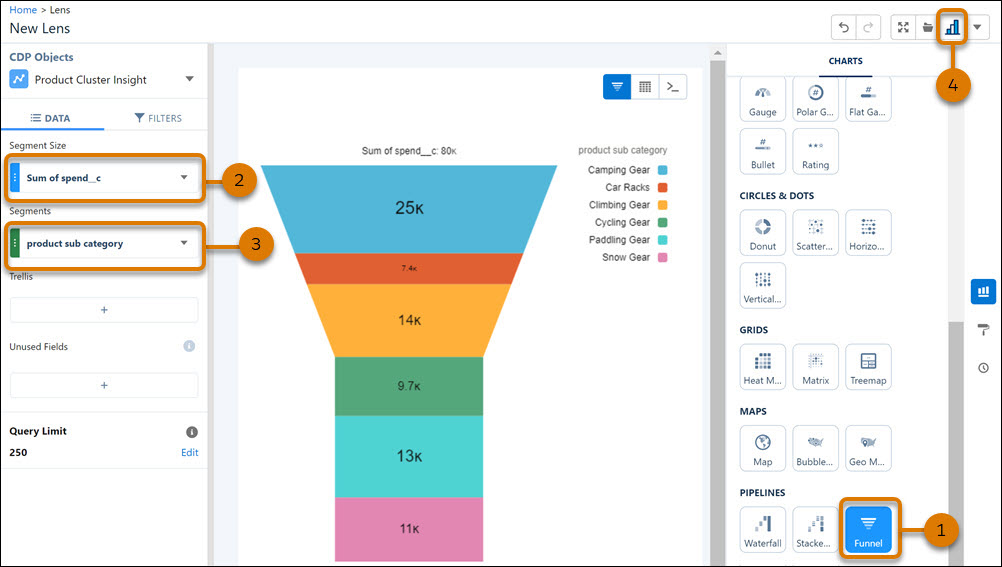
从图表库中,选择漏斗 (1)。
按支出金额聚合数据 (2)。
按产品子类别对数据进行分组 (3)。
要将镜头剪切到仪表板,切换到 Analytics Studio (4)。
本文章是否解决您的问题?
请与我们共享您的想法,以便我们进行改进!
正在加载
Salesforce Help | Article
Cookie Consent Manager
General Information
Required Cookies
Functional Cookies
Advertising Cookies
General Information
We use three kinds of cookies on our websites: required, functional, and advertising. You can choose whether functional and advertising cookies apply. Click on the different cookie categories to find out more about each category and to change the default settings.
Privacy Statement
Required Cookies
Always Active
Required cookies are necessary for basic website functionality. Some examples include: session cookies needed to transmit the website, authentication cookies, and security cookies.
Functional Cookies
Functional cookies enhance functions, performance, and services on the website. Some examples include: cookies used to analyze site traffic, cookies used for market research, and cookies used to display advertising that is not directed to a particular individual.
Advertising Cookies
Advertising cookies track activity across websites in order to understand a viewer’s interests, and direct them specific marketing. Some examples include: cookies used for remarketing, or interest-based advertising.