
You are here:
Create a Model from a Template
Quickly create a model using Einstein Discovery model templates. Each model template provides a starter implementation for a common Einstein Discovery use case. A template gives you what you need to build the app, prepare and load your data, create an initial model, deploy a model, and save predictions into your CRM Analytics dataset.
Required Editions

Note Einstein Discovery stories are now models. We wish we could snap our fingers to update
the name everywhere, but you can expect to see the previous name in a few places until we
replace it.
| Available in Salesforce Classic and Lightning Experience. |
| Available with CRM Analytics, which is available for an extra cost in Enterprise, Performance, and Unlimited Editions. Also available in Developer Edition. |
| User Permissions Needed | |
|---|---|
| To create a model from a template: | Use Einstein Discovery |
To create a model from a model template:
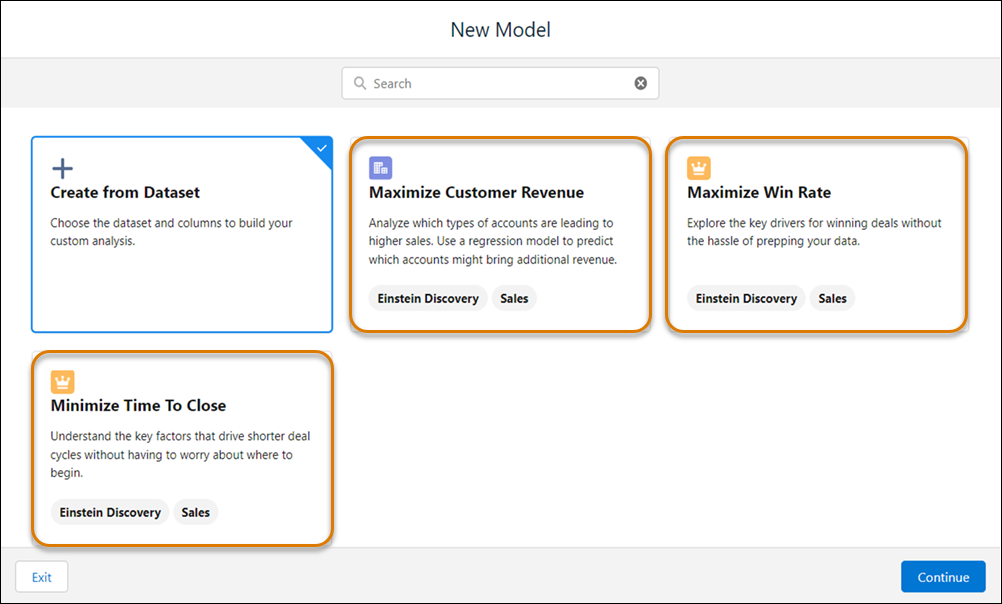
- In CRM Analytics Studio, click Create, then Model.
-
Select one of the available templates, and then click
Continue.
-
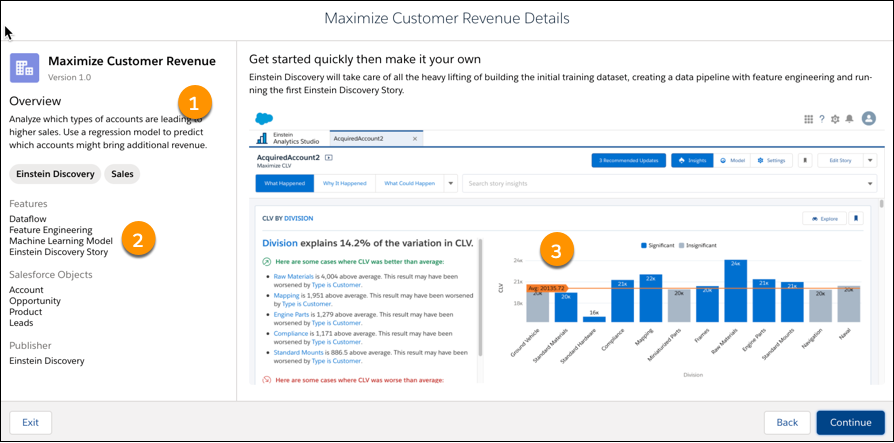
Review summary information about the template.
The template overview includes a description (1), a list of supported objects (2), and sample insights (3). Click Continue.
-
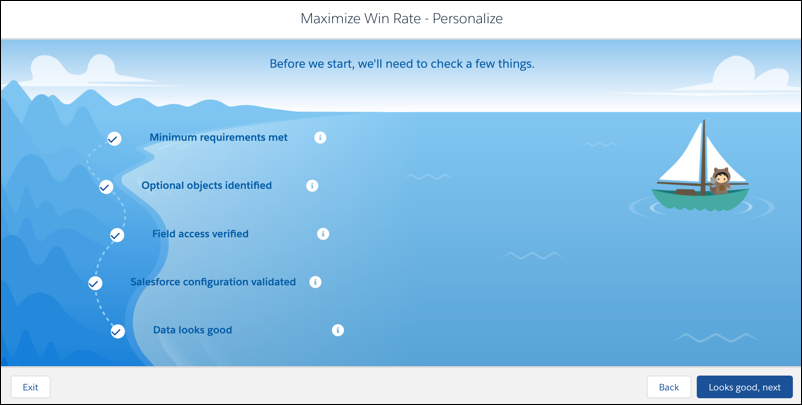
Einstein Discovery runs through a series of checks to confirm that your organization’s
data meets minimum requirements. If your org passes, click Looks good,
next. Otherwise, review any messages and check the requirements for your
template in Jumpstart Solutions with Model Templates.
-
Give your app a name, then click Create.
Einstein Discovery proceeds to create the app and associated assets, including a dataset, dataflow, model, and documentation (as a dashboard). When finished, your initial model opens.
- Explore the initial model, insights, dataflow, deployed model, and other assets that Einstein Discovery created for you. As you explore, consider ways in which you can customize your app to better reflect your business requirements and goals.
Even if your organization passed the minimum data requirements for the selected model template, app creation can fail due to other reasons, including:
| Issue | Description |
|---|---|
| Model concurrency limits exceeded | No more than two models can be created concurrently in your org. App creation can fail if there are already two models in the org that are currently being analyzed. |
| Dataflow run limits exceeded | During app creation, Einstein Discovery model templates run a dataflow twice: (1) to create the dataset used to train the predictive model, and (2) to use the predictive model to generate prediction scores and write them back to the CRM Analytics dataset. App creation can fail if you exceed the maximum number of dataflow runs in your org in a 24-hour period. |
| Data Sync-related limits exceeded | Model templates can add objects to Data Sync. App creation can fail if your org has already created the maximum number of data sync objects. Consider contacting your Salesforce account representative to request an increase in the number of Data Sync objects allowed. |
| Data Sync-related errors | With Data Sync enabled, dataflows in model templates rely on Data Sync objects to run successfully. If app creation triggers Data Sync-related errors, address them in the Data Manager before trying to create the template again. |
Did this article solve your issue?
Let us know so we can improve!
