
You are here:
Imbalanced Distribution Alert
Indicates a disproportionate ratio of observations in each class in training data.

Note Einstein Discovery stories are now models. We wish we could snap our fingers to update
the name everywhere, but you can expect to see the previous name in a few places until we
replace it.
Actions to Consider
Calibrating a model on an imbalanced dataset can result in a less reliable model. To have Einstein Discovery apply class weights to your data:
- Select the variable that’s displaying an Imbalanced Distribution alert.
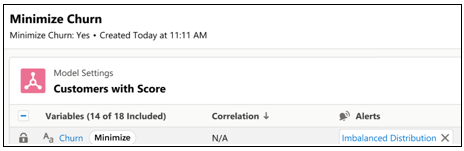
- Click Apply class weights or Ignore alert.
When you create a model version, Einstein:
- increases the frequency in the minority class by upsampling the data.
- reduces the frequency in the majority class by downsampling the data.
Detection Methodology
Einstein Discovery automatically alerts you when it detects an imbalanced distribution.
See Also
Did this article solve your issue?
Let us know so we can improve!
