
You are here:
Data Insights Interface
Learn how to navigate insights and become familiar with the user interface.

Note Einstein Discovery stories are now models. We wish we could snap our fingers to update
the name everywhere, but you can expect to see the previous name in a few places until we
replace it.
Insight Summary Panels
Insight Summary Panels display a summation of model variables.
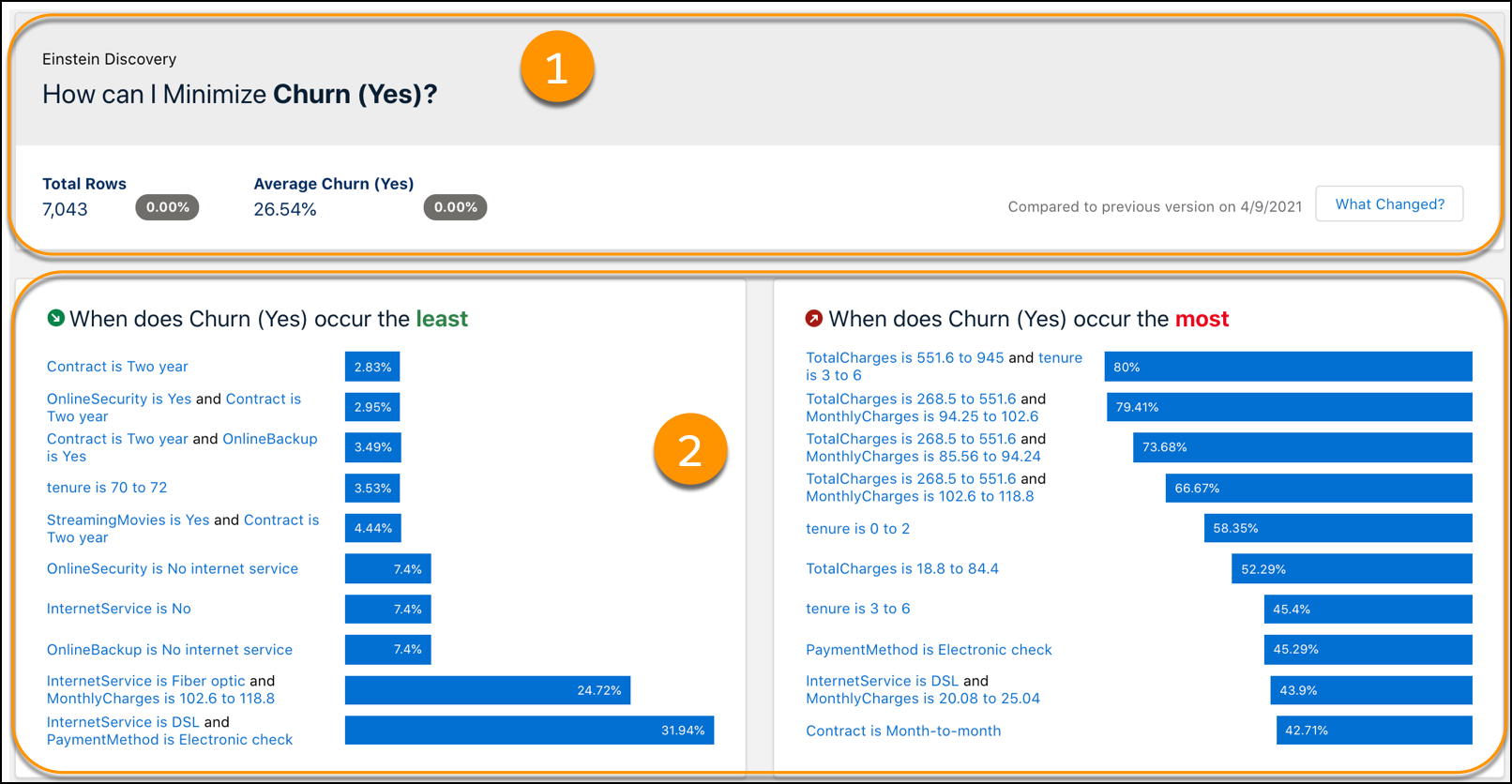
| Area | Name | Description |
|---|---|---|
| 1 | Version Summary | Summary of data insights, including version comparison. |
| 2 | Insight Summary Panels | List of variables, ordered by importance, that positively or negatively impact a model. |
Variable Insights
Each variable insight consists of these areas.
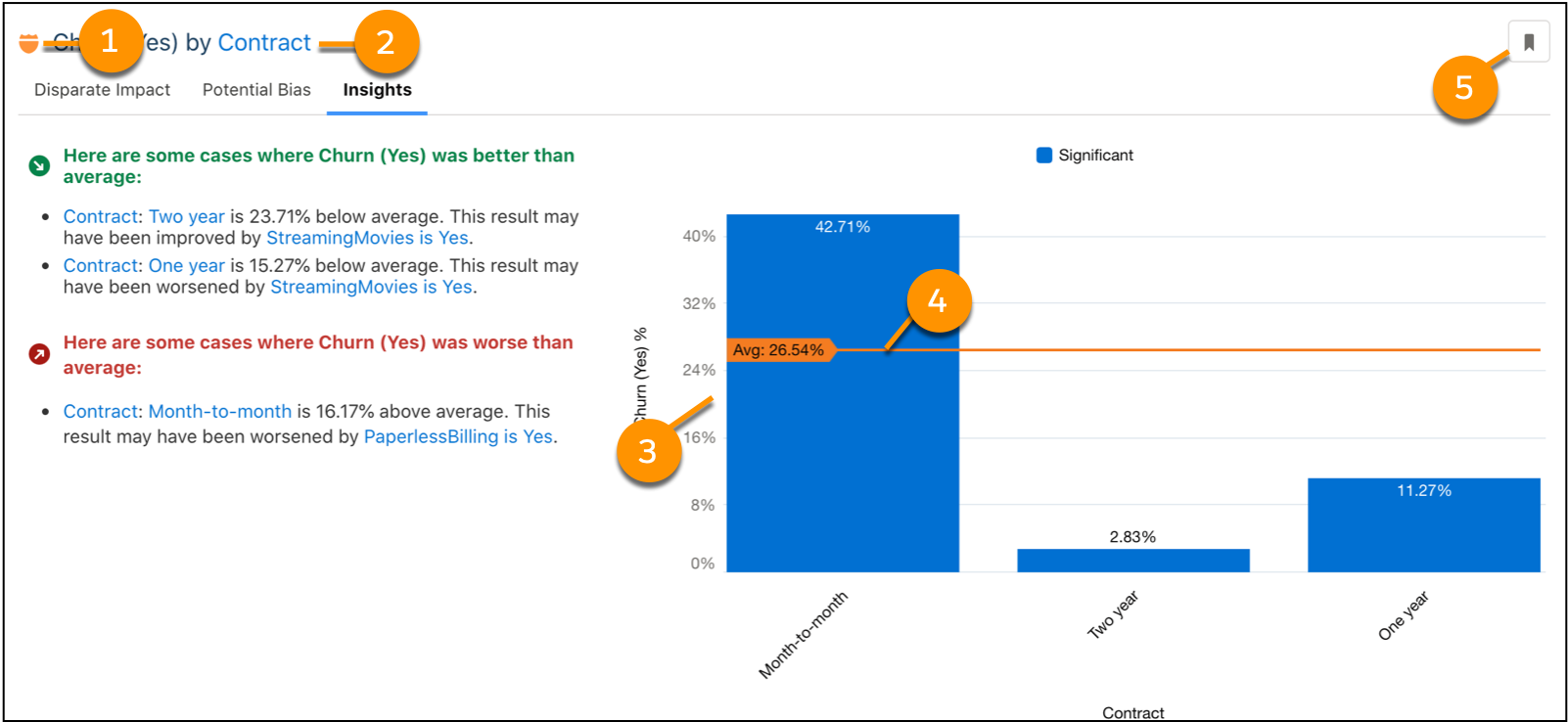
| Area | Name | Description |
|---|---|---|
| 1 | Sensitive Field Badge | Shield indicating variable has sensitive data. |
| 2 | Insight Title | Selected variable’s impact on story outcome. |
| 3 | Insight Chart | Insights based on the analysis of a dataset. |
| 4 | Version Update | Current version’s outcome average. |
| 5 | Bookmark Insight | Save the insight for future reference. |
If multiple insights are displayed, the insights are typically shown in this order.
- Single variable that best explains the variability in the outcome (best single predictor).
- Variable that with the previous variable most improves the explanatory power (best two-variable predictor).
- If appropriate, another variable that with the first variable improves the explanatory power.
- Next single variable that best explains the variability on its own (second-best single predictor).
Variables Panel
Variables are conveniently ordered by importance. This section consists of these areas.
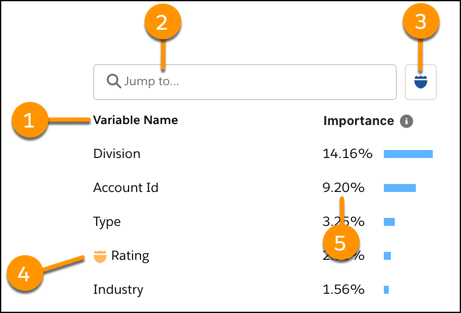
| Area | Name | Description |
|---|---|---|
| 1 | Variable List | Listing of fields you are analyzing. |
| 2 | Search Box | Input field for searching variables or values. |
| 3 | Sensitive Fields Filter | Button that returns variables identified as sensitive. |
| 4 | Sensitive Fields Badge | Variables identified as carrying sensitive data. |
| 5 | Importance | The relative influence of the variable on the outcome. The higher the importance, the greater the impact. |
Filter Selector
Surface insights by variable or value. This section consists of these areas.
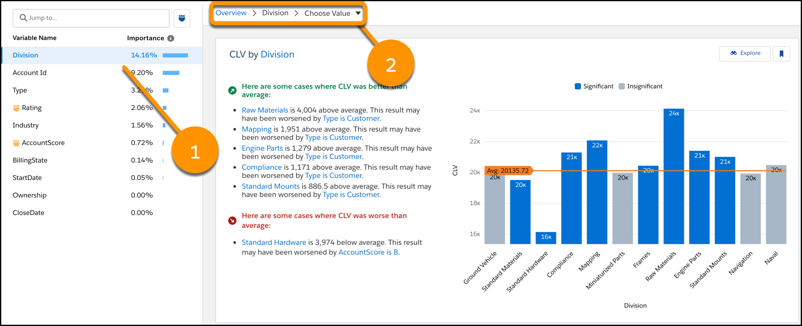
| Area | Name | Description |
|---|---|---|
| 1 | Selected Variable | Chosen variable. |
| 2 | Filter Selector | Dropdown menu to select a value within the variable. |
Did this article solve your issue?
Let us know so we can improve!
