
You are here:
Select a Target Prediction Definition or Model
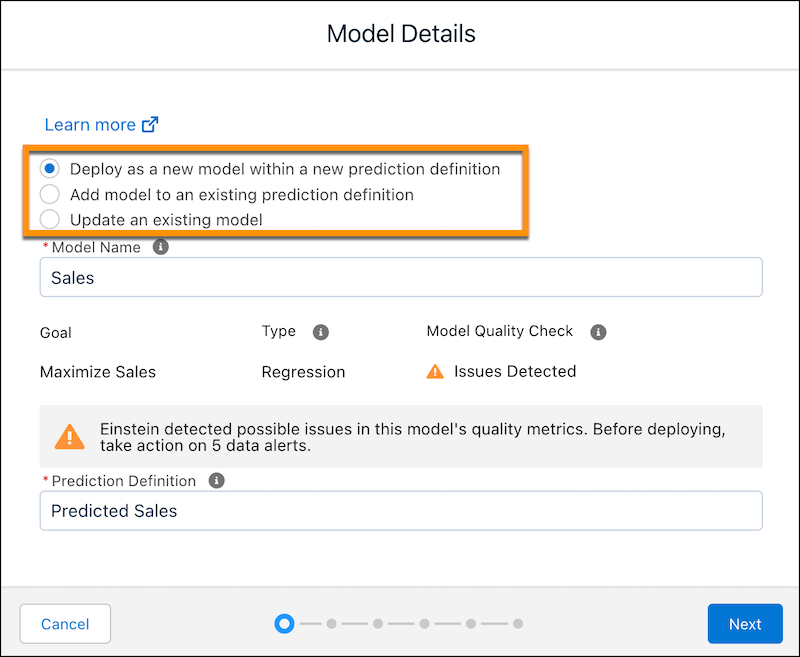
Choose how you want to deploy this model: to a new prediction definition, to an existing prediction definition, or to replace an existing model.
A prediction definition is a container object that consists of one or more models. For example, you can have two different win rate models for your opportunities—one for small business and one for enterprises. Each model can be deployed to the same prediction definition. Segmentation filters can be used to choose the correct model for the record that is being scored. Later, you can use the Model Manager to change the order of the models in this prediction definition.
-
Select one of the following options:
Option Description Deploy as a new model within a new prediction definition Create a prediction definition with this model. Optionally, change the default name of the prediction definition. Add model to an existing prediction definition Deploy this model to an existing prediction definition that you select. Update an existing model Replace an existing model. Einstein detects and selects the model that was most recently deployed from a previous version of this model. -
Depending on your selection:
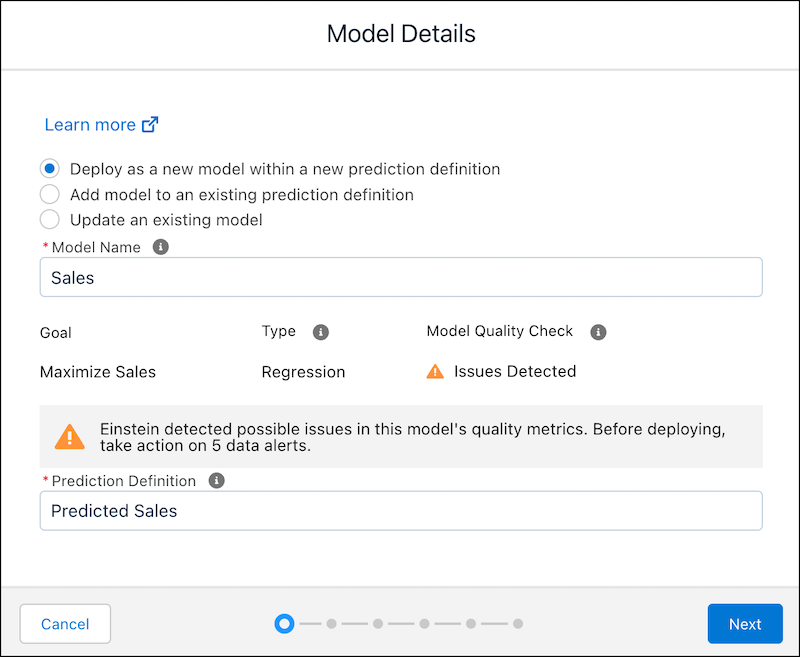
- To deploy the model to a new prediction definition, specify the new model name and
new prediction definition:
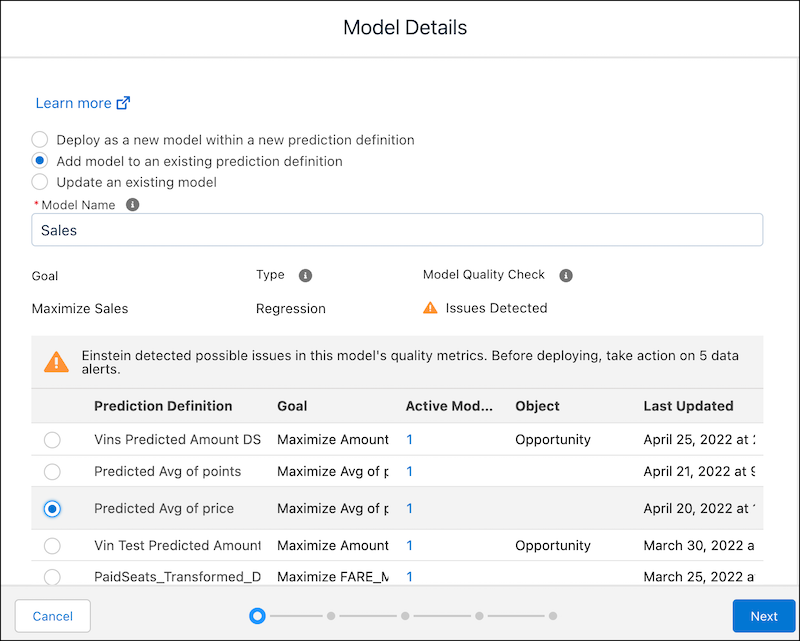
- To deploy as a new model to an existing prediction definition, specify the model
name, and then select the target prediction definition from the list:
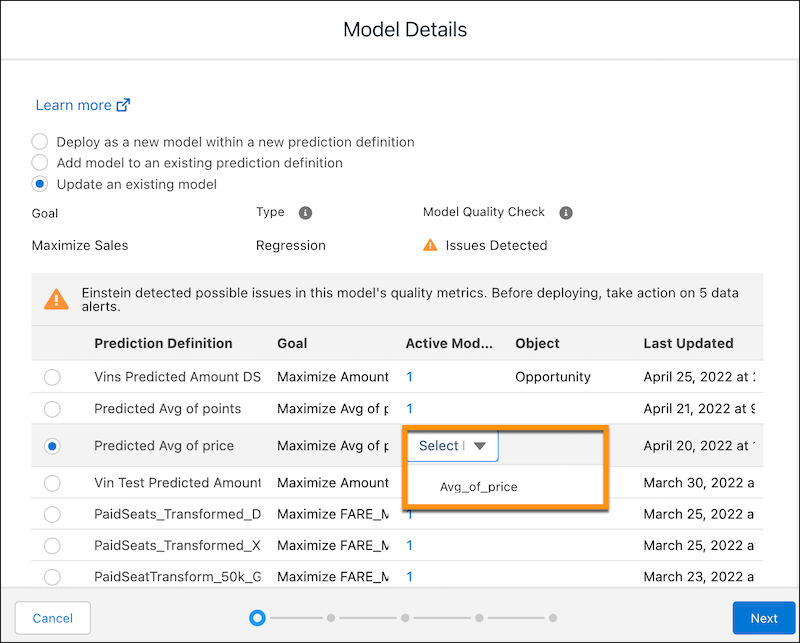
- To replace a deployed model, select the target model from the list.
- To deploy the model to a new prediction definition, specify the new model name and
new prediction definition:
-
Click Next.
- If you replace a deployed model, you proceed directly to Review Your Selections and Deploy the Model.
- Otherwise, you proceed to Select Whether to Connect to a Salesforce Object.
Did this article solve your issue?
Let us know so we can improve!
