
You are here:
Select Actionable Variables for Suggested Improvements
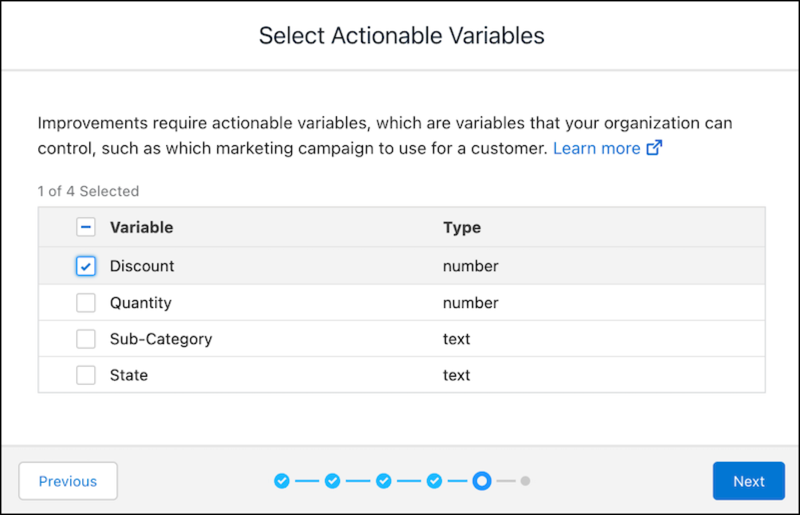
The suggested improvements from Einstein Discovery are recommendations that users can take action on to improve predicted outcomes. To get suggested improvements, at least one actionable variable must be selected on the model. Actionable variables represent data factors that people can control, such as deciding which marketing campaign to use for a particular customer.

Note Einstein Discovery stories are now models. We wish we could snap our fingers to update
the name everywhere, but you can expect to see the previous name in a few places until we
replace it.
Note
- This screen appears for binary classification and numeric models only. It doesn’t apply to multiclass classification models.
- After you deploy this model, you can change these settings using the Model Manager. See Edit Model Settings.
Note Einstein displays variables associated with object fields to which you have access. If
you don't see a variable you expect, check the field-level security settings for your user
account to ensure that you have at least read access to that field in the Salesforce
object.
-
To have Einstein Discovery suggest ways in which to improve a predicted outcome, select
one or more variables in the list.
Select only variables that can be controlled. Don’t select any fields that can’t be controlled, such as customer name or address. Einstein Discovery suggests actions based on the fields selected here.
- Click Next.
Did this article solve your issue?
Let us know so we can improve!
