
You are here:
Handle Live Data Alerts
Live data monitoring detects when your production data contains high levels of missing or out-of-bounds values—indications that your model’s accuracy is declining. Model Manager surfaces alerts so that you can easily see what’s happening in your data.

Note Einstein Discovery stories are now models. We wish we could snap our fingers to update
the name everywhere, but you can expect to see the previous name in a few places until we
replace it.
To handle live data alerts:
-
In Model Manager, open a prediction definition.
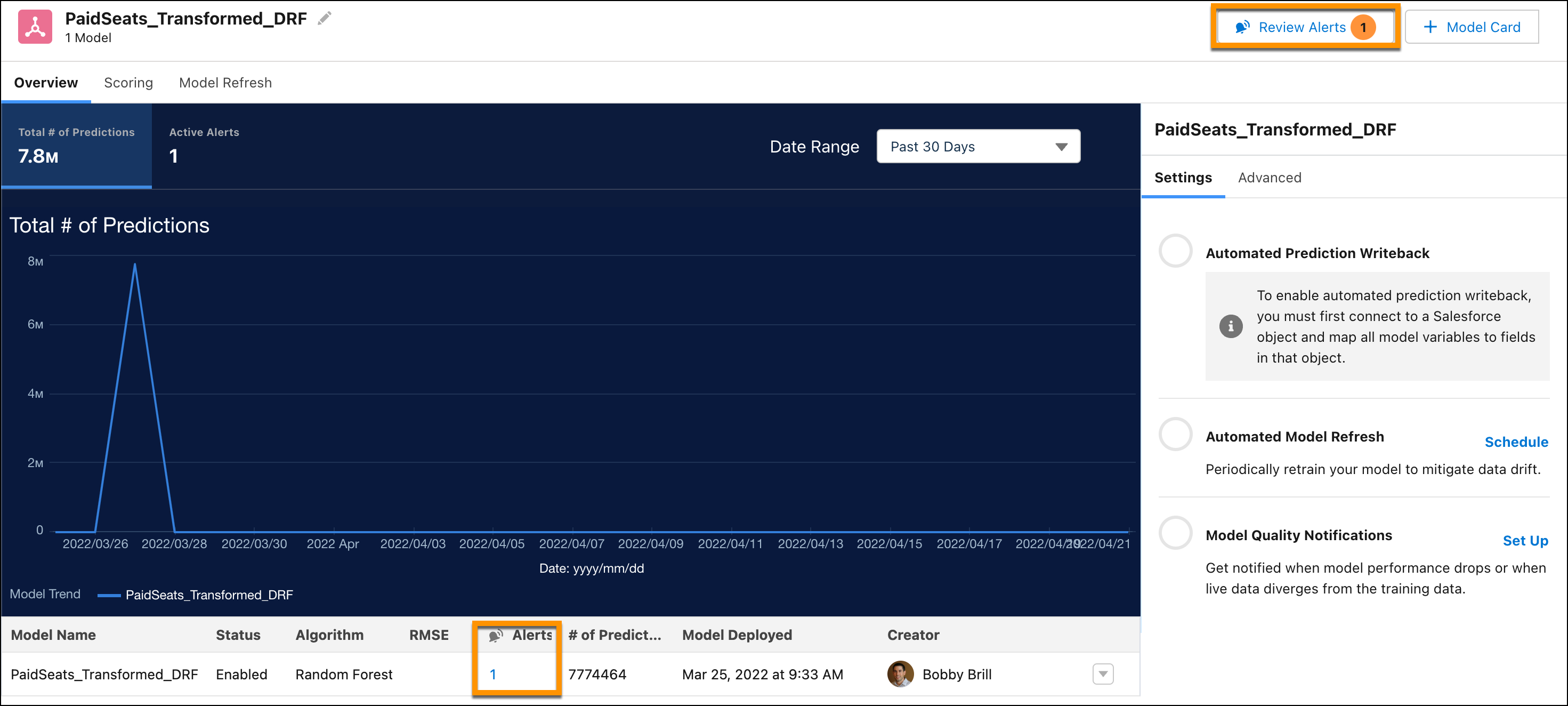
Einstein Discovery shows you when detected missing or out-of-bounds values exceed configured thresholds.
-
To investigate, click either Review Alerts or the link in the
Alerts column.
The Live Data Alerts window shows you alerts with tabs for each model in the prediction definition.
Bar charts show you occurrences of data issues by outcome value. Orange represents the number of rows with issues (out-of-bound or missing values).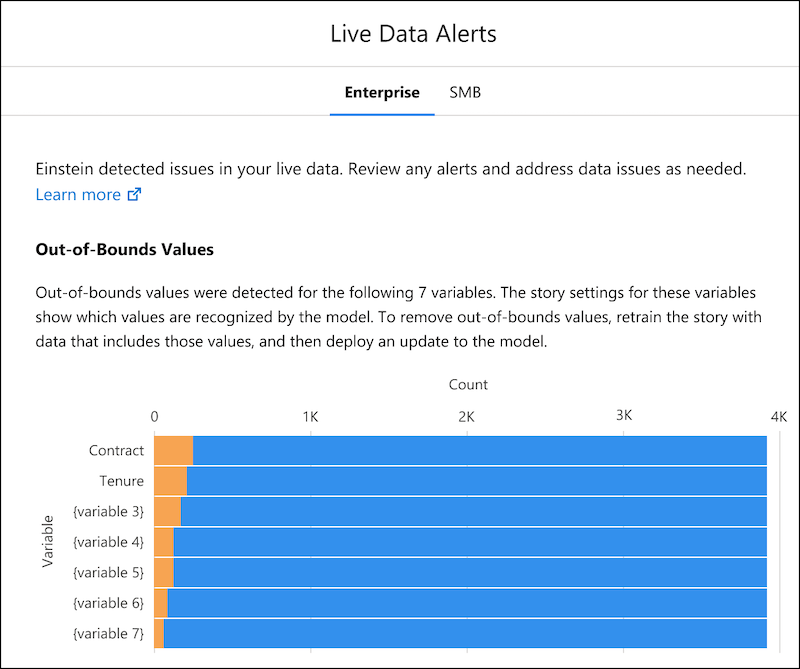
-
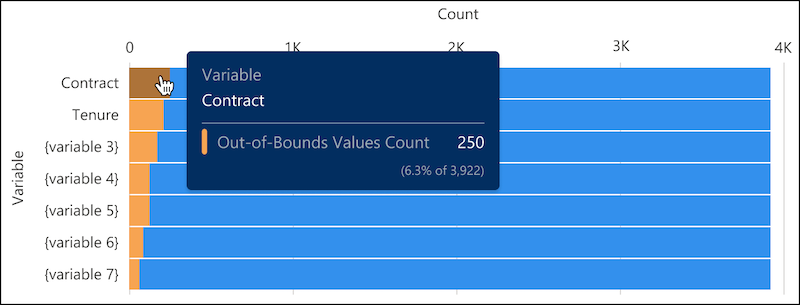
To see details for an outcome value, hover over its bar in the chart.
-
Address any issues.
- To review and tune model settings, click View Model at the bottom of the screen.
- To address out-of-bounds issues, consider refreshing the CRM Analytics dataset with data that better represents the outcome you want to predict.
- To address missing values, consider using the Replace Missing Values transformation in model settings.
Did this article solve your issue?
Let us know so we can improve!
