
You are here:
Edit Model Settings
You can update model settings that were previously set during model deployment.
To edit model settings:
- View a Prediction Definition in Model Manager.
-
View a Model.
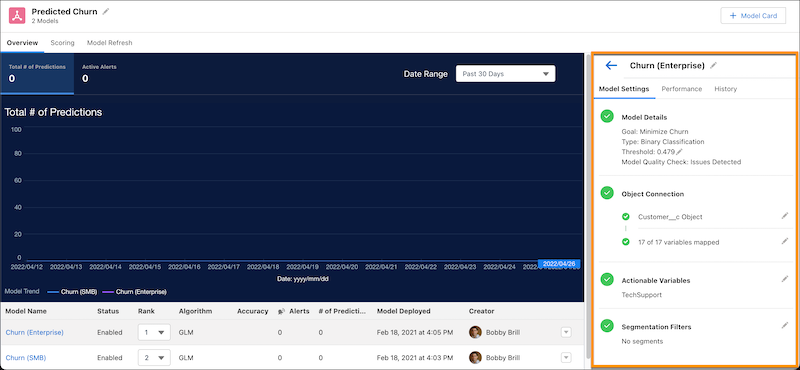
-
On the Model Settings subtab, change the settings you
want.
Column Description Model Name Change the model's display name. Model Threshold in Model Details For the classification use case, you can update the threshold value for a model. The threshold value tells your model how to classify a binary outcome. To learn more, see Threshold Evaluation for Binary Classification Use Cases. Object Connection If applicable, change the Salesforce object associated with this model, along with the mappings between the model, fields in the Salesforce object, and the dataset column. To learn more, see Map Model Variables. Actionable Variables If applicable, select actionable variables to trigger Einstein Discovery improvements, which are suggested actions to take to improve predicted outcomes. To learn more, see Select Actionable Variables for Suggested Improvements. Segmentation Filters Choose whether to use the model to get predictions on all data, or on just a segment (subset) of the data. To learn more, see Configure Segmentation Filters. - Save your changes.
Did this article solve your issue?
Let us know so we can improve!
