
You are here:
Promote Prediction Definitions and Models to Production
Build and test your models in a sandbox environment and, when it’s production-ready, promote it to your production environment using change sets.

Note Einstein Discovery stories are now models. We wish we could snap our fingers to update
the name everywhere, but you can expect to see the previous name in a few places until we
replace it.
- From Setup, in the Quick Find box, enter change set, and select Outbound Change Sets.
- To create an outbound change set, click New, enter a name and description, then click Save.
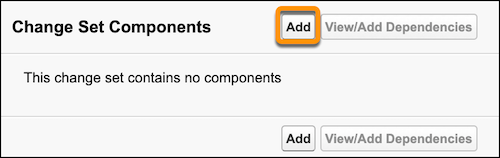
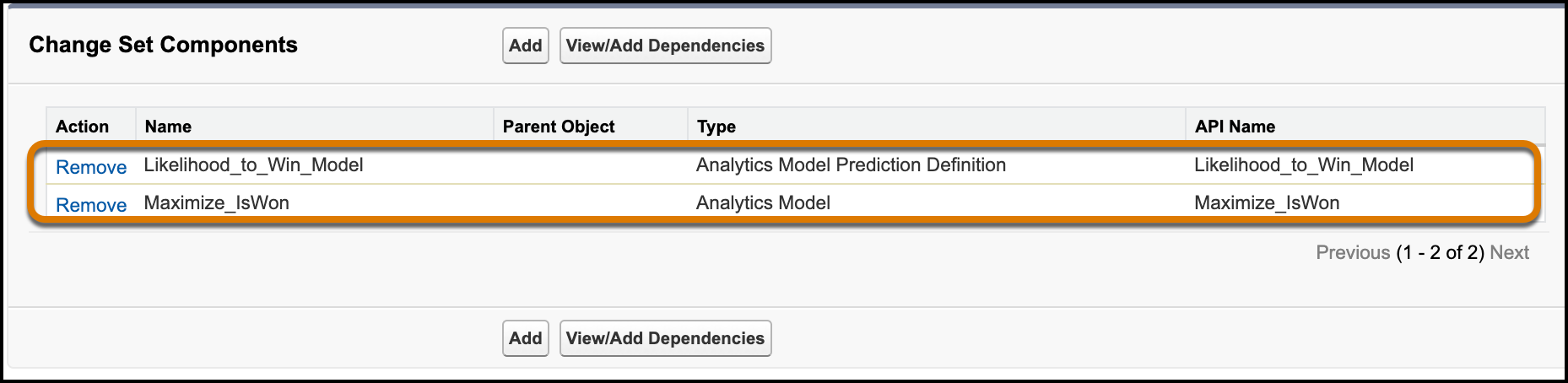
- To add the prediction to the change set, next to Change Set Components, click Add.
-
Select the type of component you want to deploy
Component Description Analytics Model The Einstein Discovery model, or the custom equation based on statistical understanding of past outcomes to predict future outcomes. Analytics Model Configuration The metadata for the Einstein Discovery model. Use for editing or retraining the model in the target environment after migration. Analytics Model Prediction Definition The parent resource of a model (or group of models) in Einstein Discovery. Use to consume model predictions and manage jobs. 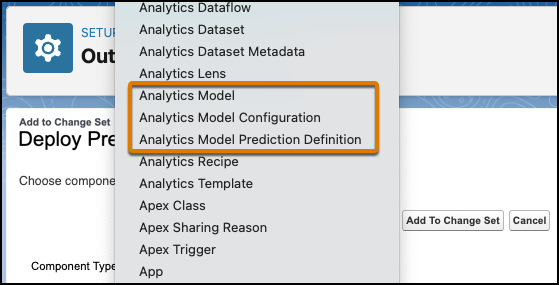
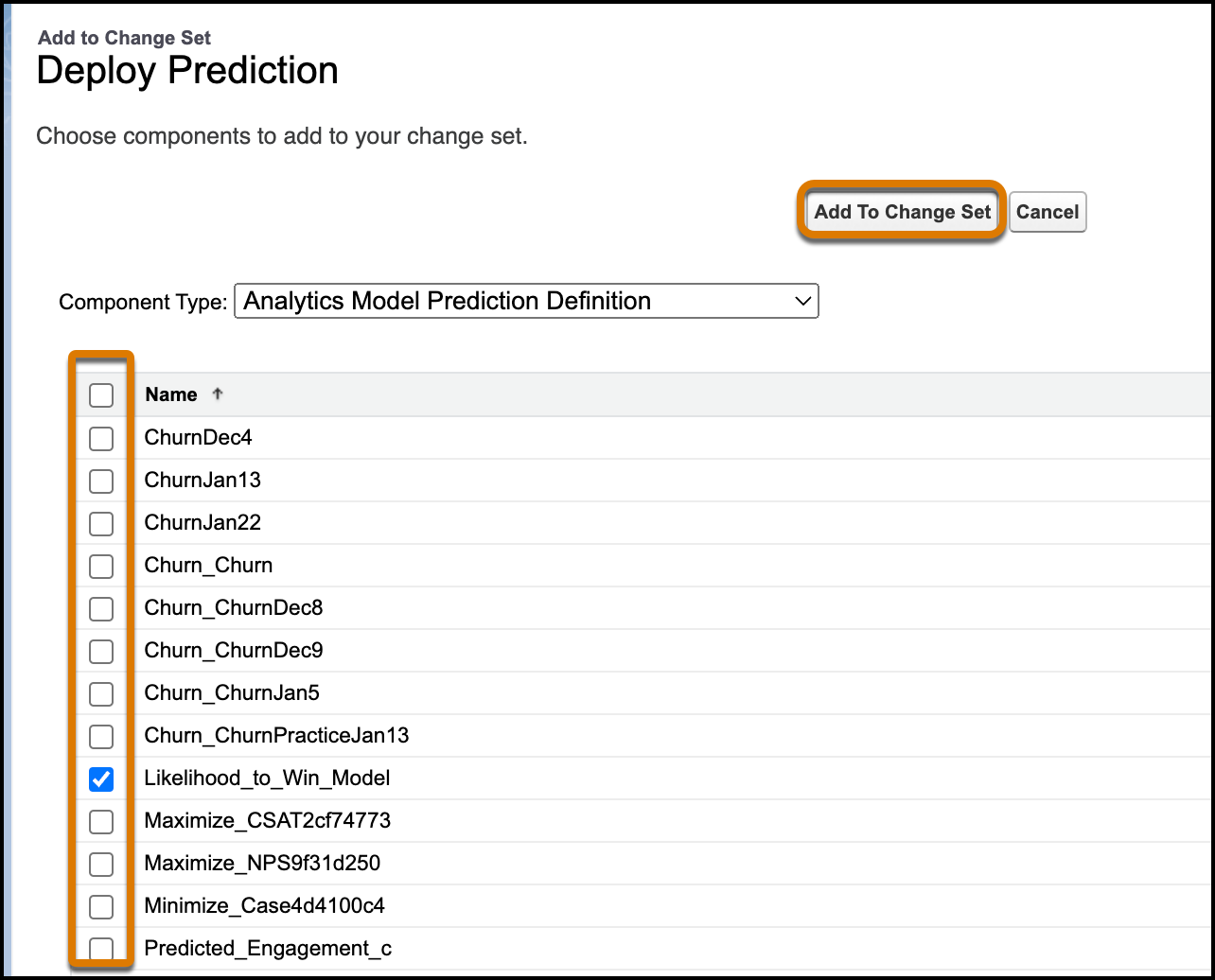
- Select one or more deployed prediction definitions or models from the list, and then click Add to Change Set.
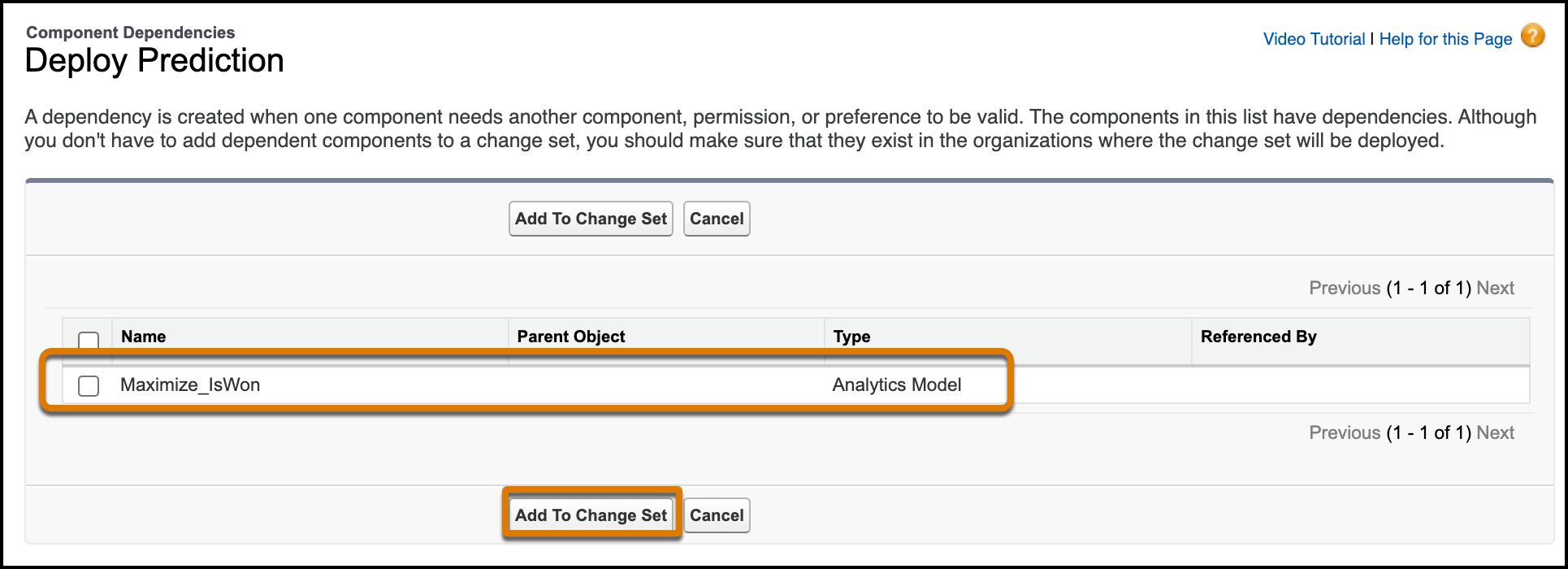
- Add any models on which the prediction definition depends by clicking View/Add Dependencies, selecting any available models, and then clicking Add to Change Set.
-
Upload the change list to the target production environment. Then go to that environment,
navigate to Inbound Change Sets, find the change set you uploaded,
and then deploy it as for any other change set.
To learn more, see Change Sets in Salesforce Help.
Did this article solve your issue?
Let us know so we can improve!
