
You are here:
View Model Versions
Revisit and work with previous model versions.
Required Editions

Note Einstein Discovery stories are now models. We wish we could snap our fingers to update
the name everywhere, but you can expect to see the previous name in a few places until we
replace it.
| Available in Salesforce Classic and Lightning Experience. |
| Available with CRM Analytics, which is available for an extra cost in Enterprise, Performance, and Unlimited Editions. Also available in Developer Edition. |
| User Permissions Needed | |
|---|---|
| To view model versions: | Create and Update Einstein Discovery Models |
Each time a user creates a model with updated settings, Einstein saves a snapshot of the previous version. You can open and work with previous versions of a model.
Note Einstein Discovery advises you if disparate impact occurs when recent version updates
affect sensitive variables. Use the available story versions to help you evaluate your
findings and decide if bias has occurred.
- From the Model Tools, click Version.
-
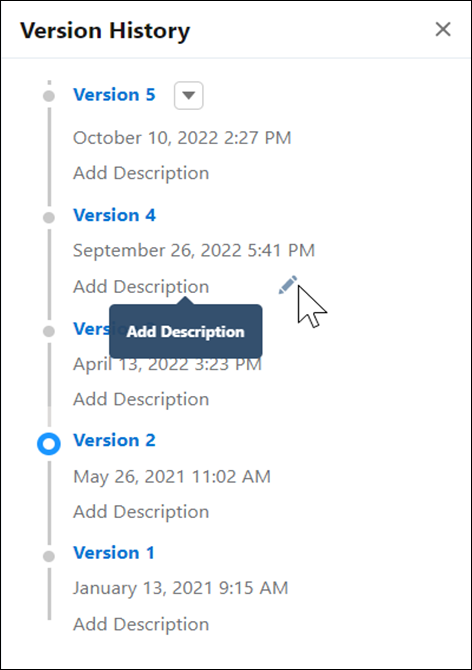
Add informative and detailed descriptions to the versions to help you track updates. In
the Version History list, click the version’s edit icon and add a
description.
- Click a version to open it.

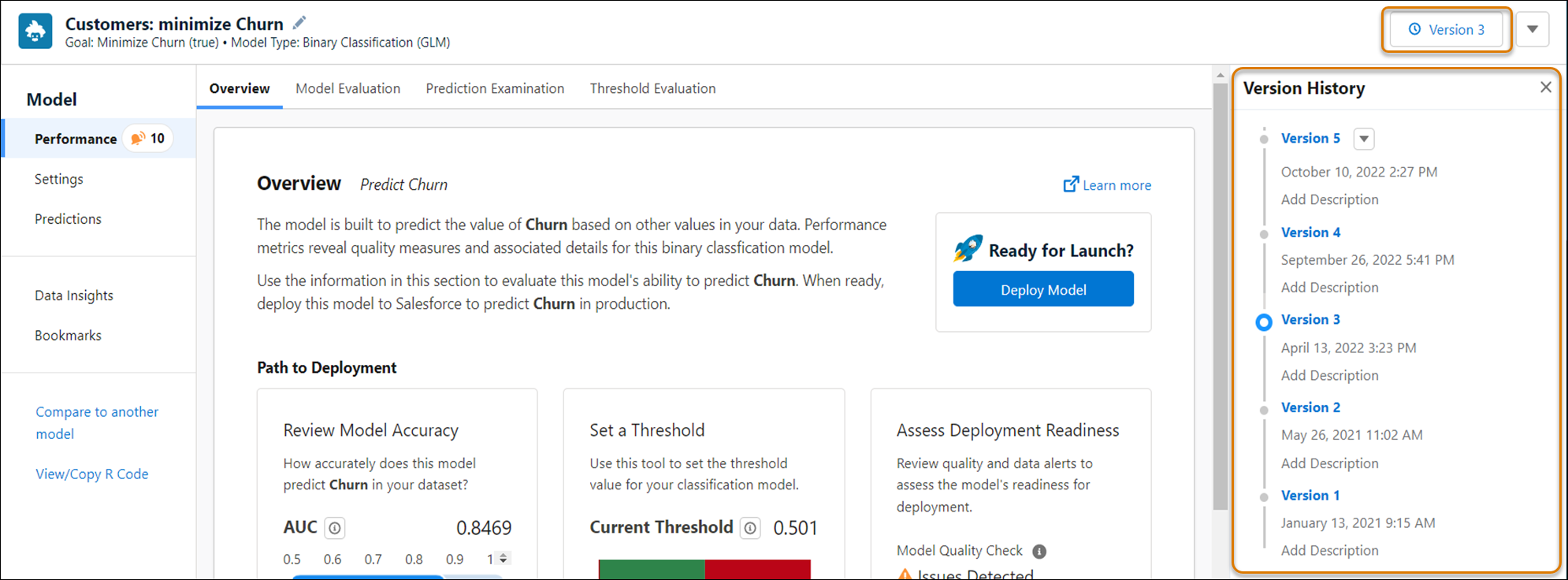
You can work with this model version just as you would any other model.
Did this article solve your issue?
Let us know so we can improve!
