
You are here:
Take Control of Your Experience with CRM Analytics Custom Actions Menus
CRM Analytics custom actions menus in charts and tables let you take advantage of Salesforce actions. With action menus, you can post to Chatter, create an event or opportunity, update a record, or open a Salesforce record directly.
With custom actions menus, you can use quick actions that were added to Salesforce objects—directly from CRM Analytics dashboards and lenses. You can also open records from Salesforce or elsewhere on the Web through the menus.
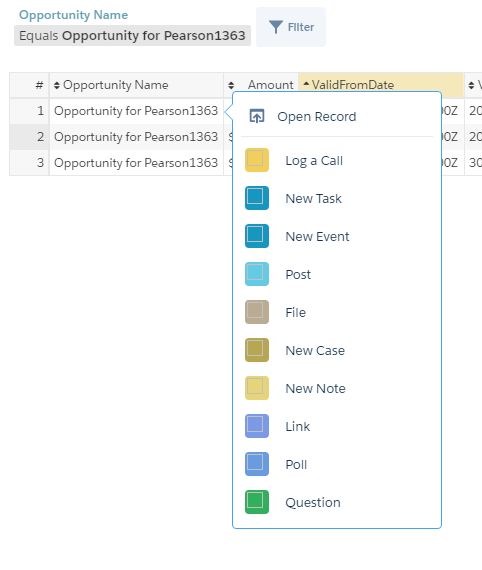
You can access actions menus from these parts of charts and tables in CRM Analytics:
-
Value labels on charts (such as Opportunity for Pearson in the preceding image).

-
Legend value labels in table cells.
-
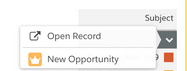
Values in table cells.
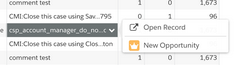
Hover over the labels to see if an actions menu is available. Click the value, cell, or legend to see the menu’s contents, and then select an action or open a record. Records open in new Lightning Experience tabs unless your admin sets them to open in new browser tabs.
For dimensions in lenses and dashboards, you can use the Actions menu in the lens to set how one-click actions behave on a table’s dataset fields. For more efficiency, you can select the record action you want to invoke for all records in a dimension column. Or, for greater flexibility, you can choose to view all available one-click actions when you click a column’s records.
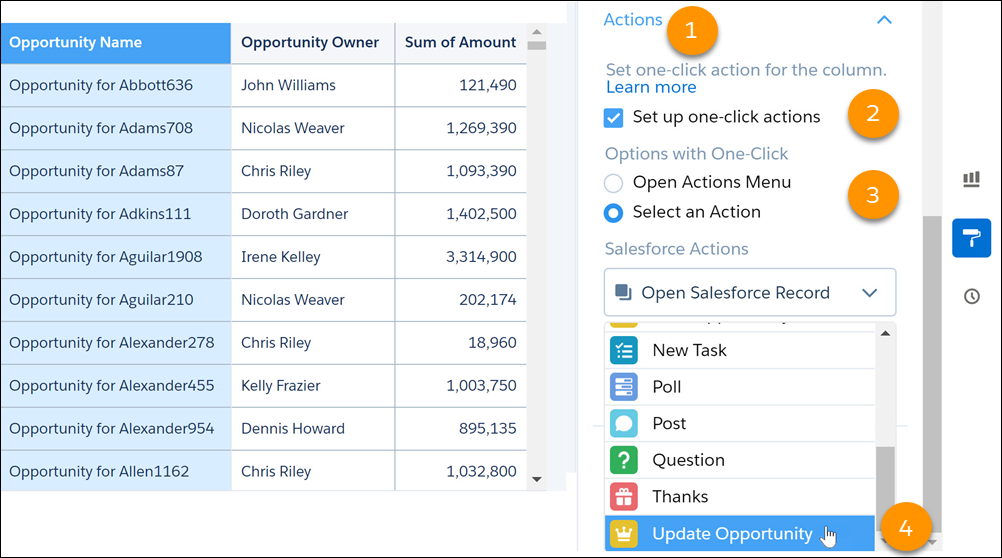
For example, imagine that you want to update opportunity records when you click the Opportunity Name field in the Opportunities dataset. After your Salesforce admin has configured actions for this field, open the Opportunities dataset.
- With Opportunity Name selected in the table mode, in the Column Properties panel, scroll to the Actions section.
- Select Set up one-click actions.
- Enable Select an Action. Alternatively, to view all available actions when you click an opportunity name, select Open Actions Menu
- From the Salesforce Actions list, select Update Opportunity.
Optionally set a hyperlink color for the Opportunity Name field.

To learn more, see Enable Actions for CRM Analytics Lenses and Dashboards
