
You are here:
Group Your Data into Categories
Group data to organize it so that the data is displayed in useful categories. You can group your data by up to ten dimensions or date fields in charts and tables, except in blended queries.
Required Editions
| Available in Salesforce Classic and Lightning Experience. |
| Available with CRM Analytics, which is available for an extra cost in Enterprise, Performance, and Unlimited Editions. Also available in Developer Edition. |
| User Permissions Needed | |
|---|---|
| To view visualizations: | Use CRM Analytics |
For example, to look for seasonal patterns in your sales cycle, group opportunity data by the month when deals close.
- Explore a dataset containing opportunity stages, pipeline amounts, and dates, setting the measure to pipeline amount.
-
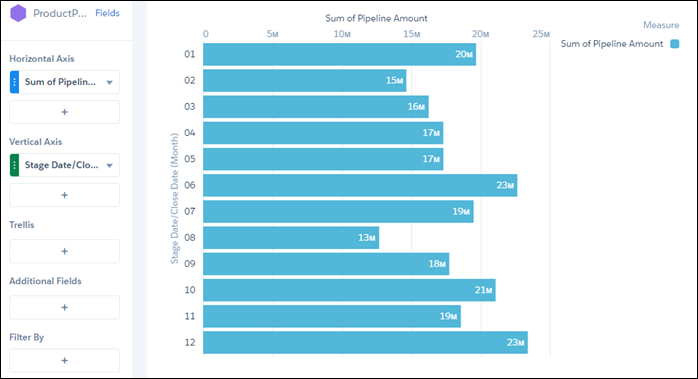
Click the Vertical Axis plus button, click the opportunity stage
date, and then select month as the dimension that you want to group by.
The dimensions in your data determine which categories you can group by.
-
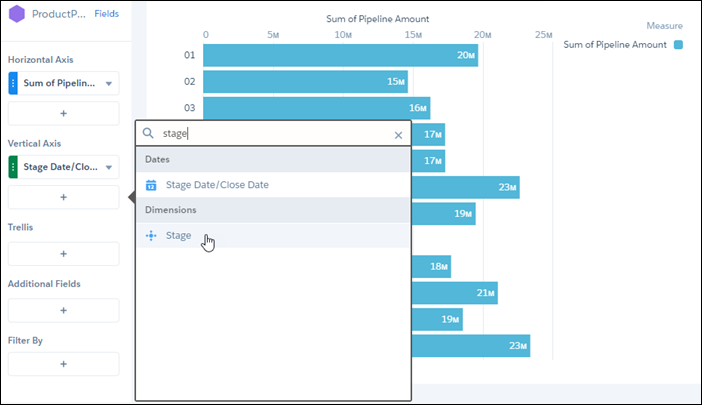
To find the second dimension that you want to group by, click the Vertical
Axis plus button, then enter stage in the search
field.
-
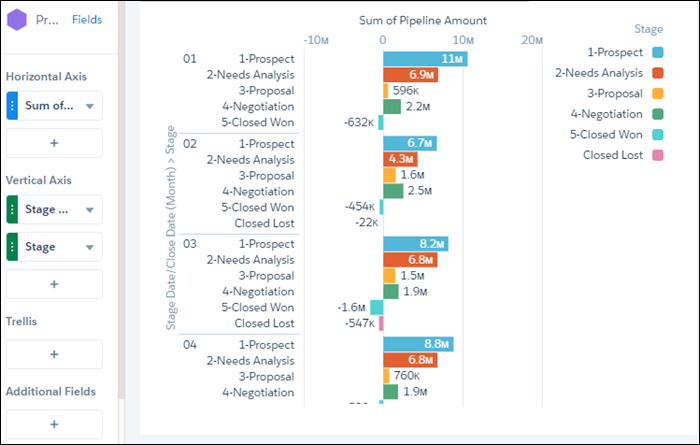
Click Stage, the second dimension you want to group by.
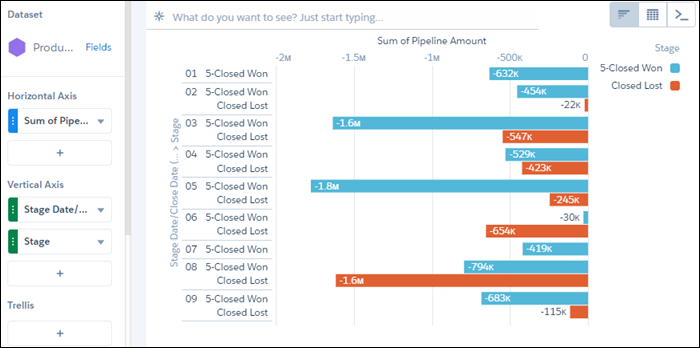
Pipeline amounts are shown grouped by stages, and stages are shown grouped by month. In this dataset, closed amounts are shown as negative numbers because those amounts fall out of the pipeline.
- Click the filters plus button, then click the stage dimension.
-
Set the filter to equal the closed stages only.
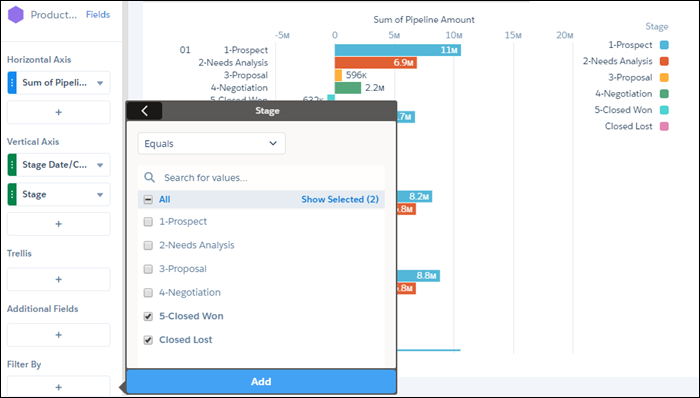
The resulting bar chart shows the information you’re after, but it's not easy to interpret.
-
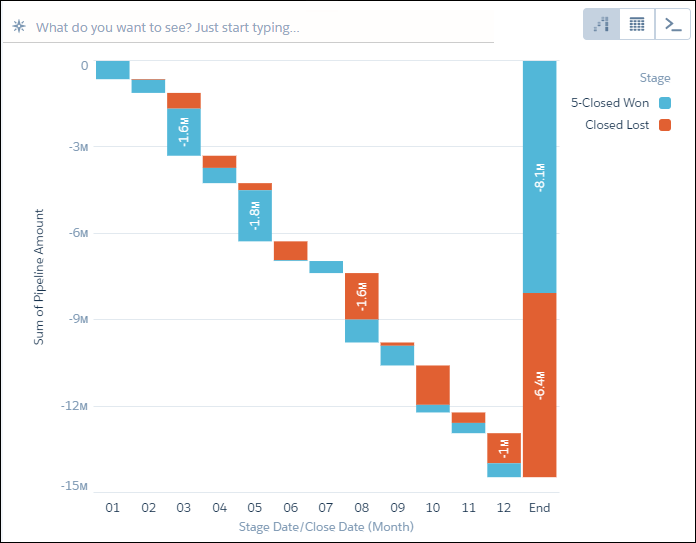
Open the chart menu and select stacked waterfall.
The bar chart changes from a single bar to a waterfall chart that show the data grouped separately by month. It also provides an overall total for the year. You can now easily see how much each month has contributed in both lost and won closed deals.
Considerations When Grouping Data in CRM Analytics
Keep these things in mind when you group data into categories.
When a dimension is grouped, that dimension's null records are excluded from results, which affects the count of rows in a lens. To prevent the exclusion of null dimension records, assign a default value to those records.
A null dimension group can’t be renamed.
Grouping is supported on these Salesforce object field types:
- Checkbox (Boolean)
- Date (Date)
- Direct cross-object references to groupable fields, up to 5 levels from the root object (SOQL limit). Both custom and standard references are groupable.
- Email (String)
- Formulas of type Checkbox and Date, including cross-object formulas across standard and custom relationships
- ID (ID)
- Lookup (ID)
- Master Detail (ID)
- Picklist (String)
- Phone (String)
- Standard number fields with SOAP type int
- Text (String)
- Text Area (String)
- URL (String)
