
You are here:
Browse and Find Analytics Assets
The analytics home page provides easy access to all of your apps, dashboards, lenses, reports, and more. With a variety of filter and search options, you can find those assets fast.
Required Editions
| Available in Salesforce Classic and Lightning Experience. |
| Available with CRM Analytics, which is available for an extra cost in Enterprise, Performance, and Unlimited Editions. Also available in Developer Edition. |
| User Permissions Needed | |
|---|---|
| To find analytics: | Use CRM Analytics |
The analytics home page surfaces items suggested for you, based on your usage and your org, as well as providing quick access to your recent and favorite items. All of the lists are dynamic and update automatically as you work. In the For You section, Jump Back In and Discover New Items use intelligence to pinpoint your important analytics, show what’s currently popular, and increase discoverability of analytics you haven’t seen before. For more information, see Smart Recommendations.
Browse
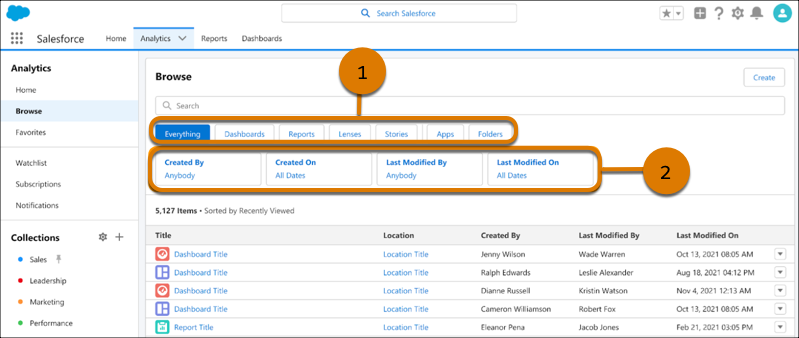
Browse has primary filters (1) that set the context and determine what other filters are available.
Use the secondary filters (2) for further refinement by properties such as Created By, Last Modified On, Created On, and Last Modified By.
These filters enable one-click access  to
both run and browse actions, as well as other actions if appropriate for the item.
to
both run and browse actions, as well as other actions if appropriate for the item.
Relevant timestamps are provided depending on the item. Use the Last Modified By and Created By filters to locate items created by you or shared with you. Use the Last Modified On and Created On filters to locate recent items or to search by a custom date.
Search
Search in CRM Analytics lets you choose your path to the analytics you want, whether that’s traditional keyword search or semantic (data match) search.
In the search bar on the Home or Browse page, enter search terms:
- For a keyword search, enter words from the name of the item.
- For semantic search, enter specific sObject or dataset fields. For more information, see Find Dashboards and Datasets by Field Using Semantic Search.
Lightning Experience Search
If you’re working in Lightning Experience, you can use the global search box to quickly find and view lenses and dashboards. The search box dropdown list includes analytics among its suggestions. Selecting an item from the list runs it in the Analytics tab.
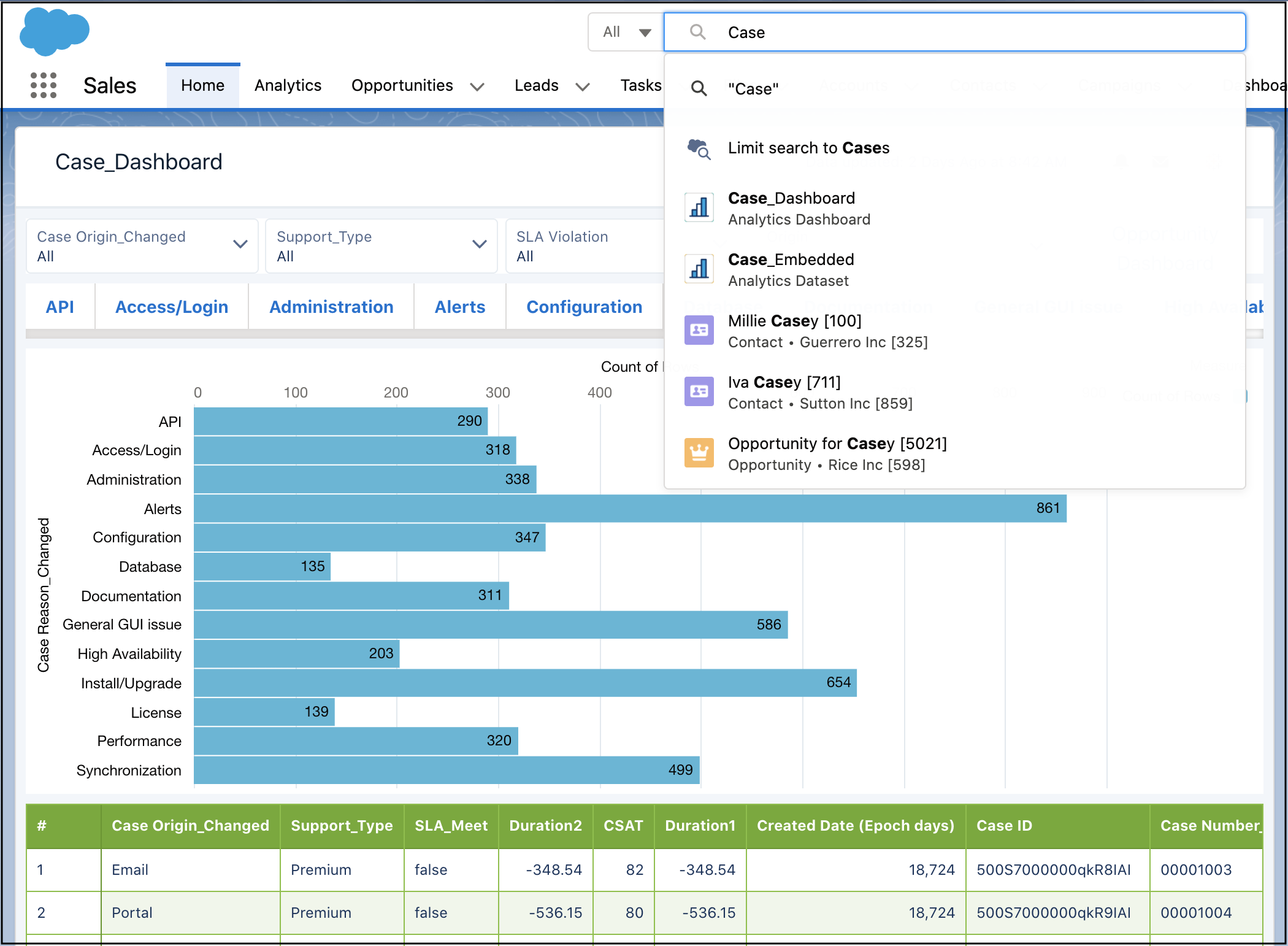
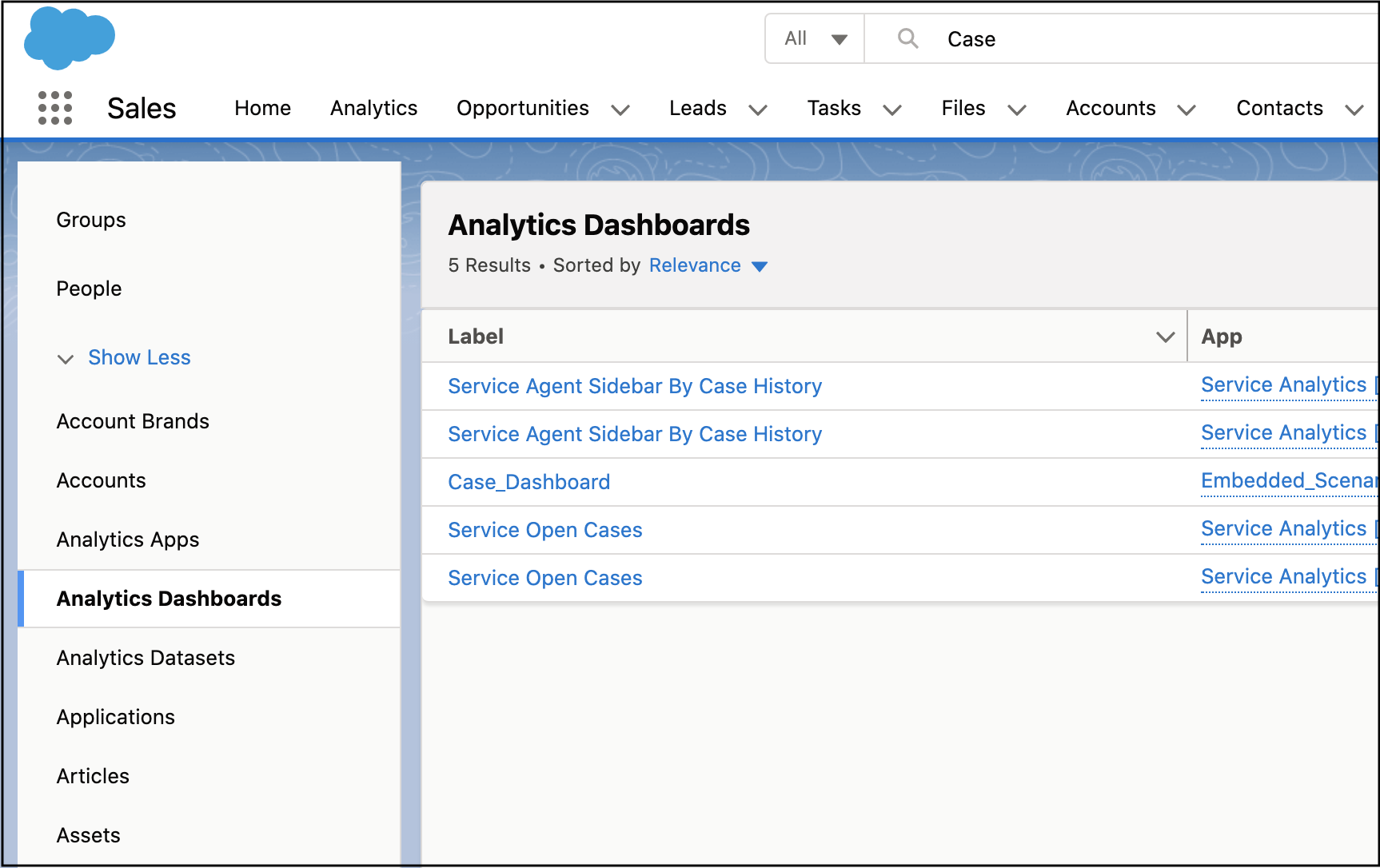
Or start typing and press Enter to see a page of found resources. To narrow the search results to only CRM Analytics lenses and dashboards, click Analytics Apps or Analytics Dashboards in the left panel. From the results, you can click to run the item in the Analytics tab.
- Smart Recommendations
The CRM Analytics home page surfaces lists of items suggested for you based on your usage and your org, and the lists are dynamic and update automatically as you work. Two of the lists employ CRM Analytics intelligence and unique view of your org to pinpoint your important analytics, show what’s currently popular, and increase discoverability of analytics you haven’t seen before. - Find Dashboards and Datasets by Field Using Semantic Search
Uncover CRM Analytics items beyond just those matching exact keywords. Semantic search boosts searching with a behind-the-scenes view of object fields and dataset columns across all your org’s data. You can ask to see dashboards using specific sObject or dataset fields, or ask for datasets containing specific sObject fields. Semantic search inspects all your data, but the search results are tailored for you, adhering to user access, sharing rules, and row-level security.
