
You are here:
Add Items to a Collection
Curate analytics items for your collection. Items can exist simultaneously in multiple collections.
Required Editions
| Available in: Lightning Experience |
| Available in: Essentials, Group, Enterprise, Professional, Unlimited, and Developer Editions. |
| Also available with CRM Analytics, which is available for an extra cost in Performance, Enterprise, Unlimited, and Developer Editions. |
| User Permissions Needed | |
|---|---|
| To manage a collection: |
|
| To manage a collection with CRM Analytics items: | Use CRM Analytics |
- Add items to an empty collection.
- Click Search for items or Add.
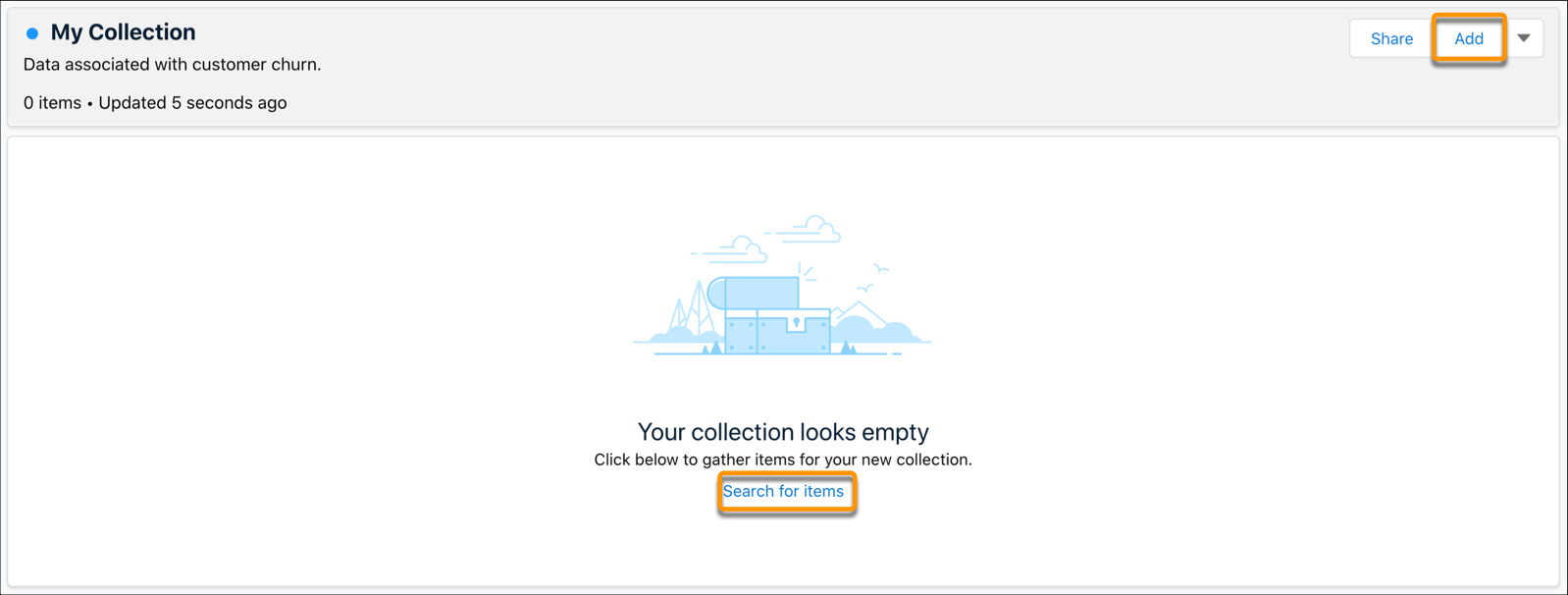
- Type in at least two characters in the search bar to locate an item. Filter search
results by adding more characters to your search.
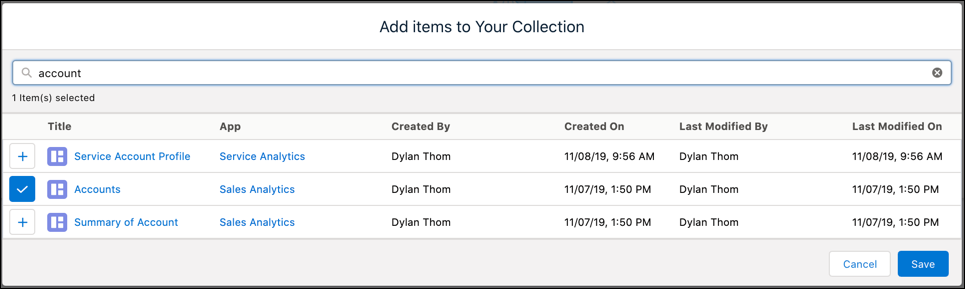
- Click the + next to the item you want to add to your collection.
- Click the Save.
- Click Search for items or Add.
- Add items to an existing collection.
- Open your collection.
- Click Add.
- Type in at least two characters in the search bar to locate an item. Filter search results by adding more characters to your search.
- Click the + next to the item you want to add to your collection.
- Click the Save.
- Add items from the home page.
- Click the action menu next to the item on the home page.
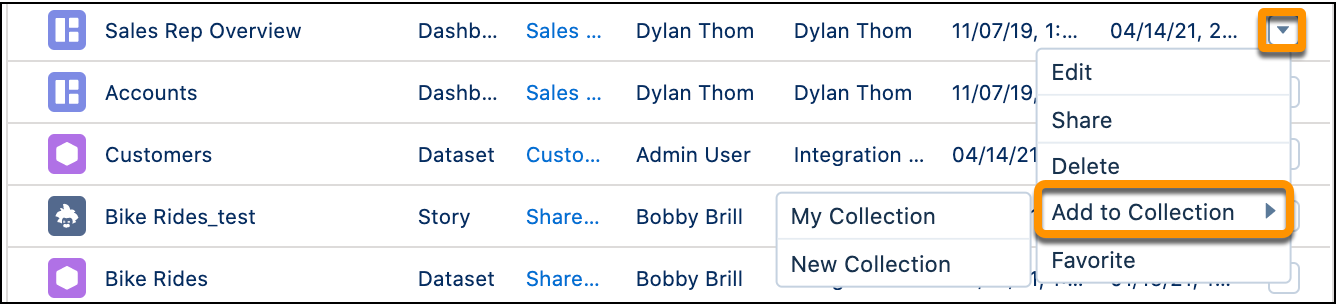
- Click Add to Collection then click your collection.
- You can also click New Collection to create a new collection and add the item there.
- Click the action menu next to the item on the home page.
- Add an open dashboard to a collection.
- Click
 while in an open CRM Analytics dashboard.
 - Select the view you want to add to the collection: Default adds the dashboard in its
original form to a collection, Current View adds the dashboard view with applied filters and
menu selections.
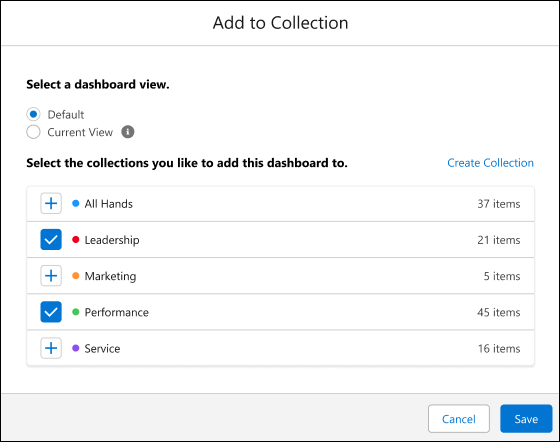
- To add the dashboard, select the collection or click Create Collection to start a new one.
- Click Save.
- Click
- Add a collection item to another collection. Collection items can exist in multiple
collections.
- Open your collection.
- Click the action menu next to the item in the collection.
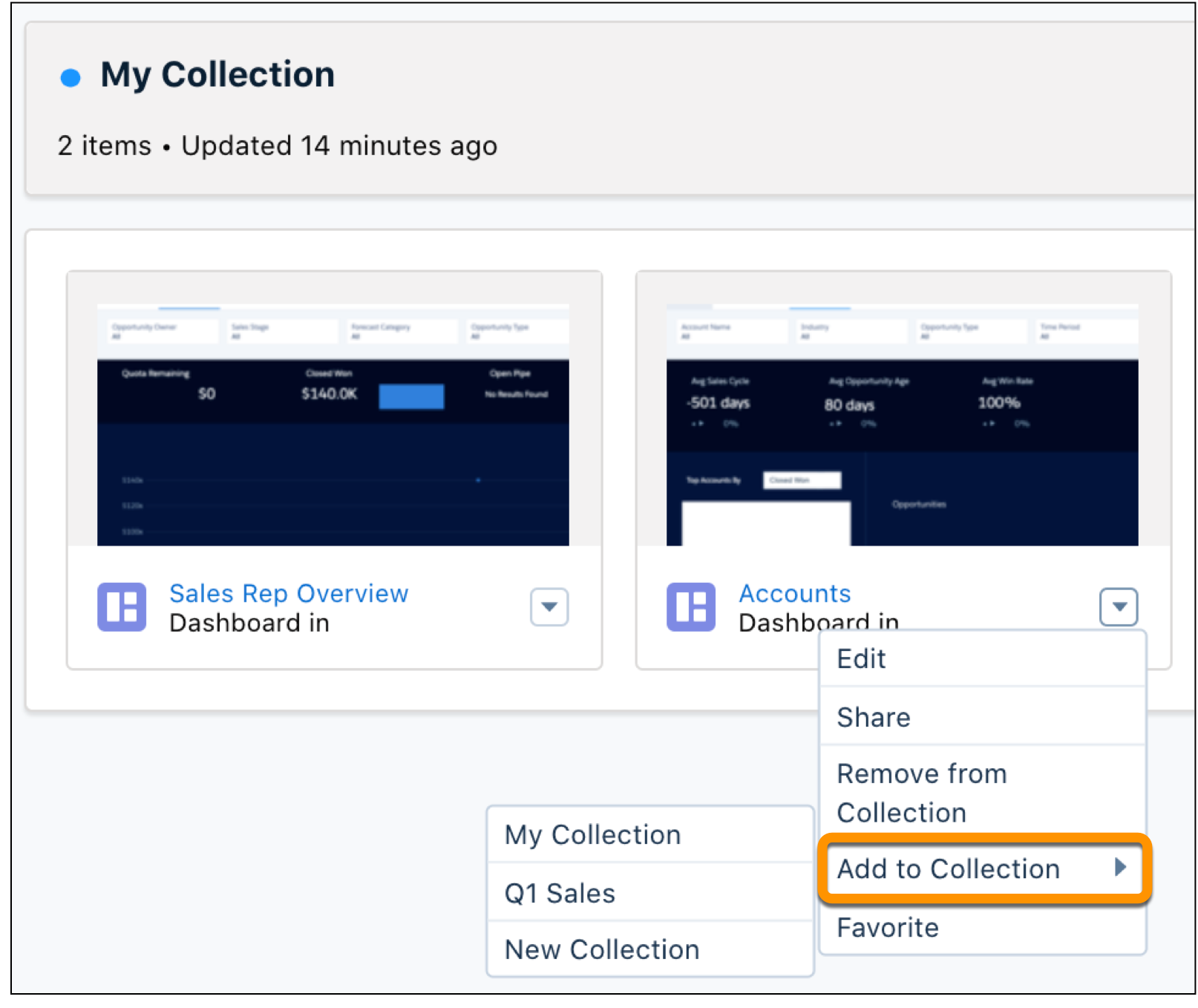
- Click Add to Collection then click the collection. You can also click New Collection to create a collection and add the item there.
Did this article solve your issue?
Let us know so we can improve!
