
Loading
CRM Analytics
Table of Contents
Select Filters

          No results
          No results
          Here are some search tips

          Check the spelling of your keywords.
          Use more general search terms.
          Select fewer filters to broaden your search.

          Search all of Salesforce Help
          Curate and Share Insights with Collections

          Curate and Share Insights with Collections

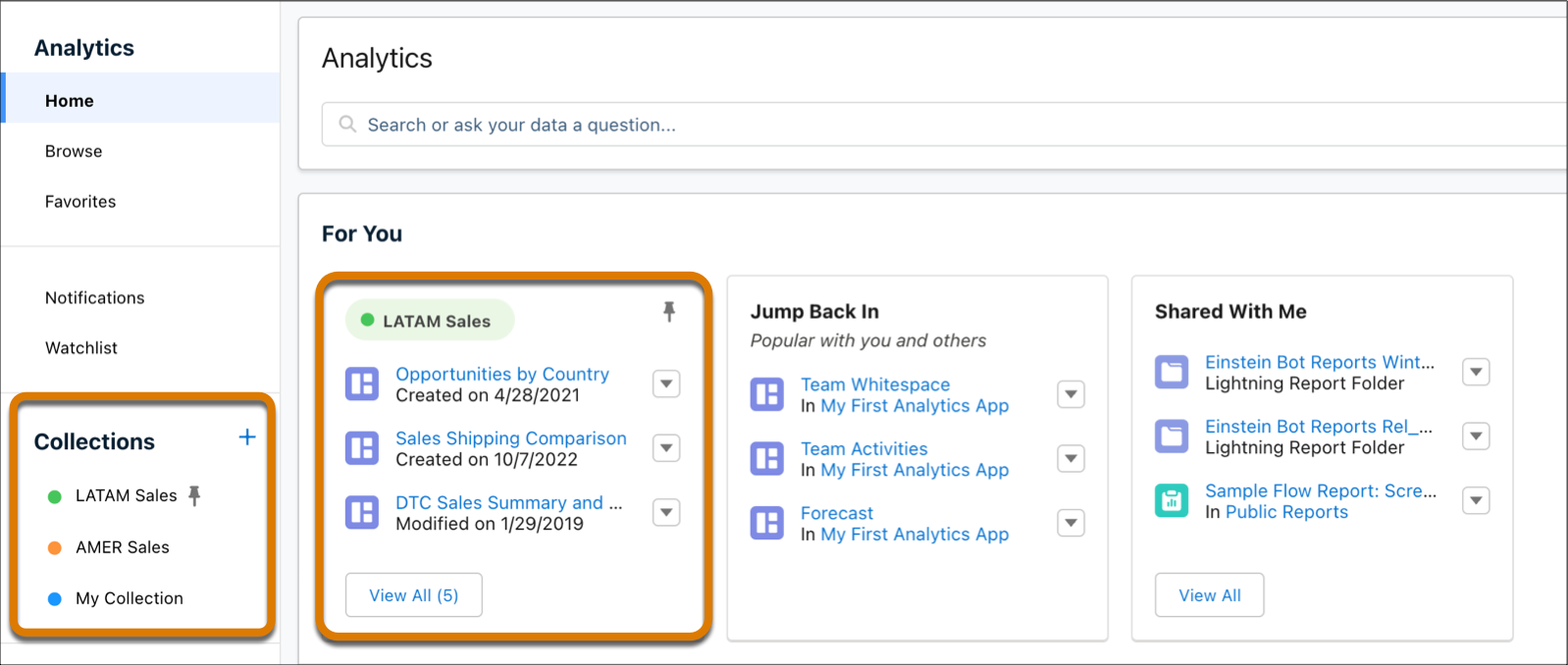
          Collections enable you to curate analytics to create a more personalized experience that makes it easier to find and use the information that matters most to you. Your analytics can be drawn from different apps and folders into a single collection that brings together all items in one place. In addition, collections can be used to personalize the home page and save you time and effort in finding the information you need.
          Required Editions

          Available in: Lightning Experience
          Available in: Essentials, Group, Enterprise, Professional, Unlimited, and Developer Editions.
          Also available with CRM Analytics, which is available for an extra cost in Performance, Enterprise, Unlimited, and Developer Editions.
          User Permissions Needed
          To use a collection:
          Enhanced Folder Sharing
          Run Reports AND Create and Customize Dashboards
          To use a collection with CRM Analytics items: Use CRM Analytics

          CRM Analytics home page with collections.

          • Create a Collection
            Create collections of important items to personalize the home page and have quick access to them.
          • Add Items to a Collection
            Curate analytics items for your collection. Items can exist simultaneously in multiple collections.
          • Preserve and Share CRM Analytics Dashboard Views in a Collection
            Create dashboard views with selected filters and options then add them to your collections to share a specific view of the dashboard with others.
          • Share a Collection
            Curate a collection and share it with your colleagues to contribute content.
          • Pin and Hide a Collection
            End users can pin and hide their collections giving them more options with customizing their homepage. Admins and managers have the option to pin collections to end-user homepages and promote trusted content among groups and teams.
          • Edit Collections
            You can edit your collection properties, such as name and description, and also delete the collection altogether. Shared users with the Manager role can also edit and delete the collection.
          • Arrange Items in a Collection
            Organize items in your collection to your liking.
          • Remove Items from a Collection
            Easily remove items that are no longer relevant from a collection.
          • Add Collections to Lightning Pages
            Insert and display collections to your Lightning pages using the CRM Analytics Collection component.
          • Subscribe to Multiple Shared Collections
            Subscribe to collections of lenses and receive a daily or weekly email with updates on your most important charts and metrics, and table data in .csv attachments. Subscribe to as many as four collections that you created or that were shared with you. Each collection subscription has its own schedule for when you receive CRM Analytics email.
           
          Loading
          Salesforce Help | Article