
You are here:
Filter Local Data Synced to CRM Analytics
Exclude unnecessary or sensitive data from syncing to CRM Analytics with data sync filters. Filters run on the source object and speed up data sync by pulling only the data you need into CRM Analytics. If you want to use excluded data in the future, use a dataflow or recipe filter to limit the data shown in a dataset instead of a data sync filter.
-
From the Data Manager's Connections tab, select the connection containing the object to
filter.
If you have many connections, use the search box to find the connection and object.
- Click the name of the object to filter.
-
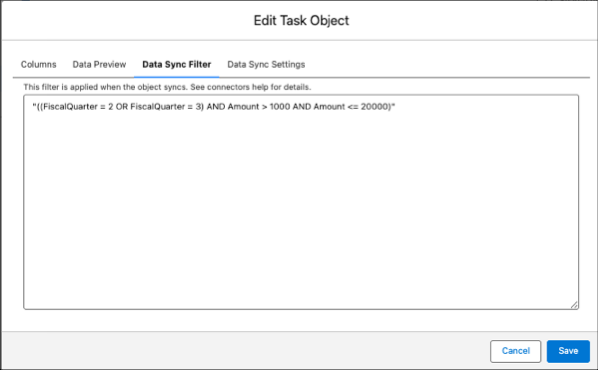
Click Data Sync Filter.
-
Enter the filter.
Always wrap the filter statement in parentheses to avoid SOQL syntax errors.
- Click Save.

Example Salesforce local object filters use the SOQL WHERE clause expression as described in
the SOQL and SOSL Reference. For example,
"((FiscalQuarter = 2 OR FiscalQuarter = 3) AND Amount > 1000 AND Amount <=
20000").Did this article solve your issue?
Let us know so we can improve!
