
You are here:
Data Integration Best Practices
Review these tips to improve the performance of your recipes, speed up the editing of large recipes, and streamline data sync.
Improve Recipe Performance
In CRM Analytics, the amount of data added to a recipe impacts how fast Data Prep can preview the data and run the recipe. To improve performance, consider these tips.
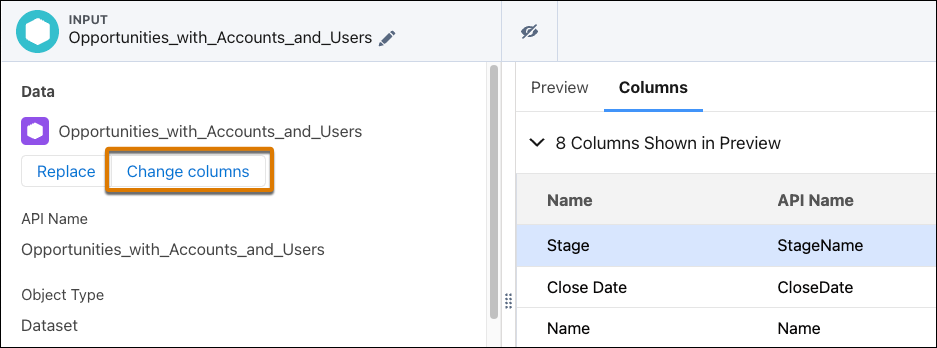
- Extract Only the Data Required—In the input nodes, extract data from only the
columns you need for your visualizations or computations. If needed, you can add more
columns to an input node later. To add a column, in the input node, click
Change columns.
- Minimize the Number of Joins—Joins are expensive operations. To optimize recipe performance, reduce the number of join nodes whenever possible. The impact each join operation has on performance varies based on the type of join, the relationship between the join keys, and the number of rows the recipe processes. Also, watch out for exploding joins where the join produces more records than the right or left sources. See Considerations When Using Joins.
- Minimize the Number of Transformations—A recipe with large numbers of transform nodes or transformations in a transform node takes longer to preview and run. Generally, don’t include more than 250 transformations in a recipe. For recipes requiring many transformations, split them into multiple transform nodes. For recipes requiring lots of transform nodes, break them up into smaller recipes if possible.
- Reduce the Number of Multivalue Columns—The size of a multivalue column can grow quickly. For example, if you have 100 multivalue columns and each column stores 1 GB of data, the recipe has to process 100 GB per row. To address this issue, minimize the number of multivalue columns and the width of each multivalue column. For instance, to define a security predicate based on multiple users, build a multivalue column based on groups instead of users. For instance, instead of adding 50 user IDs to a multivalue column, add their group IDs to use a shorter column width.
- Use a computeExpression Transformation to Aggregate Multiple Criteria— You can
use multiple filters and aggregates to accomplish an “aggregate with where clause”,
something like this:
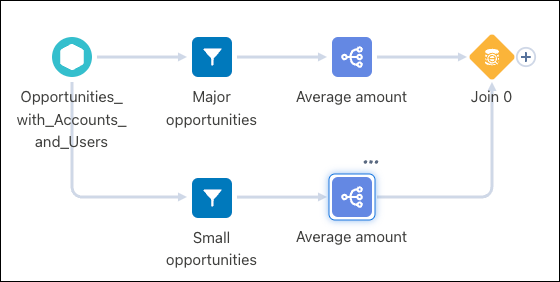
However, this method doesn’t perform well. Instead, use a computeExpression transformation to create columns to represent the filters.
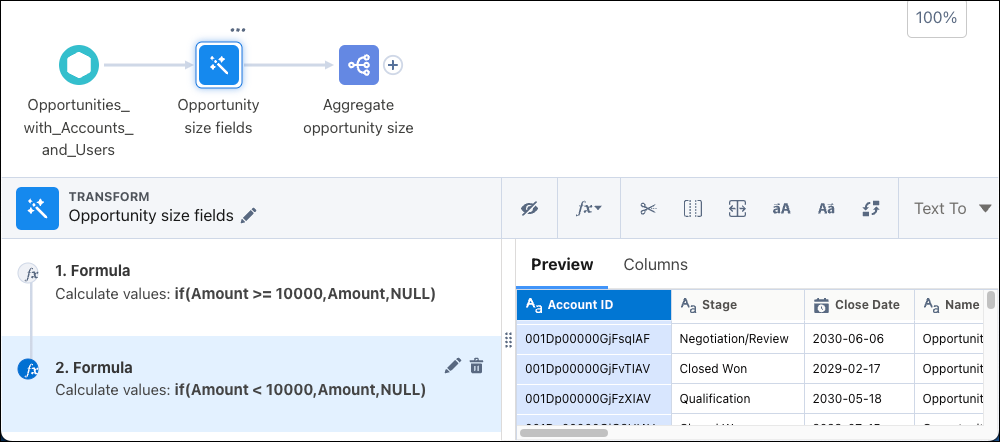
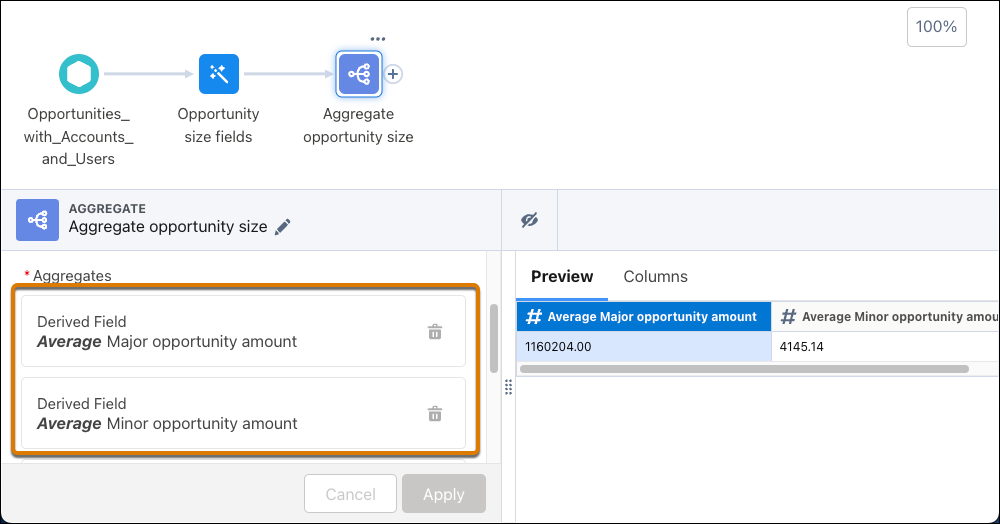
The aggregate node then uses the columns created for each set.
- Don’t Use Compute Relative for Aggregation—Although compute relative supports aggregation, it doesn’t perform well when aggregating data. Use an aggregate node instead.
- Don’t Use Filter Nodes for Conditional Logic—To implement conditional logic, use if or case statements in an SQL expression.
Simplify Editing Large Recipes
Increase your speed when building large recipes with these tips.
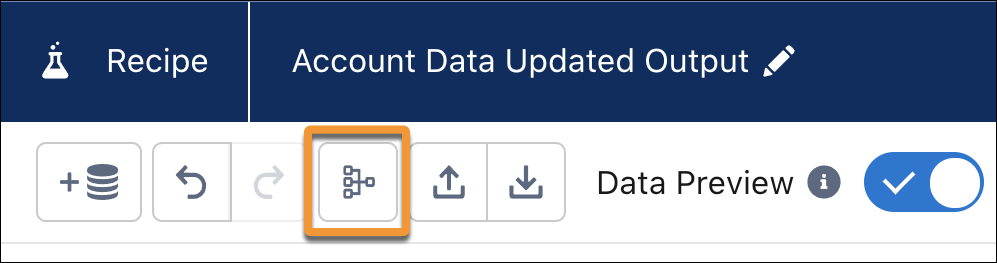
- Organize a Graph with the Cleanup Button—Introduce structure to a graph with
the cleanup button. Cleanup organizes the node branches horizontally, with inputs on the
left and outputs on the right, minimizes the overlaps, and shortens connections as much
as possible.
- Speed Up Tasks with Keyboard Shortcuts—Use keyboard shortcuts instead of a mouse to work with elements in a graph.
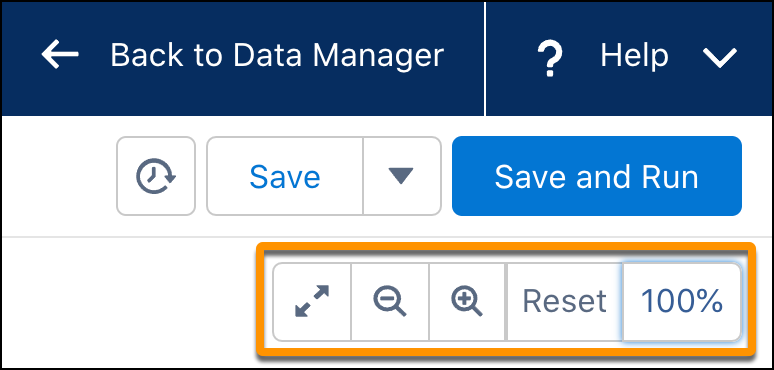
- Change Your Perspective with Zoom—Zoom out to see all the nodes in your graph,
or zoom in for greater detail. Click the percent zoomed to expand or shrink the zoom controls.
Streamline and Improve Data Sync
- Update Data Using Incremental Sync—To get your data faster, run syncs in
incremental mode after synchronizing your data with a full sync. However, not all
objects support incremental mode.
If you’re concerned about drift, use the Periodic Full Sync option to benefit from incremental sync for most updates.
- Use Connections to Group Objects for Scheduling—To sync objects that are inputs to a dataflow or recipe, group the objects in a connection. You can then schedule syncing the connection rather than the individual objects.
- Reduce the Number of Fields Being Synced—To improve the performance of your data syncs, remove the fields you don’t need in the synchronized data. Keep the field count below 100 because performance optimizations are less effective when syncing more than 100 columns.
- Don’t Refresh Your Data More Than You Need To—Consider how often your users must see updated data for each dataset. Schedule associated data syncs and recipes to run only when required.
- Keep Within the External Data Sync Inbound Connector Limit—This limit is per
run, there is no limit on the number or frequency of inbound connector runs. To stay
within the per run limit:
- Create a view on the remote system and use that in the connection.
- Set up the remote system to publish changed or incremental data since the last run. This approach also enables a faster sync because it’s not moving all the data during every run. Use recipes to append incremental data to the local dataset.
