
You are here:
Bucket a Date Field in a Recipe
Add a field to a recipe to bucket values in a specified date field.
Required Editions
| Available in Salesforce Classic and Lightning Experience. |
| Available with CRM Analytics, which is available for an extra cost in Enterprise, Performance, and Unlimited Editions. Also available in Developer Edition. |
| User Permissions Needed | |
|---|---|
| To create a recipe: | Edit CRM Analytics Dataflows OR Edit Dataset Recipes |

Note To bucket date values in a Data Prep recipe, see Categorize Date Column Values into Buckets.
A bucket field lets you create new values based on existing values in another field. For example, use a bucket field to categorize support cases according to the season they were opened.
- On the column header of the date field you want to bucket, click
 , and then select Bucket.Bucket settings appear in the Add Transformation panel below the preview data. The default mode is Absolute, which lets you specify a date range and name for each bucket.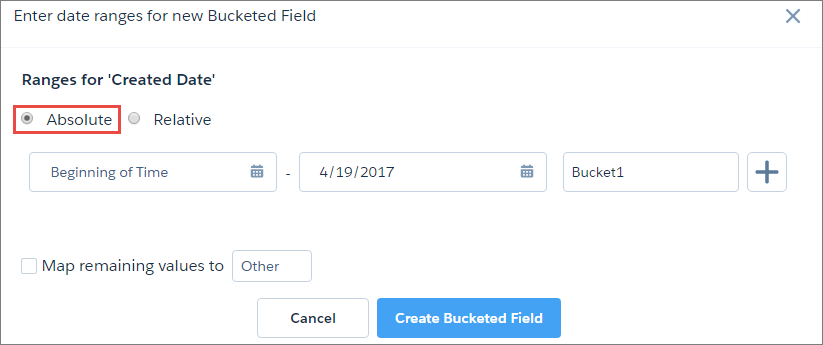
- Enter a start date and end date for Bucket1, and enter a name for the bucket.In this example, you want each bucket to be a season, so you enter the date range for winter and enter the bucket name.

- To add more buckets, click
 and repeat step 2.
 - To bucket remaining values that you have not bucketed, select Bucket
remaining values and enter a bucket for these values.If you don’t select this option, rows with unbucketed values keep the same value in the new bucket field.
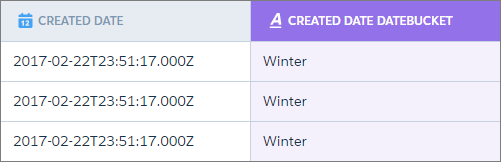
- When you have completed all the buckets, click Add.The new bucket field appears next to the source field in the recipe preview.
In Relative mode, each bucket is a period of time relative to the date that the recipe runs. You can create bucket periods based on days, weeks, months, quarters, or even years. For example, create a bucket field from the case created date to categorize cases by when they were opened.
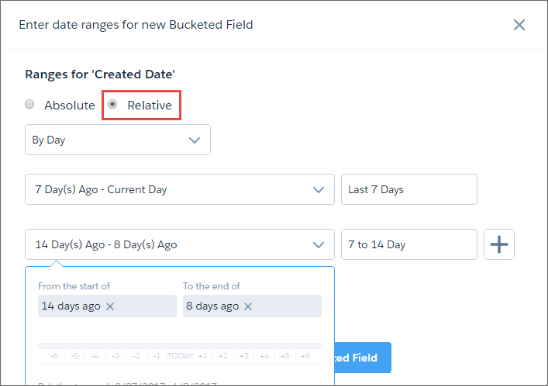
When you create a relative date bucket field, manually enter the start and end of each period, or use the sliders.

Tip You can use a bucket field to filter rows in a
recipe.
Did this article solve your issue?
Let us know so we can improve!
