You are here:
Predict Missing Values in Dimension Columns
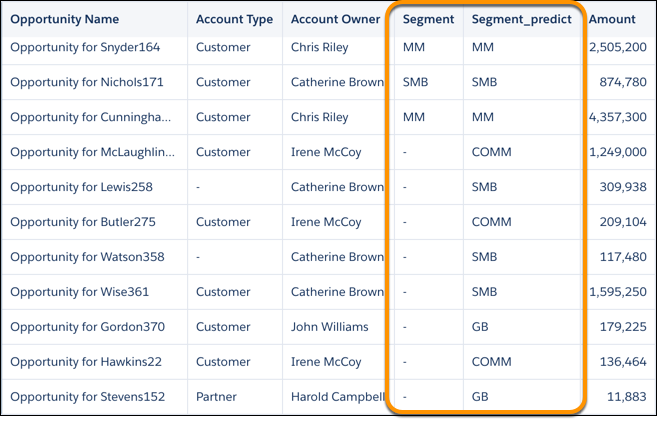
When a dataset or connected object has missing values in a dimension column, CRM Analytics can fill in missing values to complete your data. CRM Analytics intelligently predicts values based on values in other strongly correlated columns in your data.

Consider these limitations before using this feature.
- If there aren’t enough records to make accurate predictions, CRM Analytics doesn’t insert predicted values .
- You can't perform column profiling or transformations on predicted columns.
- Recipes that predict values can take longer to run.
To predict missing values in a dimension column:
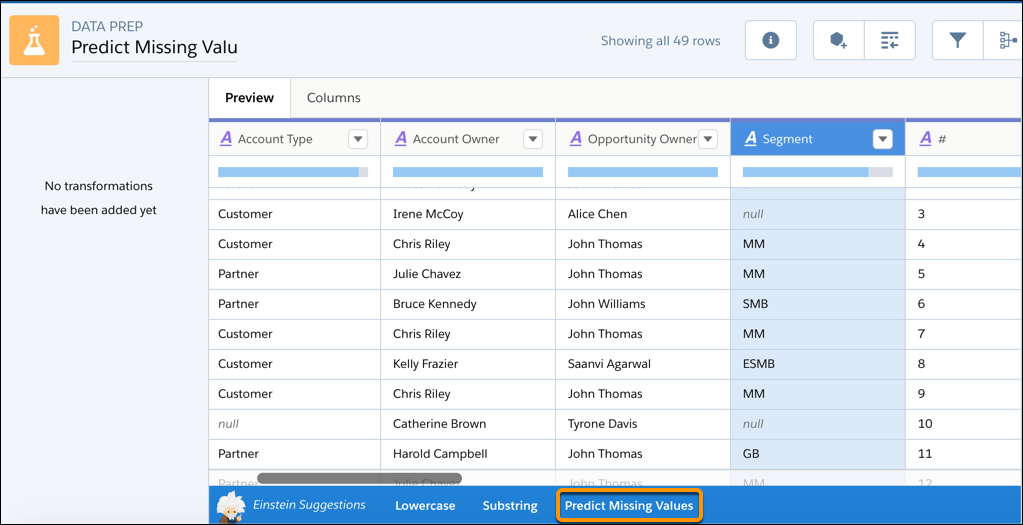
- On the dataset recipe page, click the dimension column.
- In the Einstein Suggestions bar, click Predict Missing
Values.
- Select up to three dimension columns to use to predict the missing values for the selected
column.
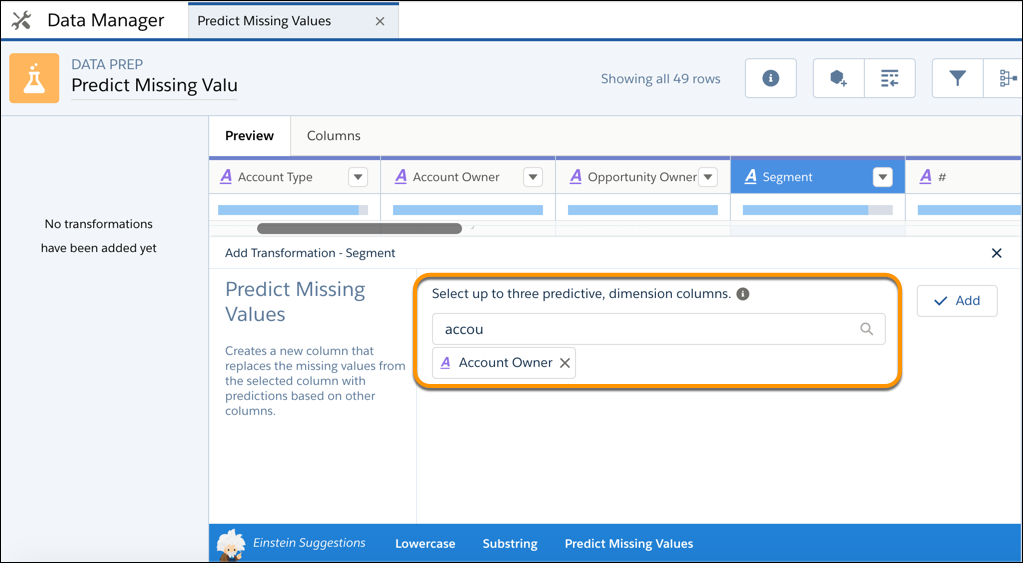
 Tip To make an accurate prediction, each column must have less than 200 unique values. Also, verify that these predictive columns contain clean, quality data. For example, you have an Education predictive column that contains values such as “Bachelors Degree” and “Bachelors.” Use the bucket transformation to bucket field values with the same meaning. Then use the column with the clean data as a predictive column. For more information about bucketing, see Bucket a Dimension Field in a Recipe.
 - Click Add to confirm.
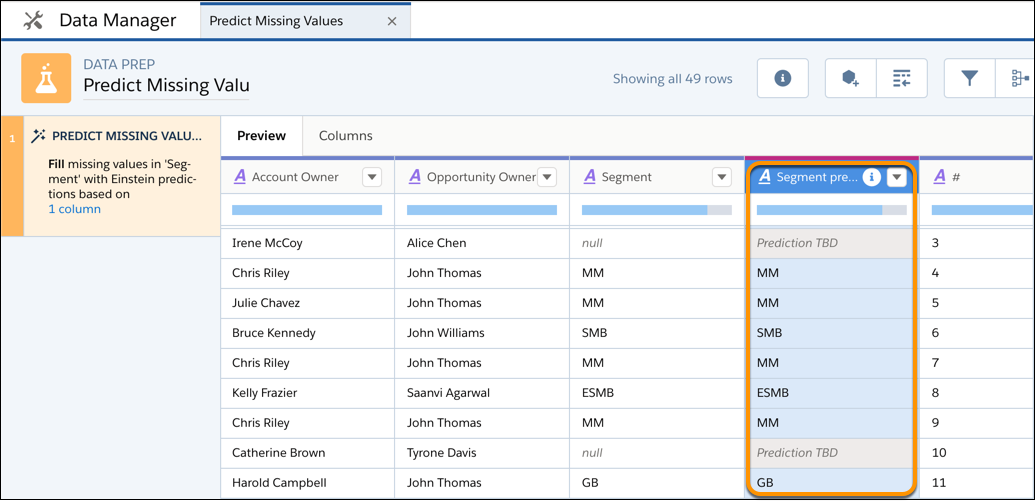
The preview shows the original column with the missing values and the new column with “predict” at the end. The preview shows “Prediction TBD” for predicted values in the new column. The predicted values don’t appear until after you run the recipe.
- Click .
When you run the recipe to create the dataset, you can include the original column and the new column with the predictions. To review the predictions, view the dataset as a values table.