
You are here:
Preserve Original Currency Values for Salesforce Direct Data
By default, all currency fields are converted to the default org currency on all data
syncs. With Salesforce direct data objects, use the preserveCurrencyFields in
your recipe JSON to specify which fields you want to preserve the original currency value for on
data sync. This process allows you to use unconverted currencies in some workflows and converted
currencies in others, even within the same Salesforce direct data object.
Preserving currency values provides your users with the option to access both raw and converted currency values. You maintain data integrity by retrieving the original currency values as stored in Salesforce and enable your users to perform currency conversion within CRM Analytics using the retrieved exchange rates.

Use of
preserveCurrencyFields is only supported for Salesforce direct data objects
and requires a full sync.
- In Data Manager, click Recipes.
- Click the recipe you want to edit or create a new recipe.
-
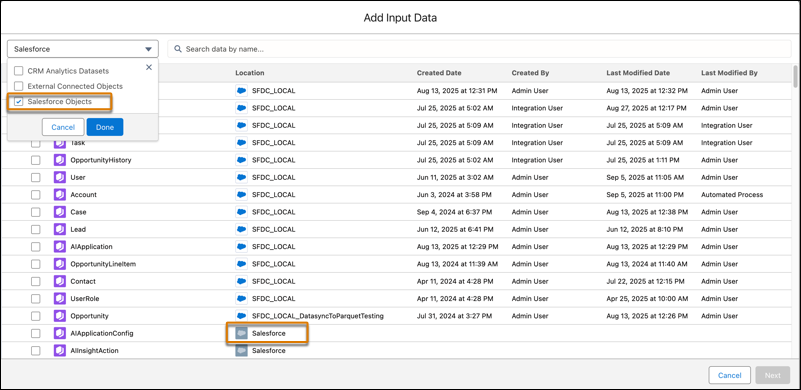
For the input node, select a Salesforce direct data object.
In the Location column, Salesforce direct data is distinguished by a gray Salesforce cloud icon.
-
Once your input node is defined, download the recipe JSON to edit and update the
preserveCurrencyFieldsfor that node.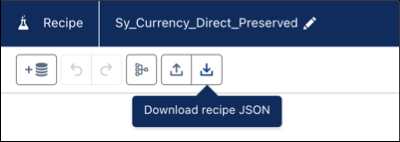
- Open the recipe JSON file in an editor.
Example JSON for a recipe input node:
"LOAD_DATASET0": { "action": "load", "parameters": { "dataset": { "connectionName": "SFDC_LOCAL", "label": "Sy_Currency__c", "sourceObjectName": "Sy_Currency__c", "type": "connectedDataset" }, "fields": [ "Id", "OwnerId", "IsDeleted", "Name", "CurrencyIsoCode", "CreatedDate", "CreatedById", "LastModifiedDate", "LastModifiedById", "Cost__c" ], "preserveCurrencyFields": [], "sampleDetails": { "sortBy": [], "type": "TopN" } }, "sources": [] } -
Add one or more currency fields to the
preserveCurrencyFieldsobject.Example JSON with a currency field,Cost__c, added to thepreserveCurrencyFieldsobject:"LOAD_DATASET0": { "action": "load", "parameters": { "dataset": { "connectionName": "SFDC_LOCAL", "label": "Sy_Currency__c", "sourceObjectName": "Sy_Currency__c", "type": "connectedDataset" }, "fields": [ "Id", "OwnerId", "IsDeleted", "Name", "CurrencyIsoCode", "CreatedDate", "CreatedById", "LastModifiedDate", "LastModifiedById", "Cost__c" ], "preserveCurrencyFields": [ "Cost__c" ], "sampleDetails": { "sortBy": [], "type": "TopN" } }, "sources": [] } -
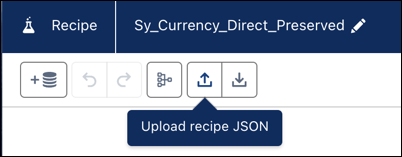
Save the recipe JSON file and upload it to your recipe.
- Complete your recipe and click Save and Run.
Considerations
- Be careful with recipe aggregations and don’t aggregate across different currencies.
- Using this feature introduces performance overhead due to a full data sync on each job. However, this impact is limited to objects where preserved values are needed. Other objects can still use the faster data syncs.
- Recipes involving multiple objects require extra attention to ensure related data sources stay in sync.
