Loading
CRM Analytics
Table of Contents
Select Filters

          No results
          No results
          Here are some search tips

          Check the spelling of your keywords.
          Use more general search terms.
          Select fewer filters to broaden your search.

          Search all of Salesforce Help
          Discovery Predict Transformation: Get Einstein Discovery Predictions

          Discovery Predict Transformation: Get Einstein Discovery Predictions

          In CRM Analytics, use the Discovery Predict transformation to populate your datasets with predictive and prescriptive intelligence. When you run a Data Prep recipe with a Discovery Predict node, Einstein calculates and saves predicted outcomes on a row-by-row basis. You can optionally store descriptions of top predictors and improvements. With the Discovery Predict node, you can quickly evaluate predictions across a large set of data, assess multiple models before deploying them into production, and aggregate this information in a dashboard.
          Required Editions

          Discovery Predict Transformation: Get Einstein Discovery Predictions

          User Permissions Needed
          To create a recipe: Edit Analytics Dataflows OR Edit Dataset Recipes
          To view predictions, improvements, and related details: View Einstein Discovery Recommendations (see Assign Einstein Discovery Permission Sets to Users)
          1. Edit a Data Prep recipe.
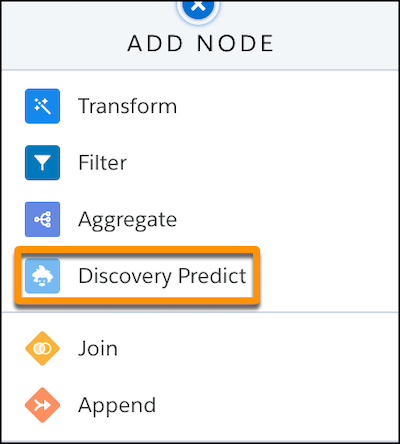
          2. Where you want to insert the node, click Add Node (+) and choose Discovery Predict.
            Add a node and choose Einstein Predict
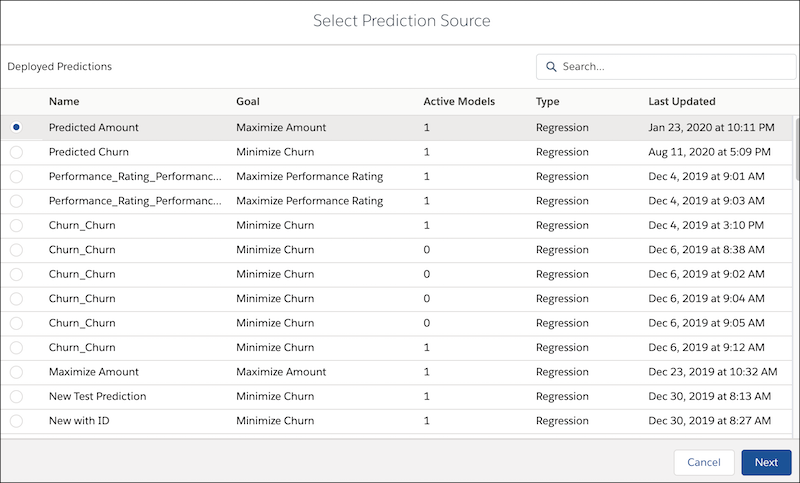
          3. Select a deployed prediction, then click Next.
            Select a deployed prediction for this Einstein Predict node
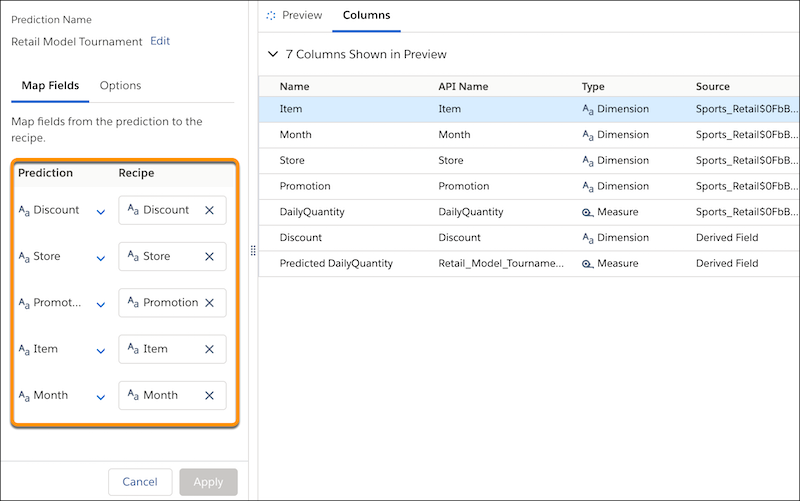
          4. Map all fields from the prediction to the recipe.

            This example shows all fields from all active models, as well as segmentation filters.

            Map fields from the prediction to the recipe
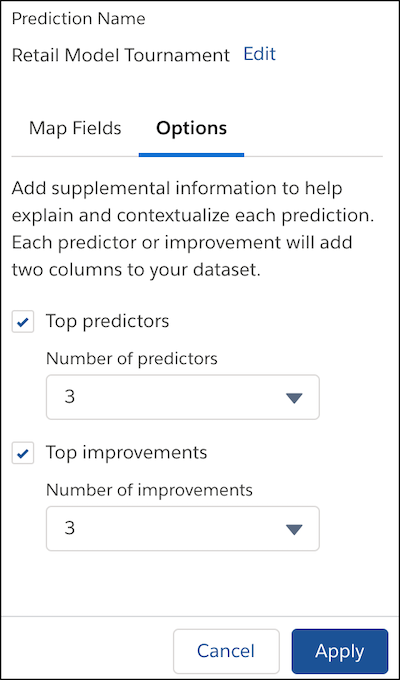
          5. If you want to include prediction and improvement text in the dataset, click the Options subtab.
            Map fields from the prediction to the recipe
            IssueDescription
            Top predictors Enable Top predictors and specify the number of entries you want to save to the dataset.
            Top improvements

            Enable Top improvements and specify the number of entries you want to save to the dataset.

            This option is available only for predictions that use:

            • numeric or binary classification models, and
            • the Generalized Linear Model (GLM) algorithm

            If the selected prediction uses a multiclass classification model, or if it uses a different algorithm, then getting top improvements is not an available option. To learn more about algorithms in Einstein Discovery story settings, see Edit Story Settings.

          6. Click Apply.

            Einstein adds the Discovery Predict node to your recipe.

            Map fields from the prediction to the recipe
          7. Save the recipe.

          Run the recipe to get predictions.

           
          Loading
          Salesforce Help | Article