
You are here:
Access Dashboards on a Lightning Page
Add your dashboard to a Lightning page, along with other relevant components, so your users can access it from outside the Salesforce record context.
To add a dashboard to a Lightning page, first create a dashboard layout that’s optimized for your device. To learn more about layouts, see Generate Unique CRM Analytics Dashboard Layouts for Different Devices.
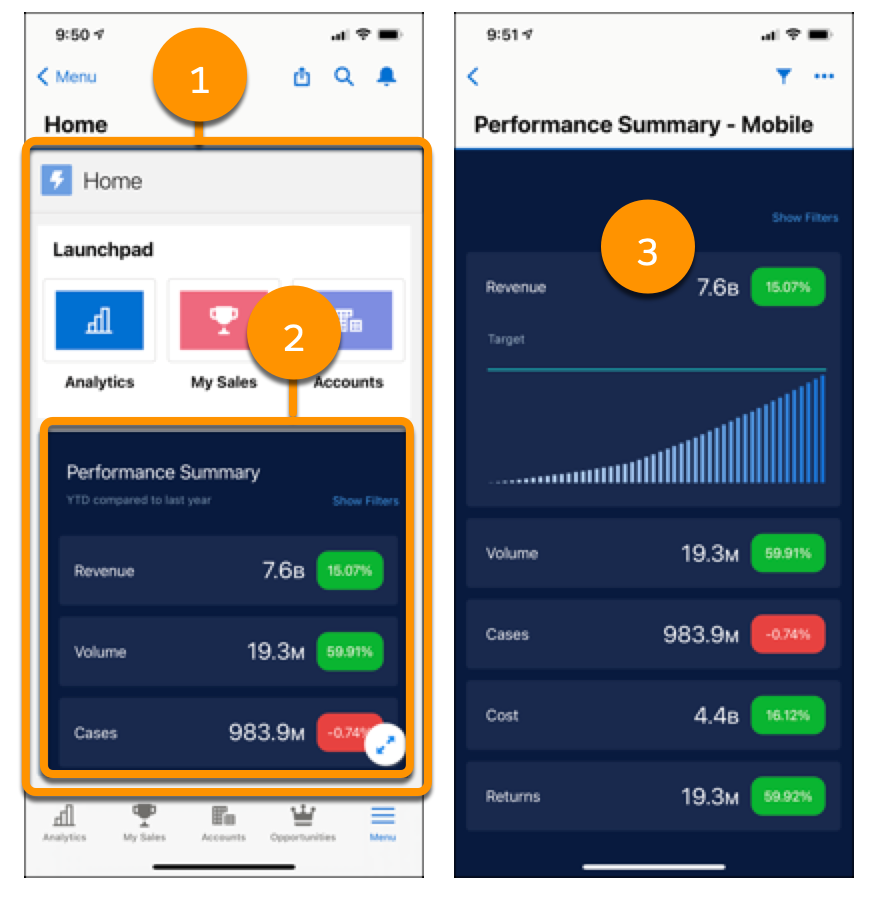
When you add a dashboard to a Lightning page (1), users tap on the dashboard (2) to open it. When the dashboard opens (3), users can interact. To learn more, see Lightning Pages.
Did this article solve your issue?
Let us know so we can improve!
