
You are here:
Access Data When You’re Offline
View and analyze data on your mobile device when internet access isn’t available.
Required Editions
| Available in: Available in Salesforce Classic and Lightning Experience. |
| Available with CRM Analytics, which is available for an extra cost in Enterprise, Performance, and Unlimited Editions. Also available in Developer Edition. |

When you have internet access, set up Mobile Offline. Tap the three dots next to the name of a dashboard, lens, or dataset to view its details panel. Then tap Make Available Offline (1). When the asset finishes downloading (2), you’re ready to take data analysis anywhere you want to go.
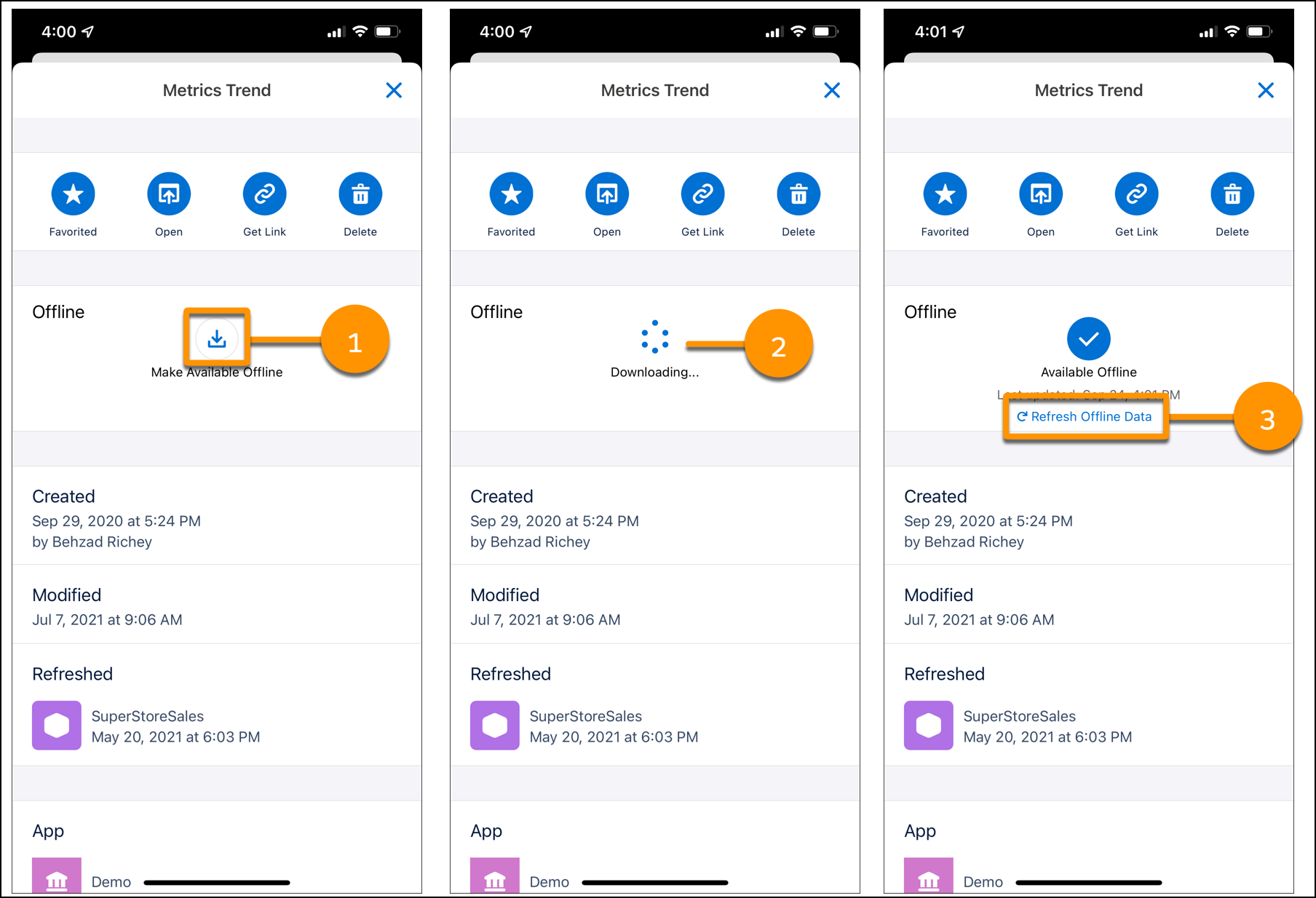
Analytics uses live data whenever you have internet access. Also, offline assets aren’t automatically updated when internet access is available. Keep your offline data fresh by tapping Refresh Offline Data (3) when internet access is available.
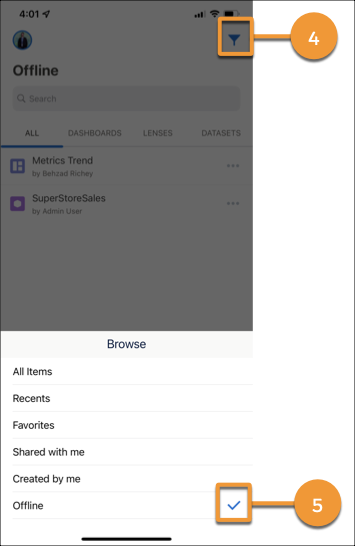
To see all assets available for offline access, tap the filter icon (4), and then select Offline (5).
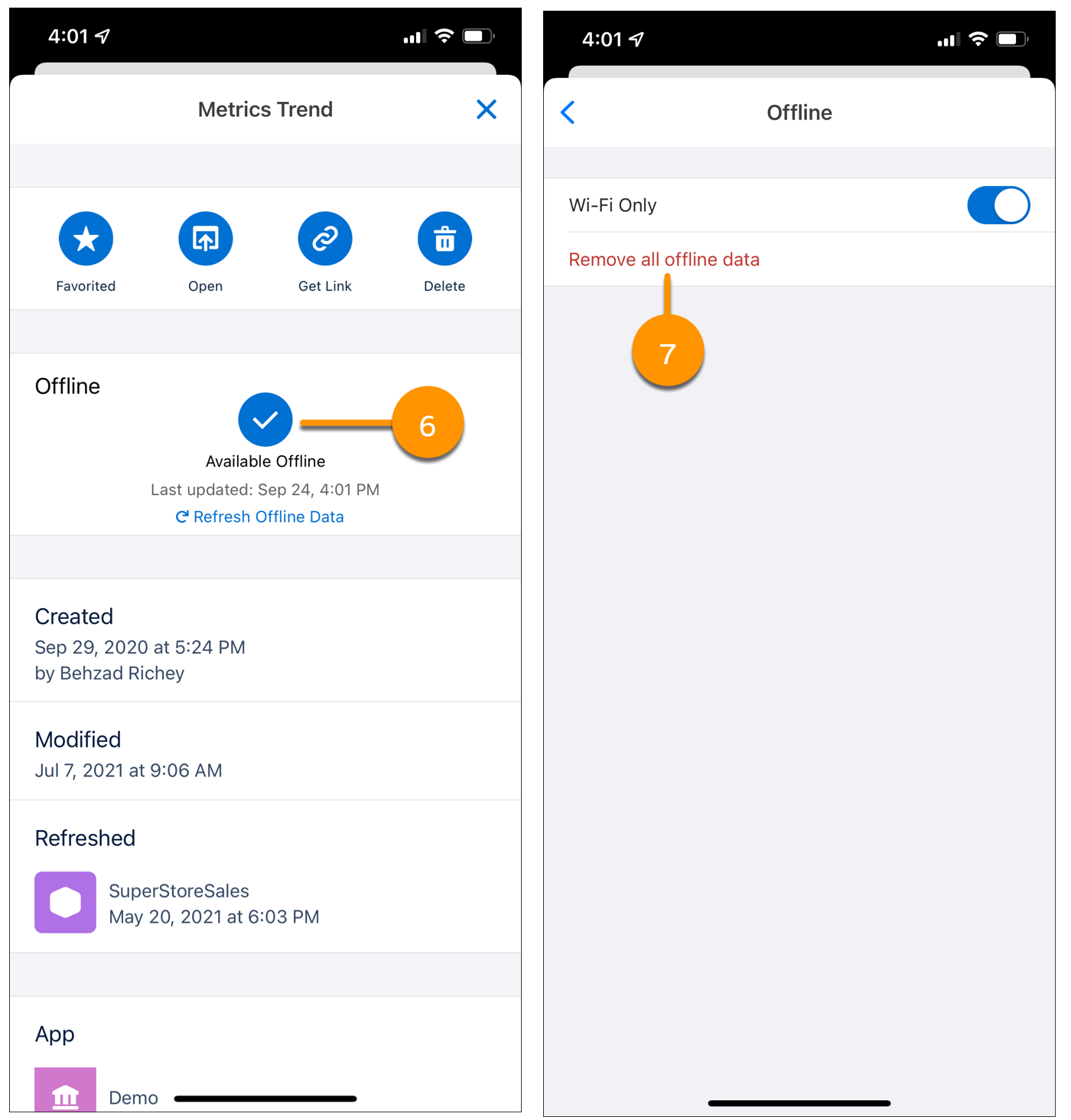
To remove offline access for a specific asset, open the details panel, and then tap the check mark above Available Offline (6). To remove all offline access, go to Settings, tap Offline, and then tap Remove all offline data (7).
Keep these considerations in mind when using Mobile Offline.
- To save on mobile data costs, offline data is downloaded using Wi-Fi only. To download data using both Wi-Fi and cellular networks, go to Settings, tap Offline, and then turn off Wi-Fi Only.
- Dashboards with datasets exceeding 200 million rows aren’t available for offline access.
- If assets exceed 750 MB or the storage capacity of the device, they aren’t available for offline access.
- Mobile Offline settings apply to individual mobile devices and aren’t synced across multiple devices.
- When removing offline data, all data used by an asset is removed unless another offline asset uses the same data.
- All offline data is removed from the device when you log out or uninstall the app.
- Offline-enabled assets are stored on the device using Salesforce encryption standards for mobile devices. Unencrypted data is never stored on a device at any time.
- Some features aren’t supported for offline dashboards and lenses.
- Custom maps
- Linking
- Personal views
- Save, Save As
- Post to Chatter, Share via Email
- APEX, SOQL
