
You are here:
Set Sharing Inheritance for a Data Prep Recipe
Specify the sharing inheritance settings when generating a dataset from a Data Prep recipe, then set a default security predicate.

Note We recommend that you test in a sandbox environment before rolling
out sharing inheritance to production. To make sure that sharing inheritance works for you,
test your particular use cases against your Salesforce org’s security model and data to make
sure that sharing inheritance works for you.
Configure Data Prep Recipe
Before a dataset can inherit sharing, you must configure its recipe in Data Prep. Specify which source object to inherit sharing from and the backup security predicate.
- Enable sharing inheritance for your org and synced objects if you haven’t already. For more information, see Enable Sharing Inheritance.
- Open the recipe in Data Prep. Sharing inheritance isn’t available for recipes built in Data Prep classic.
- In the output node, configure the sharing inheritance settings. Set which object is the
source of sharing rules (1).
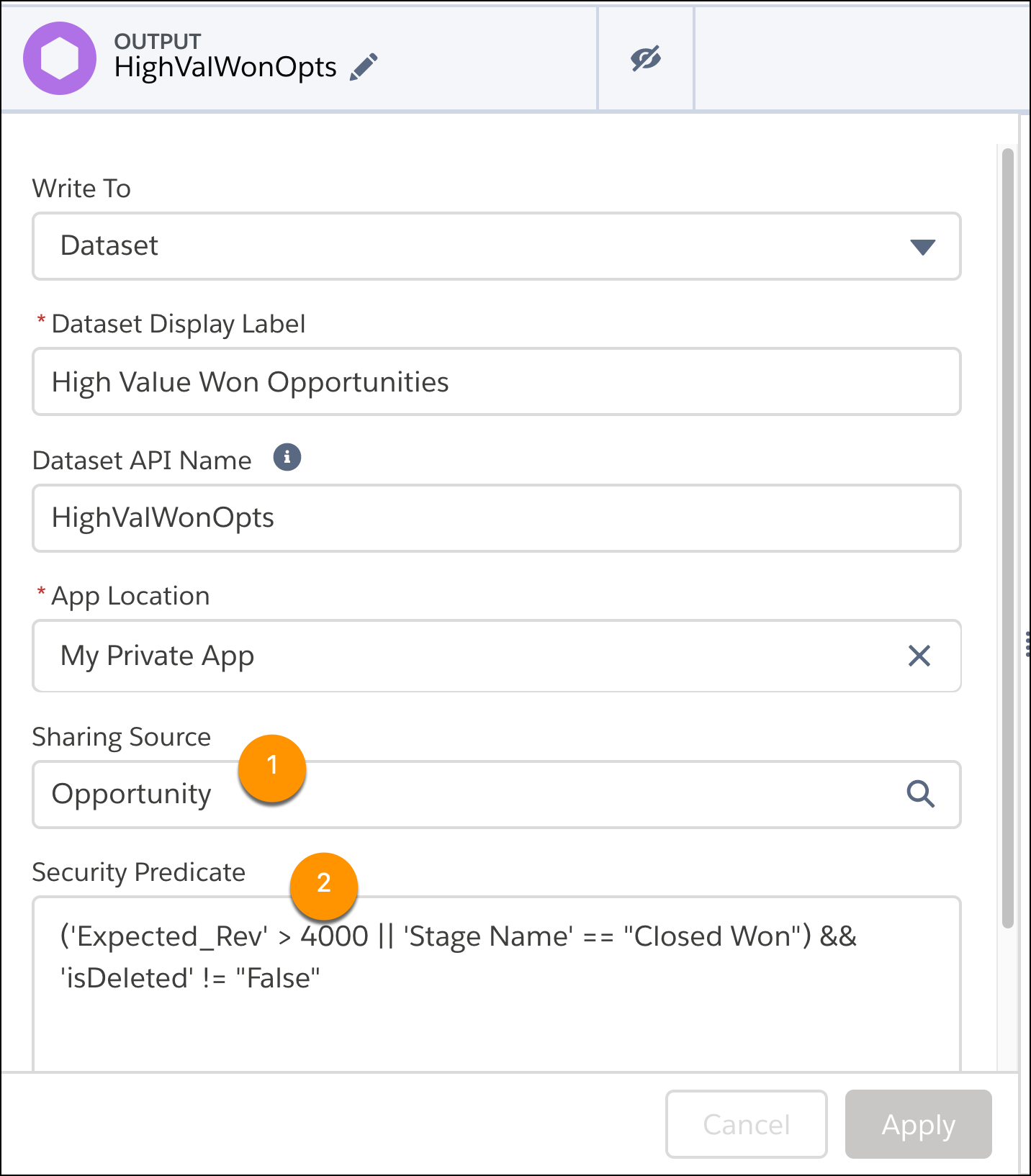
- Optionally, add a security predicate in the Security Predicate field (2). Leaving this field empty is the same as “False,” so users not covered by sharing inheritance have no record visibility. For syntax and more information, see Add Row-Level Security with a Security Predicate.
- Click Apply.
Configure Datasets
Update the sharing inheritance settings for datasets on the edit dataset page.
Note The
settings in the dataset and recipe must match. If they don’t, you receive the warning,
"The sharing source and security predicate in this dataset version must be the same as in
the recipe."
To remove the warning, set the security predicate in the recipe output node and its resulting dataset to false, then rerun the recipe.
- Edit the dataset. For more information, see Edit a Dataset.
- Click the pencil under Sharing Source.
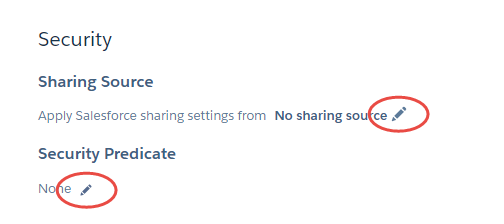
- Select the object to inherit sharing settings from. Only valid objects are displayed in the list. For example, the primary key of the object must be a field in the dataset.
- Optionally, click the pencil under Security Predicate. The security predicate is the row
visibility fallback when you exceed sharing inheritance limits, described here.
- Add your security predicate in the syntax described in Add Row-Level Security with a Security Predicate. The default on existing datasets is
false, so users not covered by sharing inheritance have no record visibility.
- Add your security predicate in the syntax described in Add Row-Level Security with a Security Predicate. The default on existing datasets is
Did this article solve your issue?
Let us know so we can improve!
