
You are here:
Learn about CRM Analytics Permission Set Licenses and User Permissions
When you create your own CRM Analytics permission sets, you start by selecting the CRM Analytics Growth permission set license instead of using the prebuilt permission sets. The permission set license includes the user permissions required to explore data with and manage the CRM Analytics platform.
- Each CRM Analytics platform user needs a CRM Analytics Growth permission set license to use the CRM Analytics platform. Creating a permission set and assigning it to a user auto-assigns the CRM Analytics platform permission set license to that user. You can also manually assign permission set licenses to users.
- Experience Cloud site users need a CRM Analytics for Communities permission set license to view CRM Analytics apps shared via dashboards embedded in sites or Visualforce pages.
The CRM Analytics Growth permission set license enables the following permissions, except Manage CRM Analytics Private Assets.
| User Permission | What It Enables |
| Access Analytics SAQL Editor (Pilot Feature) | This user permission is no longer used and will be removed in a future release. |
| Add CRM Analytics Remote Connections | Add connections to access data from external data sources. |
| Adoption Analytics Templates and Apps | Create and use apps based on the Adoption Analytics template. |
| Create CRM Analytics Apps | Create, edit, delete, and share CRM Analytics applications. |
| Create and Edit CRM Analytics Dashboards | Create, edit, and delete CRM Analytics dashboards. |
| Download CRM Analytics Data | Download screenshots and data in tabular format through the CRM Analytics user interface. |
| Edit CRM Analytics Dataflows | Edit, delete, and use remote connections; add and remove connected objects; run and schedule data sync; create, edit, delete, run, schedule, and monitor dataflows and recipes. Use discretion when assigning this user permission because it enables access to all Salesforce object data to which the Integration User has access. See Salesforce Data Access in CRM Analytics. |
| Edit Dataset Recipes | Create, edit, and run recipes to create datasets. Monitor dataflow and system jobs in the monitor. Doesn’t enable editing security predicates in existing recipes. |
| Recipes View Only | View the recipe details in the recipe editor. With this user permission, users can only see the Recipes option in the Data Manager. Users can't create, change, or delete recipes. |
| Manage CRM Analytics Private Assets | Delete datasets from another user’s My Private App. See Delete a Dataset This user permission isn’t included in any of the packaged permission sets. You have to manually assign it to a permission set. To add this user permission to a permission set in a Sandbox org, the permission set can’t have a license assigned to it. If a license is assigned to the permission set, the Manage CRM Analytics Private Assets user permission doesn’t appear when adding user permissions to permission set. 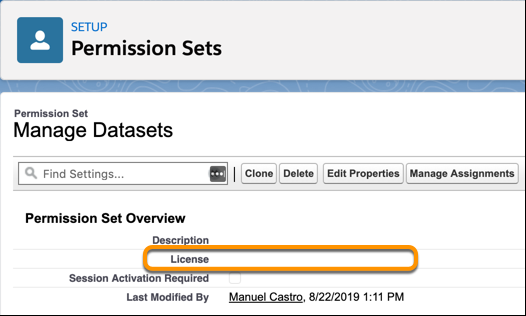 |
| Manage CRM Analytics | Access all CRM Analytics features. Provides CRM Analytics administrator-level capabilities. |
| Manage CRM Analytics Custom Maps | Add, edit, and delete maps, and upload geoJSON files. |
| Manage CRM Analytics Templated Apps | Create and manage apps based on CRM Analytics Templates. Edit CRM Analytics dataflows. Edit recipes. Monitor dataflow and system jobs in the monitor. Some templates require extra permissions. See the help for each template. |
| Trend Report Data in CRM Analytics | Trend the data of a report with a CRM Analytics dataflow. |
| Upload External Data to CRM Analytics | Upload external data to CRM Analytics to create a dataset. Monitor dataflow and system jobs in the monitor. |
| Use CRM Analytics | Open CRM Analytics; run CRM Analytics apps to which you have access; view their datasets, lenses, and dashboards; and create and edit lenses. |
| Use CRM Analytics Templated Apps | Use apps based on CRM Analytics Templates. Can also create, edit, and delete CRM Analytics dashboards. Some templates require extra permissions. See the help for each template. |
You create your own permission sets based on these permissions.

The CRM Analytics for Communities permission set license enables the “View CRM Analytics on Experience Cloud pages” permission. That permission enables external users to view CRM Analytics dashboards embedded in their Experience Cloud sites. See Enable CRM Analytics for Experience Cloud Sites.
